Best AI Dating Photo Tools (2026): I Tested All So You Don’t Have To

TL;DR
I tested 7 AI dating photo tools by running one set of photos through all of them. I paid for each, used each one through to the final output, and reviewed every result the same way.
The results split the tools into two groups. Most produced over-smoothed skin, a single repeated outfit, or studio-style headshots — output that reads as AI and can fail the selfie checks the apps now run. Photolike.ai was the only one that improved the lighting, posing and angles instead of reproducing the input photos as they were, and the only one that showed a result on the subject’s own face before payment.
Your photos aren’t working — that’s usually how someone ends up on a page like this. You’ve considered an AI photo tool, maybe more than once, and stalled at the same two places: half the example photos look computer-generated, and every ranking you find crowns a different winner, usually the one paying for the placement, with match-count claims nobody can verify.
So the question this page actually answers is: which of these tools genuinely improves your photos — and can you find that out before handing anyone money?
I ran the test directly instead of aggregating claims — the same input into every tool, every output kept, the findings recorded. But before the rankings mean anything, you need the two things that separate these tools, because they’re not what most guides measure.
What these tools actually do — and where they split
Every tool here trains a model on the selfies you upload so it learns your face, then generates new photos of you in different settings. That part is the same across all of them, Photolike included. Where they differ is what they do with it. Most reproduce you at the level of your input — the same lighting, angles and poses your existing photos already have — so a weak camera roll produces weak output. They learn your face, but they don’t improve your lighting, posing or angles, which is what usually decides whether a photo works.
So the category splits in two: tools that reproduce how you already look, which are fine if your photos are already good, and the smaller number that improve on the input. Which one you need depends on the photos you’re starting with — and since most people shopping this category are here precisely because their photos aren’t working, that’s requirement one: the tool has to improve your photos, not reproduce them.
The other half: a photo that looks good isn’t a photo that looks like you
Most guides rate these tools on whether the photo looks good, which is the wrong measure. A photo can look good and still underperform if it doesn’t look like the person in it — and the apps now match a live selfie against your profile photos, so an idealised result can fail verification before anyone sees it.
A photo that looks good and a photo that looks like you are two different things. I rated every tool on the second.
The data backs the distinction. Hinge’s numbers show profiles with high-quality photos get about 3x the matches regardless of the bio, and other analyses put good photos at around a 49% increase — but ‘high-quality’ means believable, not polished: a 2024 ScienceDirect review found 86% of studies reported negative reactions when a photo read as heavily edited. Tools that keep real skin texture and your features work; tools that make you look like a slightly different person don’t — that version gets unmatched in person or flagged at verification.
The apps draw the same line. AI photos of yourself are allowed on Tinder, Hinge and Bumble; misrepresentation isn’t. Enforcement is the live-selfie check — Tinder’s Face Check, Hinge’s Selfie Verification, Bumble’s verification — and the test it applies, like the test a person applies when they meet you, is whether the photo still looks like you. A changed jaw or lightened skin fails it.
So requirement two: the output has to stay believable and recognizably you. Those two requirements — plus one tiebreaker, whether you can check a result on your own face before paying — are what the star ratings below measure: realism and likeness are requirement two, variety and usable share are requirement one, and the preview column is the tiebreaker. It turned out to separate the tools most clearly of all.
Who I tested it on, and where he was starting from
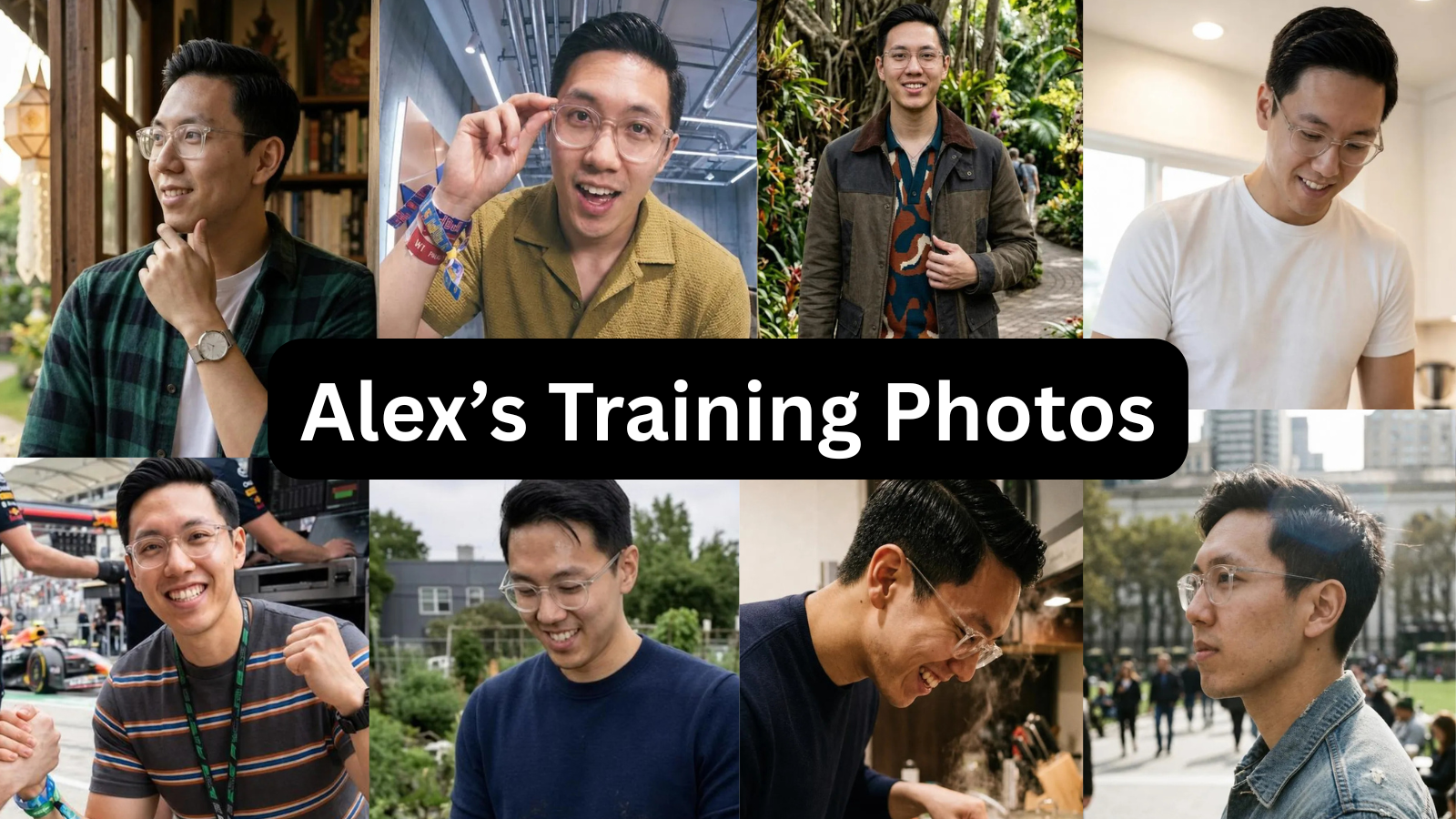 I used one person’s photos as the input — the same set through all 7 tools. Alex is 29, 5'9" with a camera roll typical of the people these tools are aimed at: a few recent selfies, one usable photo someone else took, nothing amazing, and no clear sense of his best angle. His profile wasn’t bad, it was average. A study that scored 536 men’s profiles across Tinder, Hinge and Bumble put the average near 54 out of 100, which is about where his sat.
How I tested them
One subject, one set of source photos, 7 tools. Alex uploaded the same 8–15 photos to each. I bought the lowest paid tier for every one — most also sell higher tiers with more photos, which I didn’t test — generated a full batch, and reviewed each result against the same checklist. I also went through training time, re-upload requirements and billing, since those aren’t clear until after you’ve paid.
For each tool I recorded five things: how realistic the output looked, whether it still resembled the subject, how much genuine variety the set had, how many photos were usable on a profile, and whether I could check quality before paying. The last one separated the tools most clearly.
The results
Here’s how each tool scored on those five, from 1 to 5 stars — Ratings are from this test on one subject: realism (does it look like a real photo, not AI), looks like you (still clearly the same person), variety (different settings, outfits and shot types), usable photos (share of the batch you’d put on a profile), and preview before paying (can you see a result on your own face first).
| Tool | Realism | Looks like you | Variety | Usable photos | Preview before paying |
|---|---|---|---|---|---|
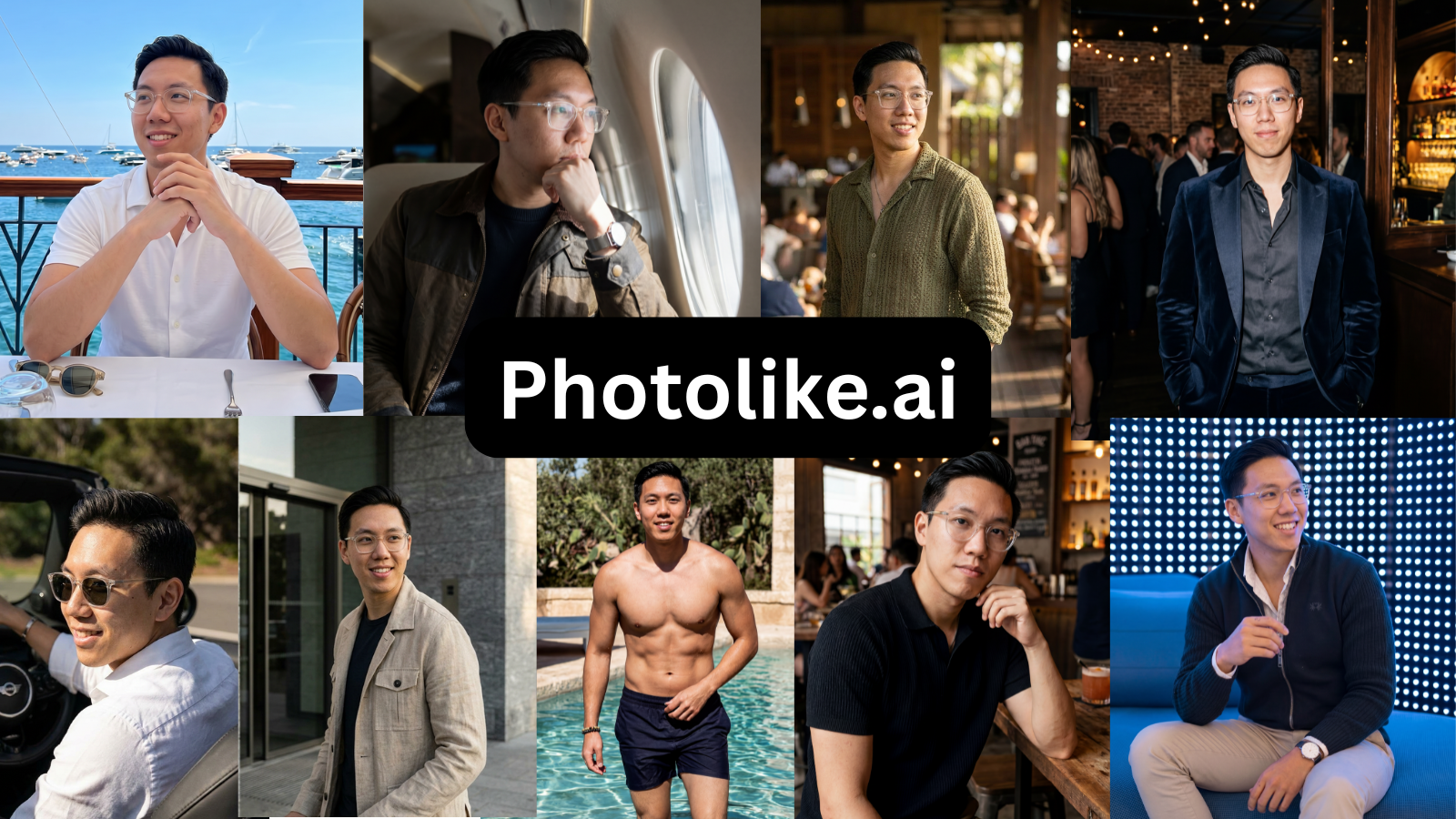
| Photolike | ★★★★★ | ★★★★★ | ★★★★☆ | ★★★★☆ | ★★★★★ |
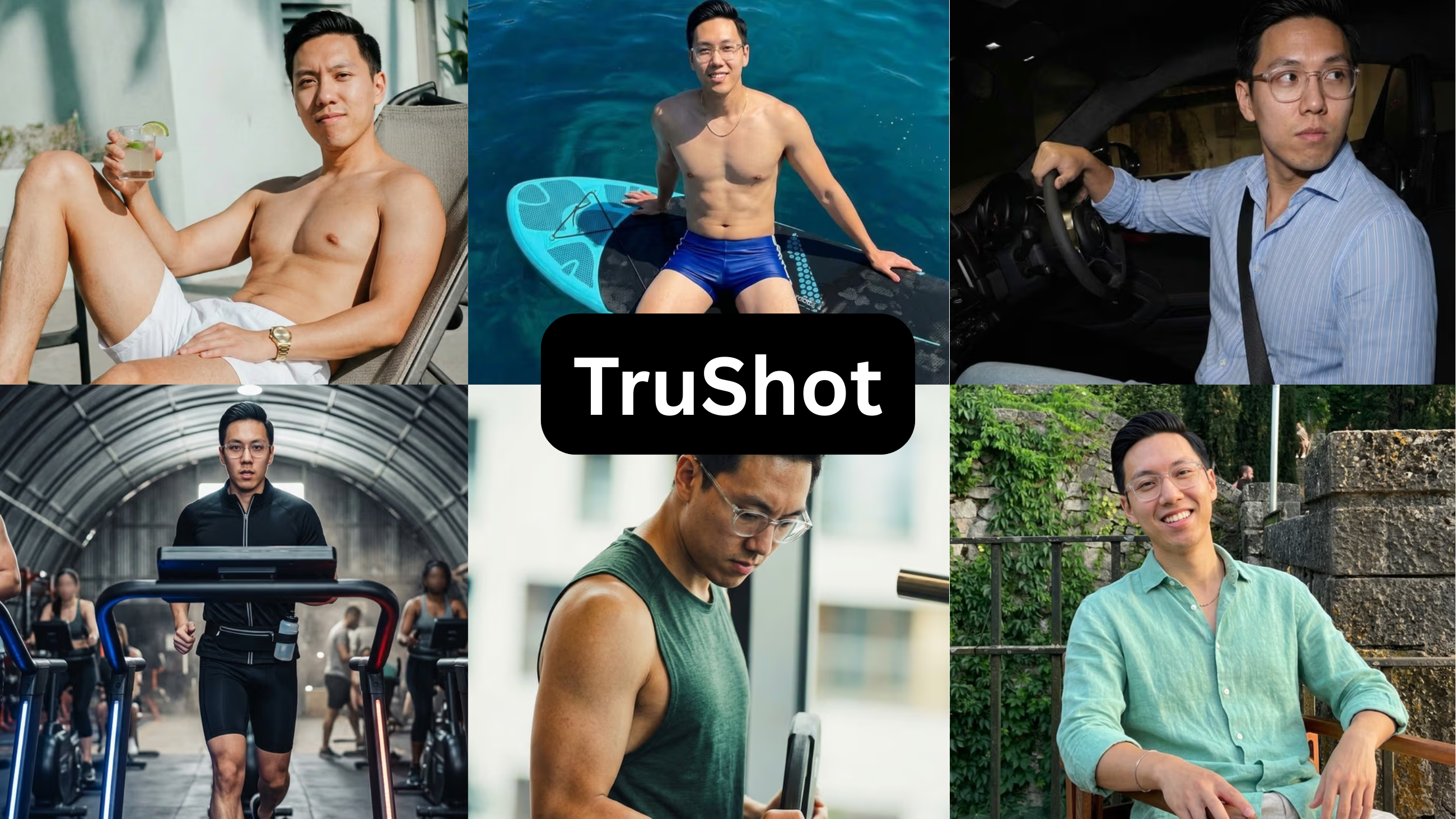
| TruShot | ★★★★★ | ★★★★☆ | ★★☆☆☆ | ★★★☆☆ | ★☆☆☆☆ |
| roast.dating | ★★☆☆☆ | ★★★☆☆ | ★★★☆☆ | ★★☆☆☆ | ★☆☆☆☆ |
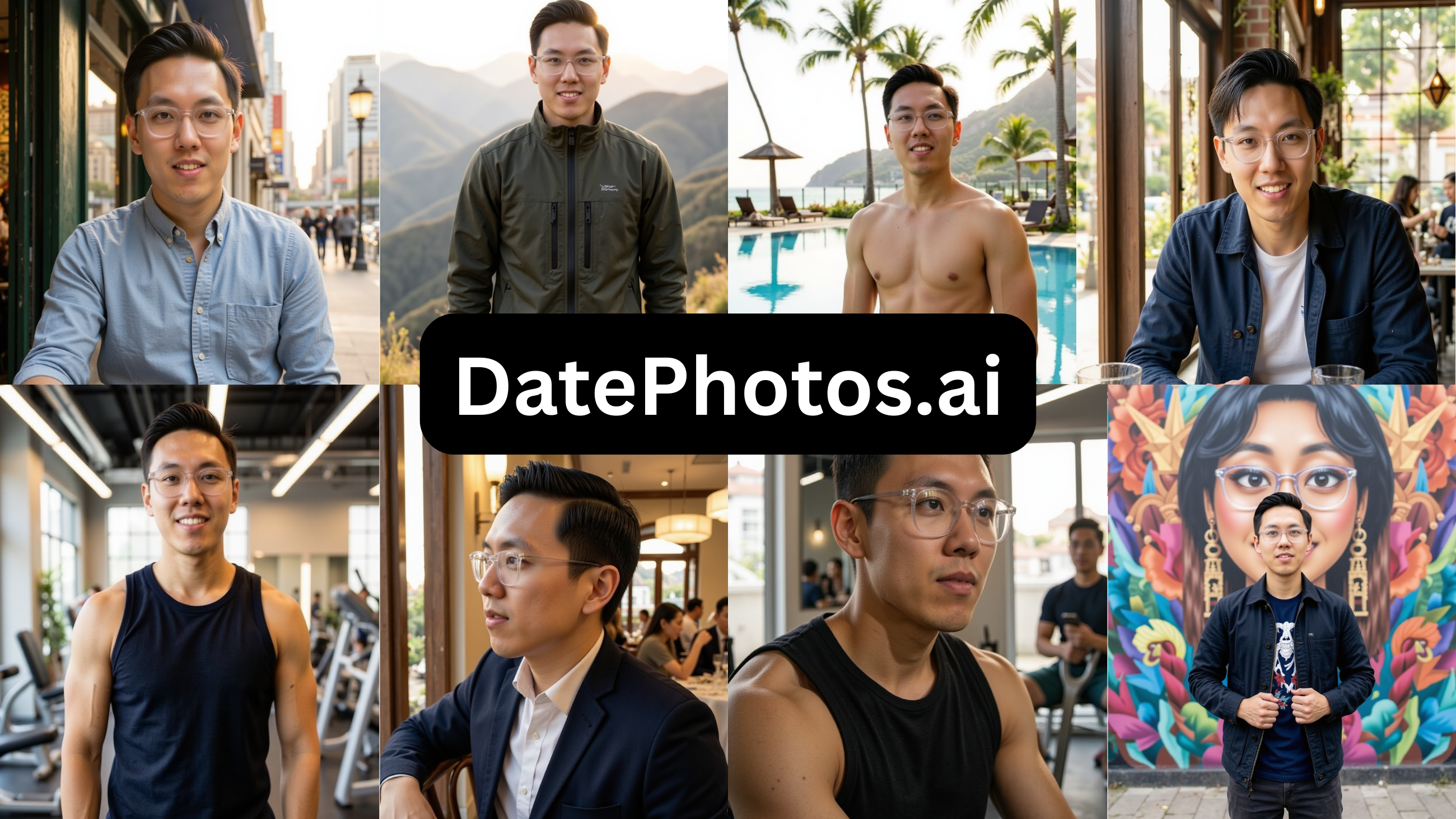
| DatePhotos.ai | ★★☆☆☆ | ★★★☆☆ | ★★★★☆ | ★★☆☆☆ | ★☆☆☆☆ |
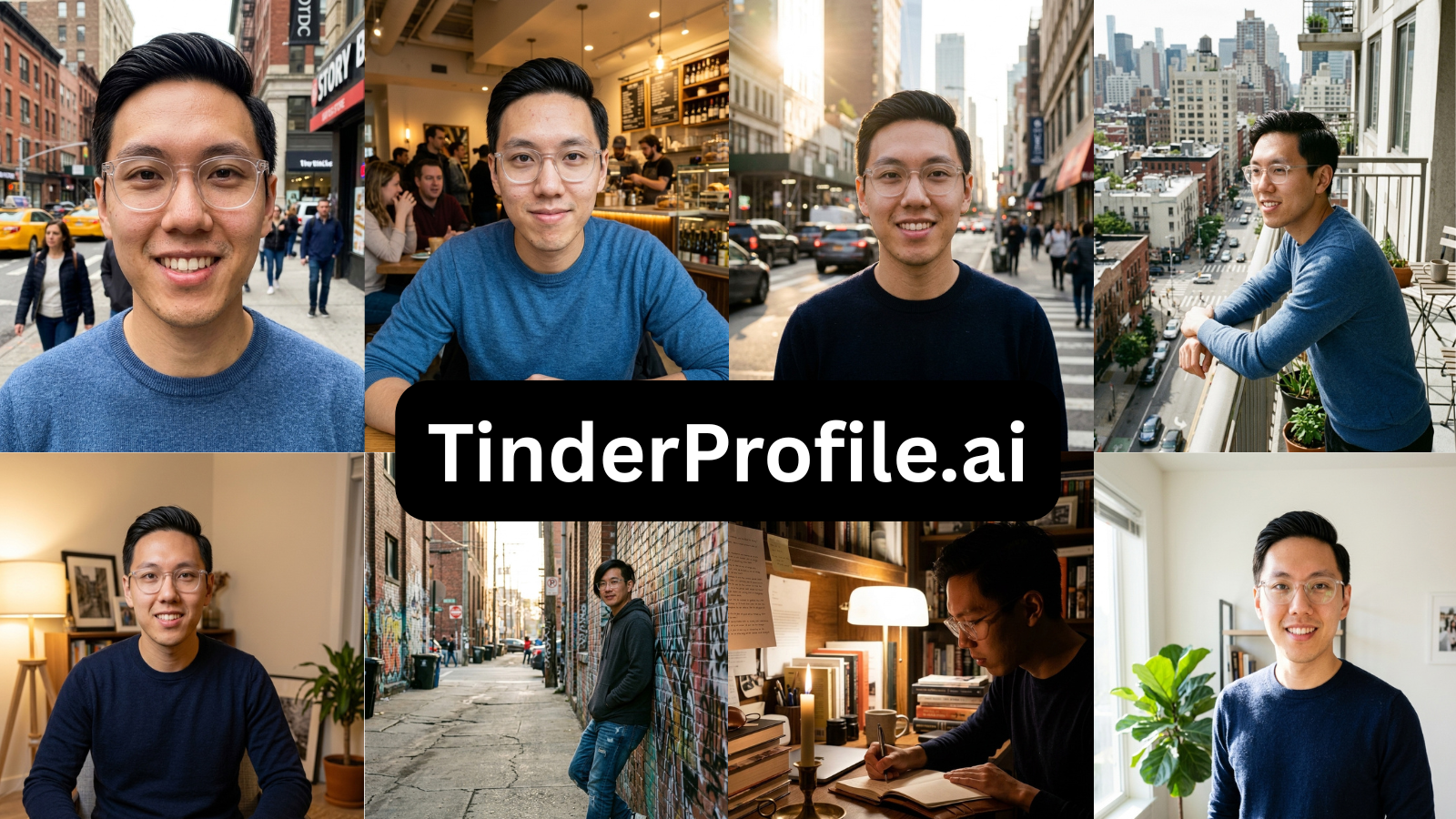
| TinderProfile.ai | ★★☆☆☆ | ★★☆☆☆ | ★☆☆☆☆ | ★★☆☆☆ | ★☆☆☆☆ |
| Aragon AI | ★★★☆☆ | ★★☆☆☆ | ★★☆☆☆ | ★☆☆☆☆ | ★☆☆☆☆ |
| Remini | ★★☆☆☆ | ★☆☆☆☆ | ★★★☆☆ | ★☆☆☆☆ | ★★☆☆☆ |
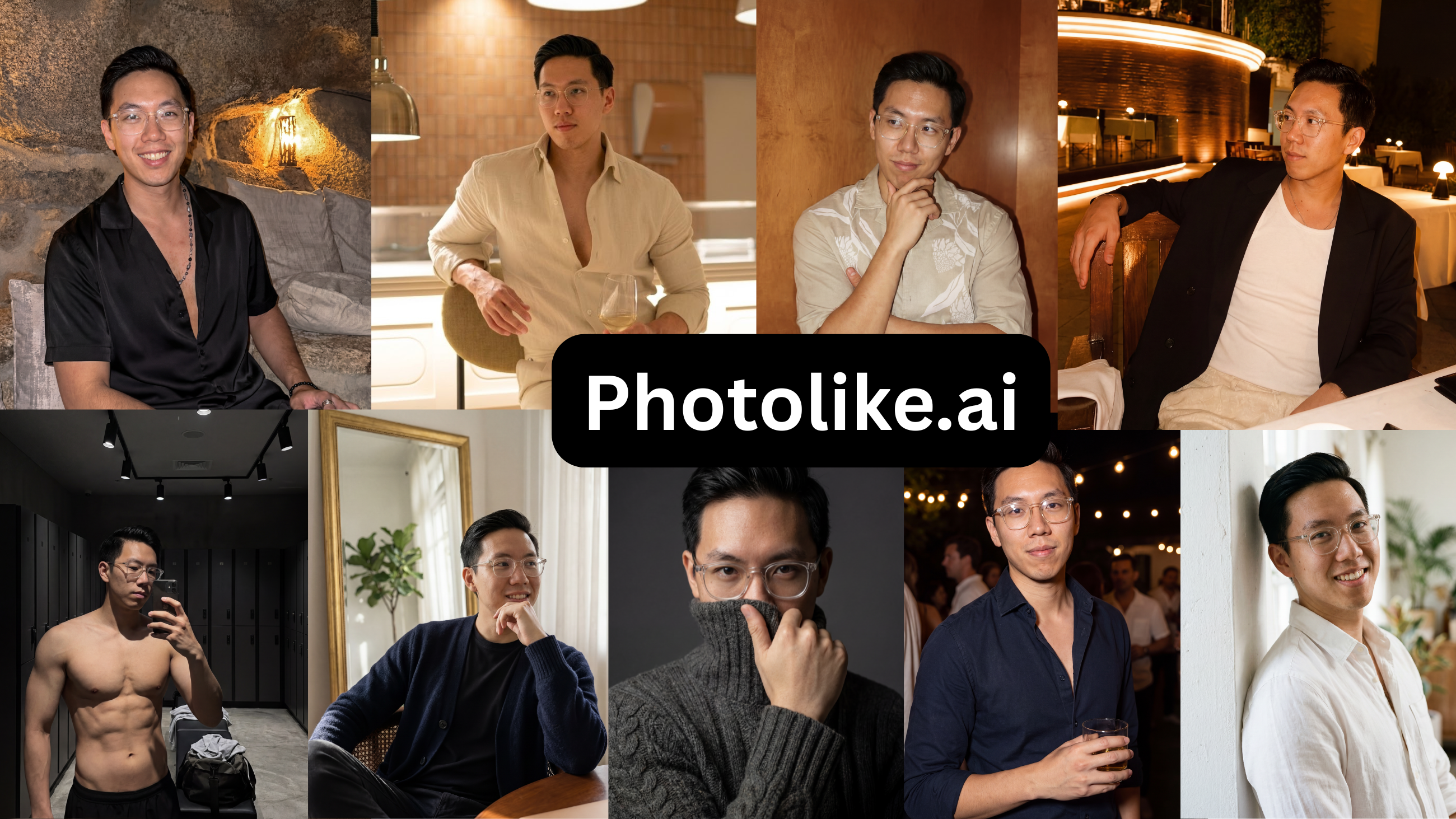
Prices shown are each tool’s lowest paid tier (most also sell higher tiers I didn’t test). ‘Usable rate’ is my estimate of how many of each tool’s photos I’d put on a real profile, based on reviewing the full batch on one face.
| # | Tool | Price | Free preview | Usable | Summary |
|---|---|---|---|---|---|
| 1 | Photolike.ai | $24.99 / 40+ | Yes — no card | ~88% | Improves lighting, posing & angles; only one you can try free |
| 2 | TruShot | $29 / 21 | No | ~45%* | Only reproduces what you already have; no preview; pricey for 21 |
| 3 | roast.dating | $3.99 + $29/mo | No | ~28% | Useful profile audit, weak photos |
| 4 | DatePhotos.ai | $29/mo | No | ~22% | Over-smoothed; most of the batch wasn’t usable |
| 5 | TinderProfile.ai | $14/mo | No | ~20% | Same outfit every shot; a bug blocked me mid-test |
| 6 | Aragon AI | $15+ | No | ~10% | Professional headshots, not dating photos |
| 7 | Remini | $9.99/wk | Trial (card) | ~5% | A photo editor, not a dating photo generator |
Share of output usable on a real dating profile
| Rate | ||
|---|---|---|
| Photolike.ai | ██████████████████░░ |
~88% |
| TruShot (only if your photos are already good) | █████████░░░░░░░░░░░ |
~45% |
| roast.dating | ██████░░░░░░░░░░░░░░ |
~28% |
| DatePhotos.ai | ████░░░░░░░░░░░░░░░░ |
~22% |
| TinderProfile.ai | ████░░░░░░░░░░░░░░░░ |
~20% |
| Aragon AI | ██░░░░░░░░░░░░░░░░░░ |
~10% |
| Remini | █░░░░░░░░░░░░░░░░░░░ |
~5% |
See The Difference
Your photos do the talking before you do. Make sure they're saying the right thing.
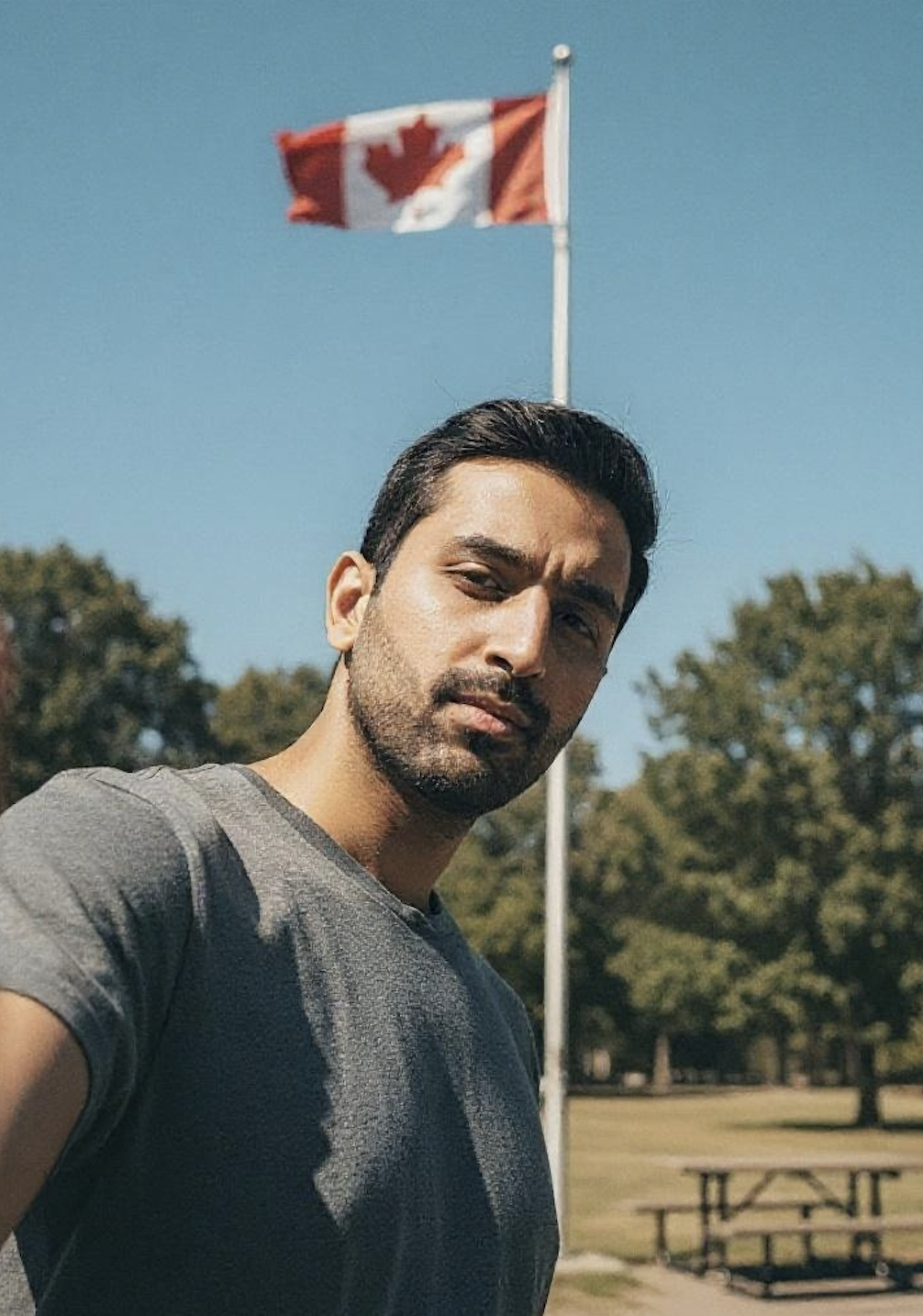
Unflattering angle • Harsh lighting • Missed potential
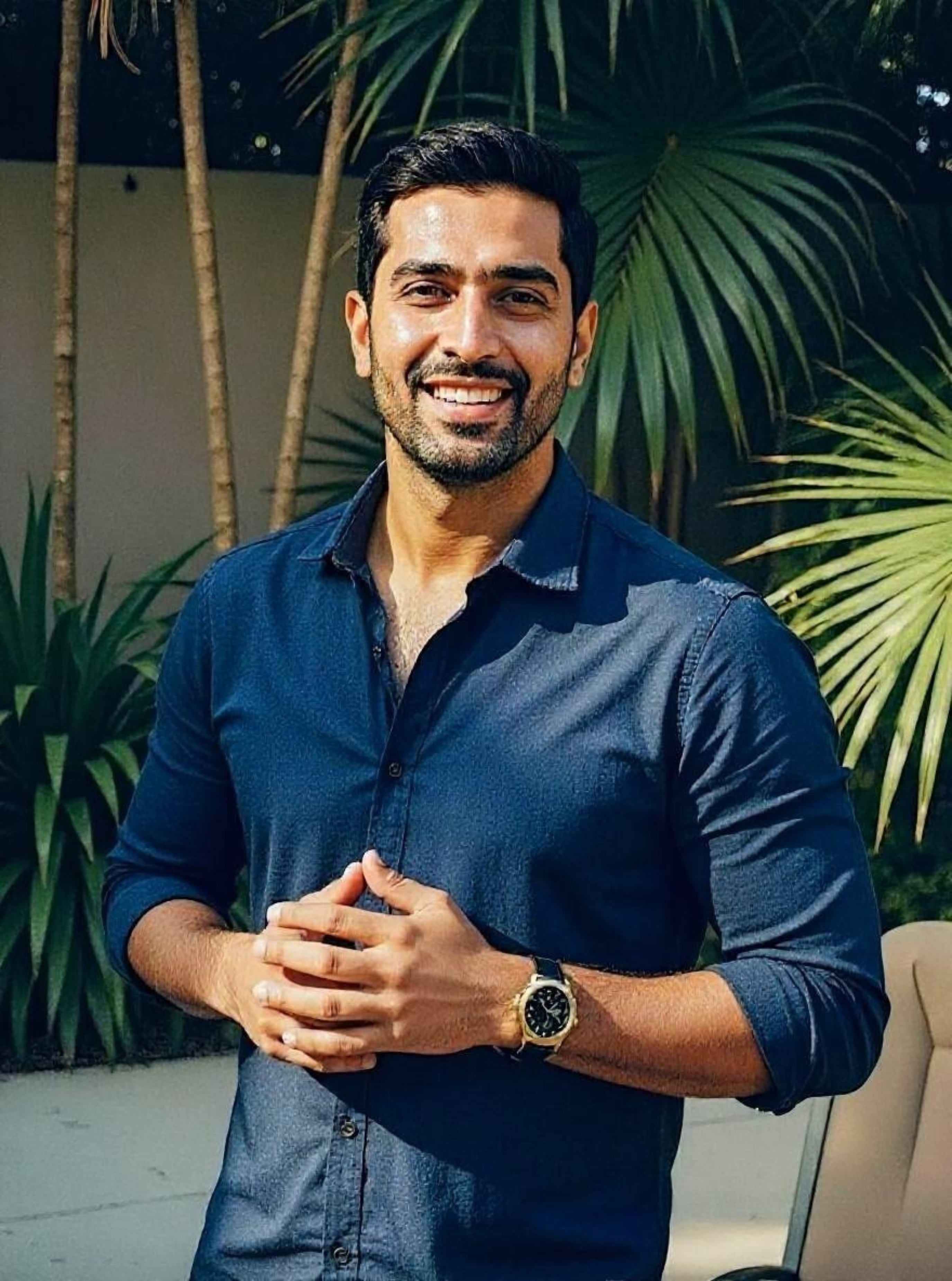
Confident pose • Perfect lighting • Match-ready
1 free match-ready photo first • unlock 40 for $24.99 only if you love it • no card required
The tools, one by one
1. Photolike.ai
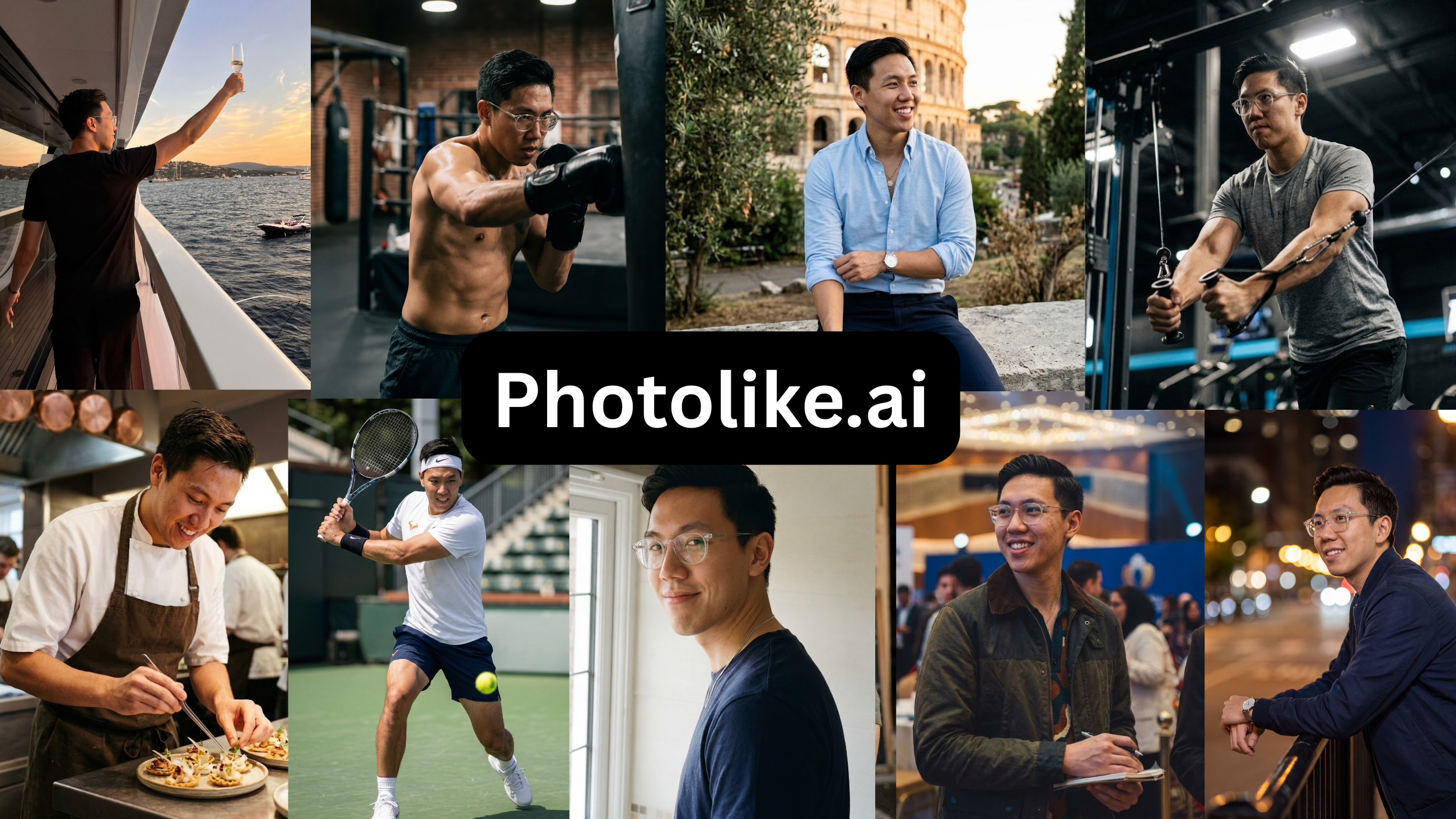
Price: Free preview, then $24.99 / 40+ photos · Free preview: Yes — one photo, no card
| Strengths | Limitations |
|---|---|
| – Elevates your lighting, posing and best angles, not just your existing look | – New to the market, with a shorter track record |
| – True-to-life images that read as you | – Not yet widely known |
| – Free preview with no credit card required | – A niche product for the male dating market |
| – Captures your full range and all angles | – Not all use cases covered yet |
| – Purpose-built albums (The Boss, The Chill Guy, Coffee Date, Gym, Travel and more), each engineered to signal a specific thing | |
| – Built specifically for male dating scenarios | |
| – Professional shots and friend-took-this candids both covered | |
| – Personalized styles and contexts | |
| – Max Mode for your strongest attraction output | |
| – Upload and recreate any reference look with your face | |
| – Designed to look like you on your best day | |
| – 40+ photos with the $24.99 package |
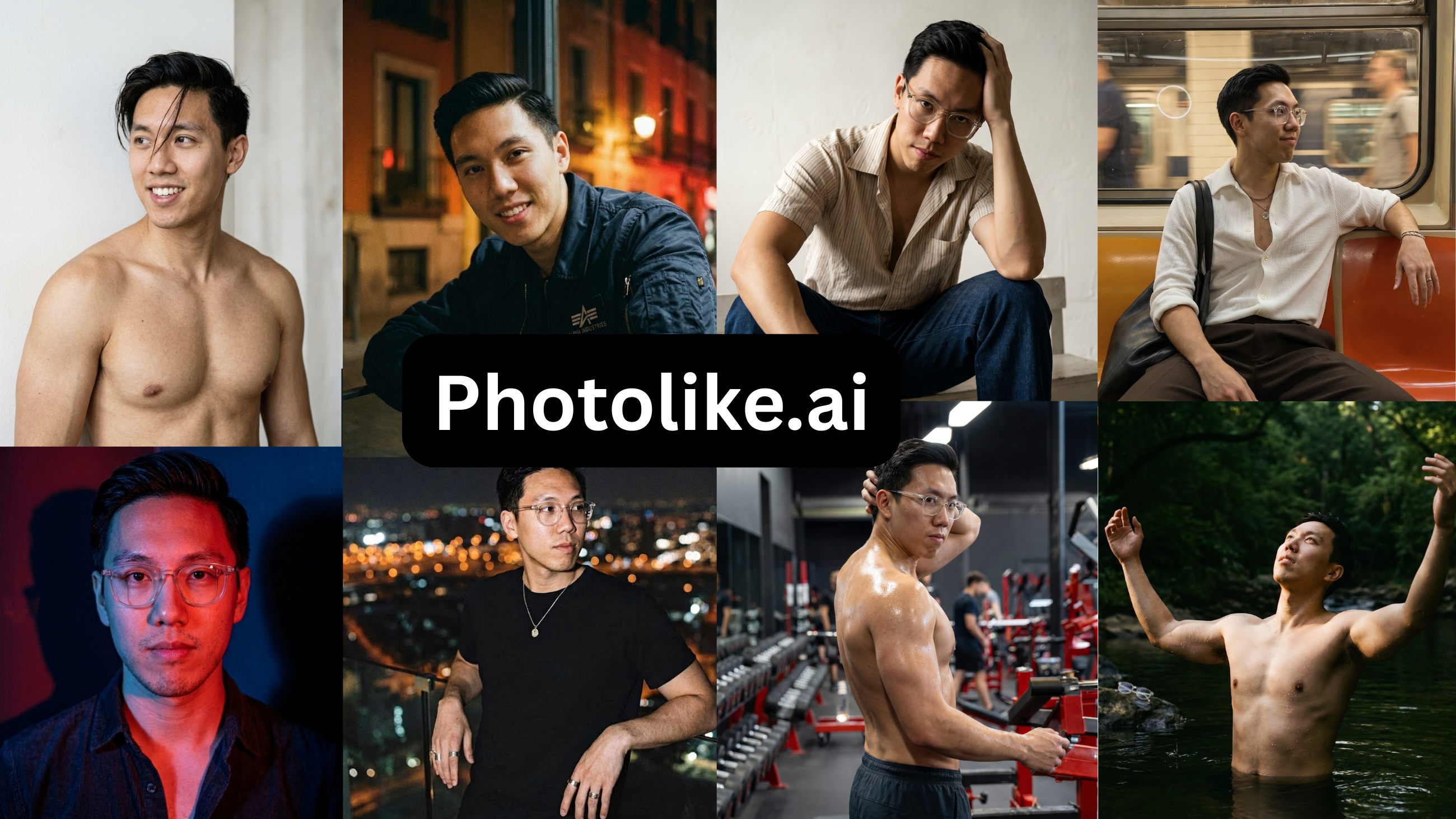
Verdict — Photolike.ai is the best AI dating photo tool for most people: it is the only one that actually elevates your lighting, posing and angles instead of just capturing how you already look, and the only one that let me see a photo of my own face before paying.
The only tool that met both requirements, with the tiebreaker on top. Photolike trains on your face like the others, then directs the shot — lighting, posing, and the angles that work — so a weak camera roll wasn’t the ceiling it was for the other tools. It produced the candid, the social setting, the activity shot and the travel photo Alex didn’t have, and the results still resembled him. The set covered a genuine range, from casual to more formal.
The product is organized around purpose-built albums, each aimed at a specific signal: “The Boss” (high-status, confident), “The Chill Guy” (laid-back), “The Boy-Next-Door” (approachable), plus themed sets like Coffee Date, Gym & Fitness, Travel & Adventure and a Furry Wingman shot — so you fill the specific gap in your profile rather than just adding photos. There’s also a max-realism mode that keeps the output sharp and recognizable, and an inspiration-photo feature that recreates a look you provide with your own face. The most useful practical difference is the free first photo: Alex generated one on his own face before paying and could confirm the result. Every other tool requires payment first.
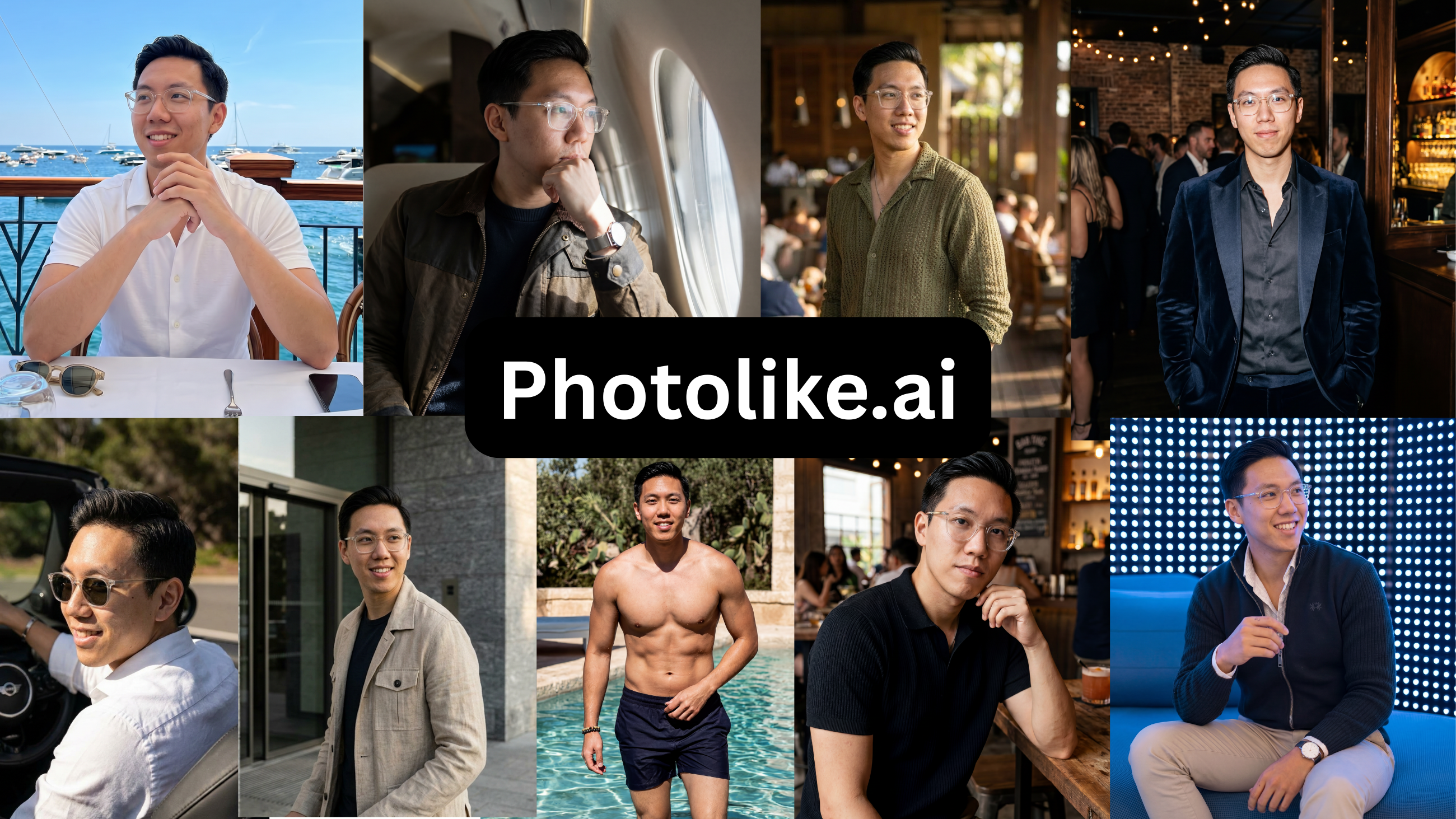
“It looks like me on a good day, not a different person. That was the main thing I wanted to check.”
— Alex, on his free preview
See The Difference
Your photos do the talking before you do. Make sure they're saying the right thing.
Unflattering angle • Harsh lighting • Missed potential
Confident pose • Perfect lighting • Match-ready
1 free match-ready photo first • unlock 40 for $24.99 only if you love it • no card required
2. TruShot
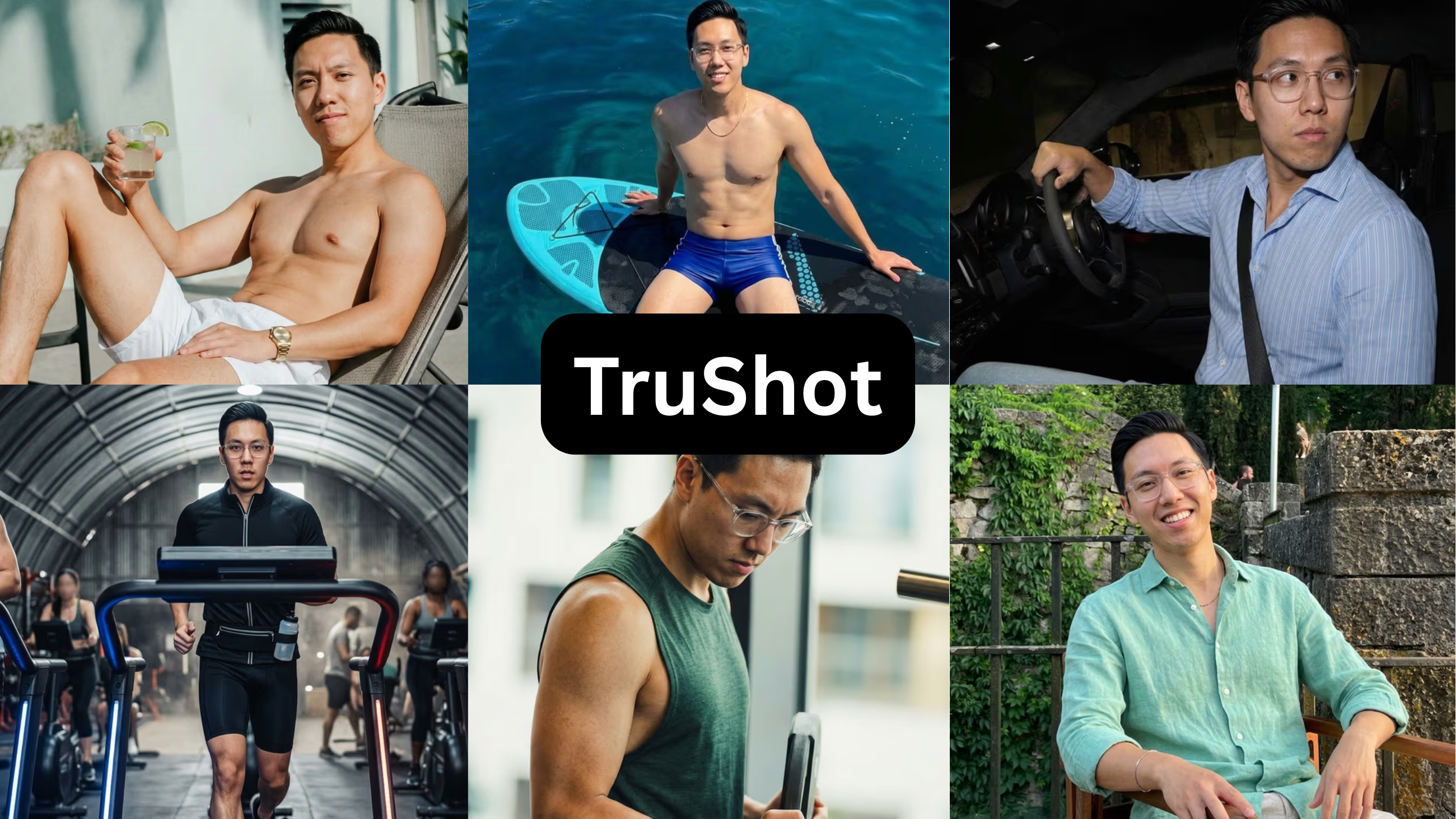
Price: $29 / 21 photos · Free preview: No
| Strengths | Limitations |
|---|---|
| – Output that mirrors how you already look in your existing photos | – The $29 plan yields only 21 photos (7 sets of 3 poses) |
| – Includes one free dating-photo audit report | – Each photo is generated individually, with no bulk option |
| – A one-size-fits-all approach with limited selection | |
| – No free preview — payment comes before any result | |
| – Output is only as good as the input photos | |
| – Best suited to people who already photograph well | |
| – Self-promoted review counts did not match the 19 independent Trustpilot reviews (4.1) at test time |
Verdict — $29 for 21 photos(7 sets with 3 variations each), no preview before paying, and a narrow case where it does anything for you. Underwhelming for the price.
Requirement two, passed; requirement one, failed. TruShot’s output is technically accurate: it reproduces how you already look, without fake blur, when the input photos are good. That is also its limit. It captures you at the level your photos are already at. On a strong camera roll it returns a tidier version of it; on a weak one it returns a weak set.
For $29, you receive 21 photos, but the workflow is very rigid. Generations happen one photo at a time, locked strictly to a preselected inspiration photo. Since each output delivers 3 variations, you only get to test 7 unique setups total—with a blind upfront payment and highly limited variety. Its promoted Trustpilot review figures also didn’t match the independent Trustpilot listing at the time of testing, which showed 19 reviews at 4.1.
“These are fine, but the photos lack variety. It's not really worth the price for me.”
— Alex, on the TruShot set
3. roast
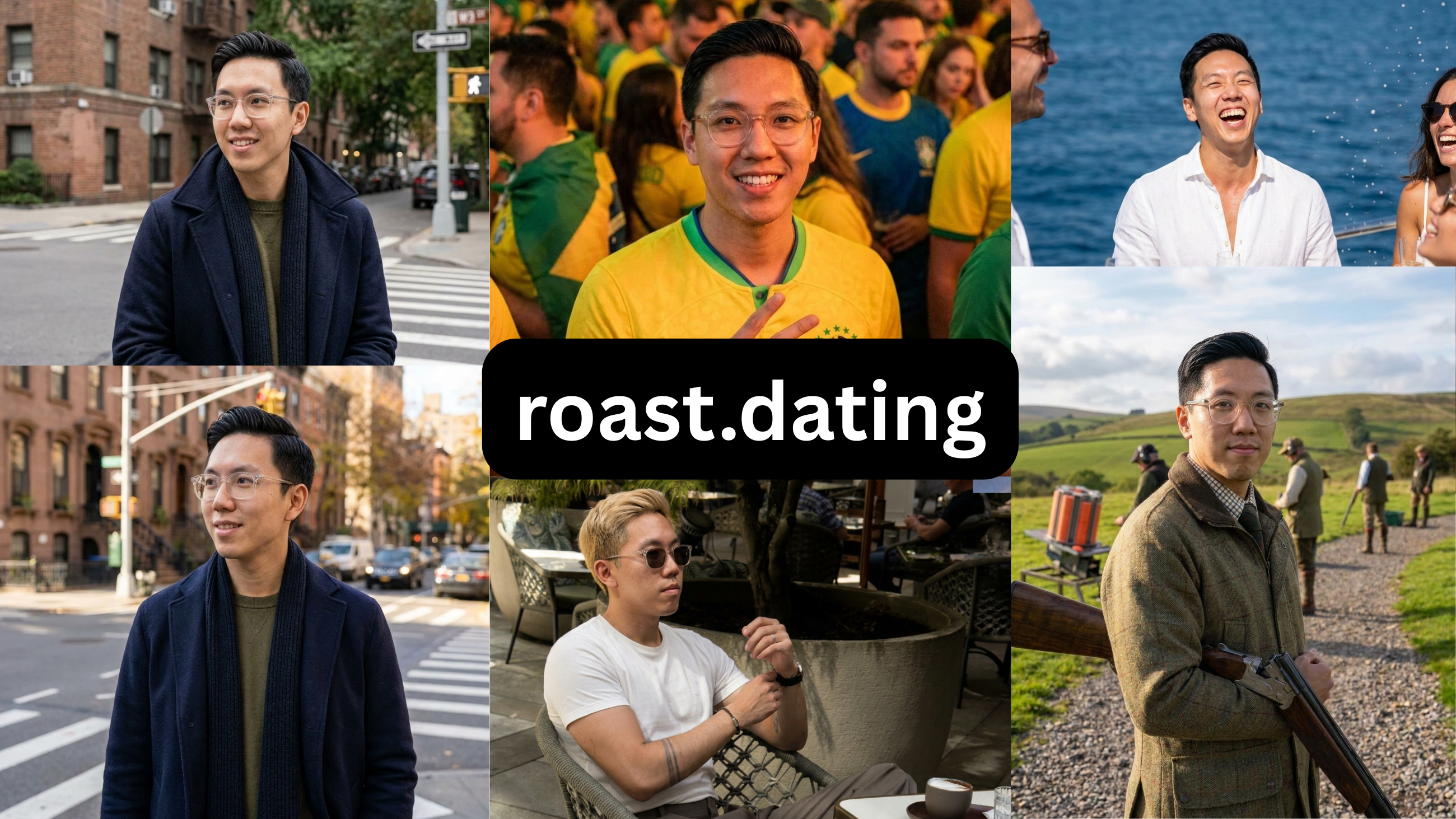
Price: $3.99 audit, then $29 / month · Free preview: No free photo preview
| Strengths | Limitations |
|---|---|
| – Genuinely useful for dating-profile audit and strategy | – Photo styles are inconsistent |
| – An all-in-one platform for profile work | – Slightly distorts the face model |
| – A wide range of photo styles on paper | – Most images are too stiff and AI-looking to use |
| – Photo-only buyers must pay for the whole platform | |
| – Only 8 photos for $3.99 |
Verdict — The $3.99 profile roast is actually useful. The photos it makes are stiff and AI-looking, and you have to pay for the whole platform to get them. Use it for the audit, not the pics.
Neither requirement, but a genuinely useful sideline. roast is more useful as a profile-review tool than a photo generator. The $3.99 audit gave specific, sensible feedback on Alex’s existing profile and is worth that price. The generated photos were weaker: inconsistent styles, a slightly distorted face model, and most too stiff to use. The photos also require paying for the full platform, and $3.99 returns 8. It’s worth using for the audit, not the photos.
“The profile breakdown was useful. The photos it generated weren’t ones I’d use.”
— Alex, on roast.dating
4. DatePhotos
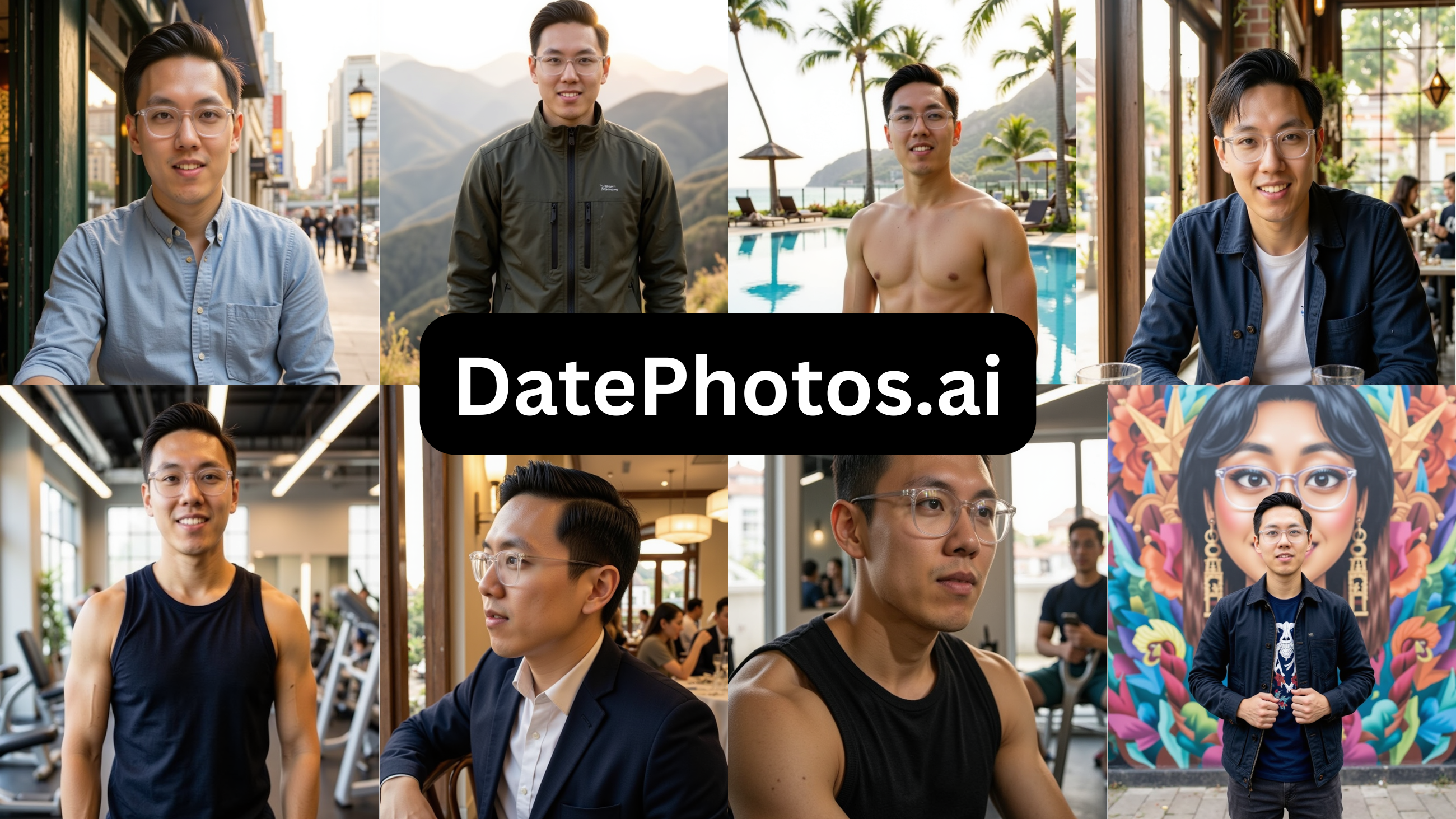
Price: $29 · Free preview: No
| Strengths | Limitations |
|---|---|
| – A large volume of photos per batch | – The output is consistently plasticky |
| – A wide range of style selections | – An hour-long training wait — the longest tested |
| – Most images look too AI-generated for a real profile | |
| – Output too AI-looking for most profiles |
Verdict — Decent idea — real settings instead of fake studios — but everything came out plasticky and the training wait was an hour. Most of the batch wasn’t usable. Hard pass.
The inverse of TruShot: it attempts requirement one and fails requirement two. DatePhotos uses everyday settings rather than studio backdrops, which suits a dating profile, and it produces a large batch with a wide range of styles. The output was the problem: it came out over-smoothed, with the pore-free finish that reads as AI and that the verification systems are built to flag, and most of the batch wasn’t usable. Training also took about an hour, the longest in the test.
5. TinderProfile
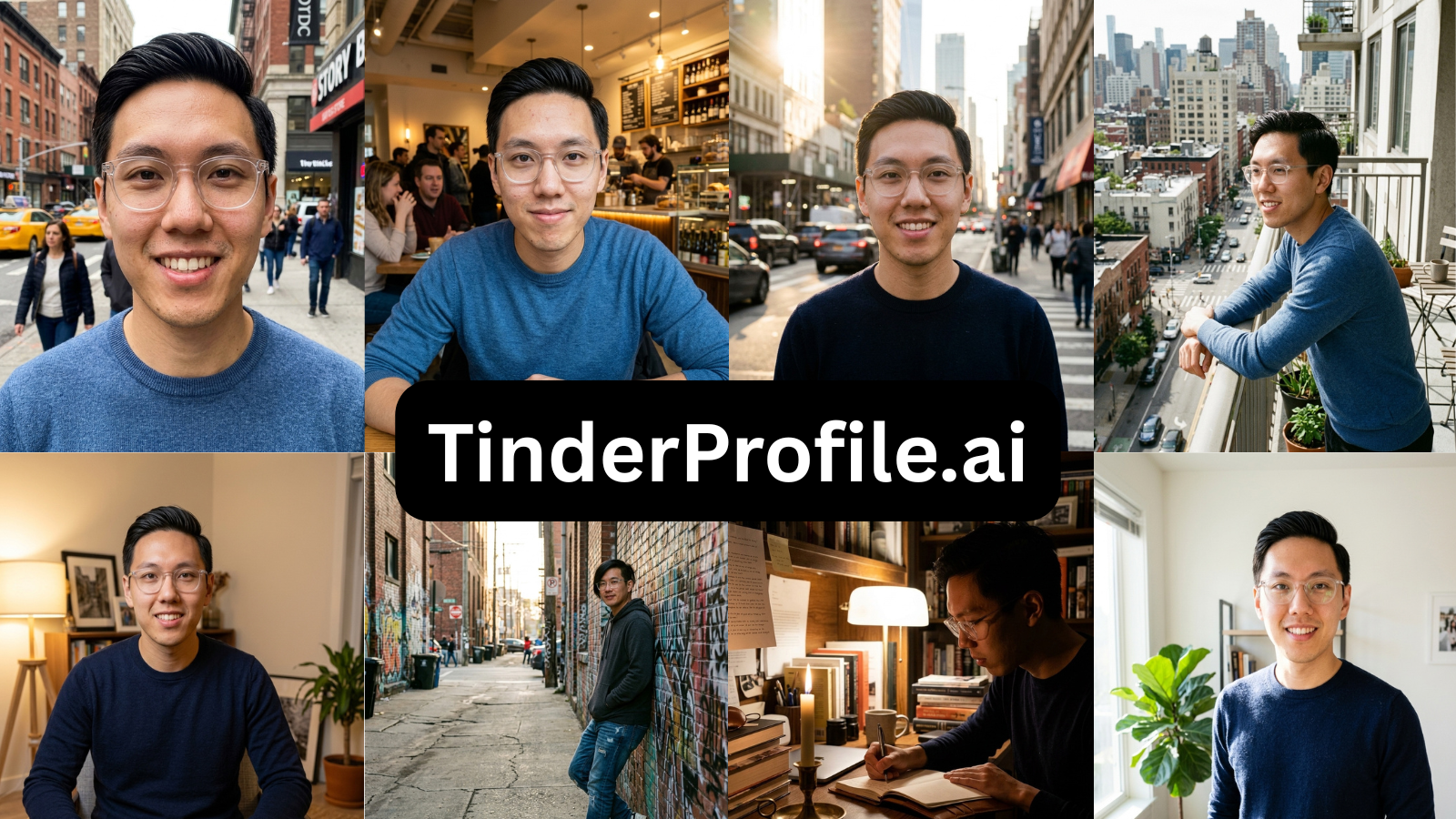
Alex’s TinderProfile output — the same outfit across the set, with generic styling.
Price: $14 · Free preview: No
| Strengths | Limitations |
|---|---|
| – Captures a front-facing profile reasonably well | – Tends to distort side profiles |
| – Allows some customization of preferences | – A 30-minute training wait |
| – Requires re-uploading source photos every generation | |
| – A major bug blocked the upload-and-continue step during testing | |
| – No fashion element — the same outfit across every photo | |
| – A flat, generic range of photo styles | |
| – Not genuinely built for dating |
Verdict — Broke mid-test, and put me in the same outfit in every single shot with flat, generic styling. I wouldn’t bother.
Requirement one, failed by design. TinderProfile generates 100+ photos and captures a front-facing profile adequately. The volume works against it: with no clothing variation, every photo uses the same outfit, which isn’t the variety a profile needs. Side profiles were inconsistent. You re-upload your photos for each generation, training takes 30 minutes, and a bug blocked the upload-and-generate step during testing. The styles are generic and, despite the name, not specific to dating.
6. Aragon AI
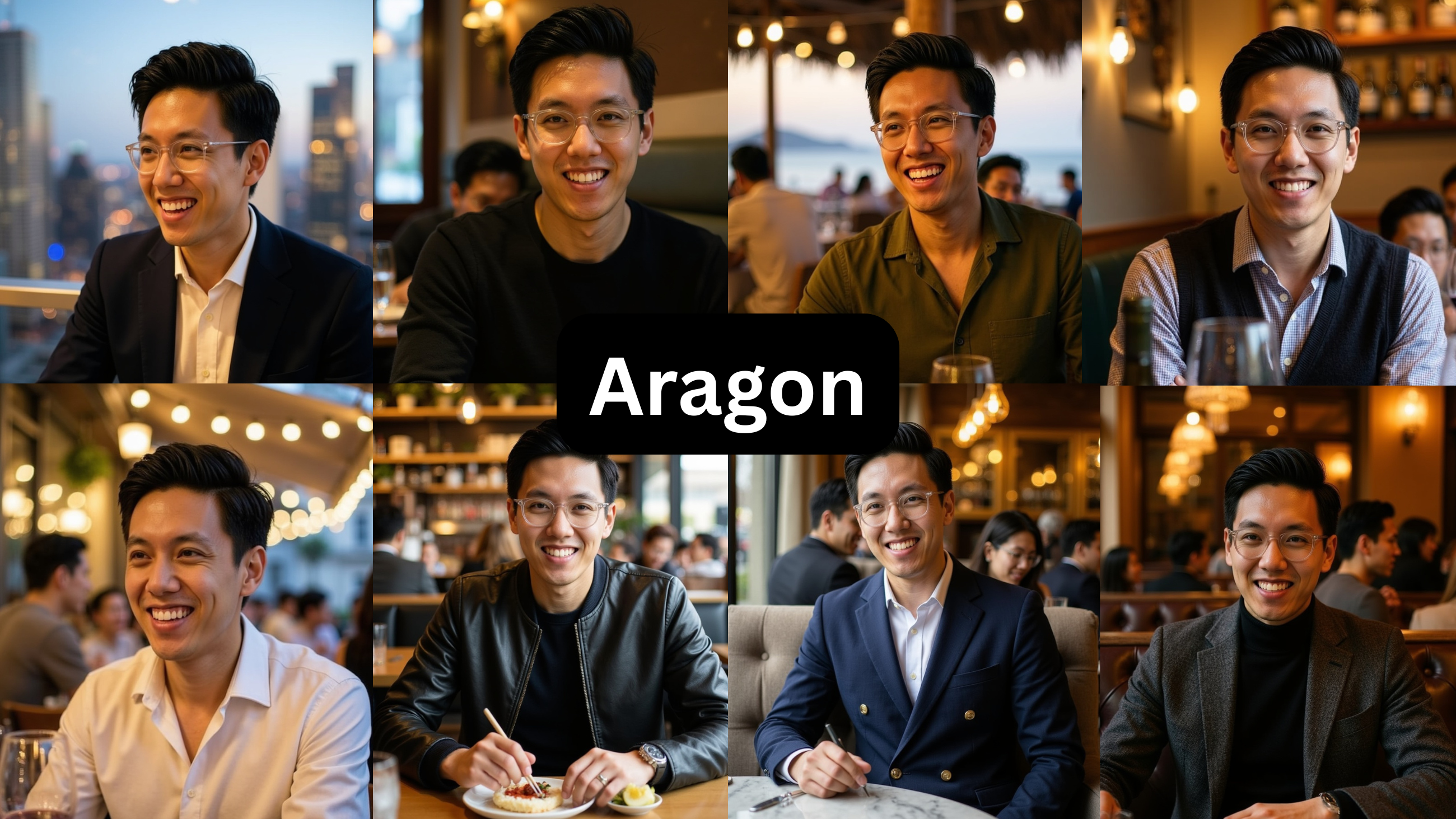
Price: $15 and up · Free preview: No dating-specific free test
| Strengths | Limitations |
|---|---|
| – Clean, professional output that is genuinely strong for LinkedIn | – The output reads as very AI-generated |
| – Too headshot-focused a use case | |
| – Not realistic enough for dating | |
| – About 3 of 40 outputs were usable for dating in a published comparison |
Verdict — Great if you need a LinkedIn headshot. For dating it looks AI and corporate — a published test got about 3 usable shots out of 40, which lines up with what I saw. Wrong tool for this.
Both requirements, failed for this job. Aragon produces professional headshots and does that well. For dating it’s a poor fit: the output reads as AI-generated and is limited to headshots, and a published comparison found about 3 of 40 outputs usable for dating, which matched my result. The studio look also doesn’t work on Tinder, and on Hinge it’s the kind of polished image the verification is built to flag. It’s a reasonable tool for a work profile, not a dating one.
7. Remini
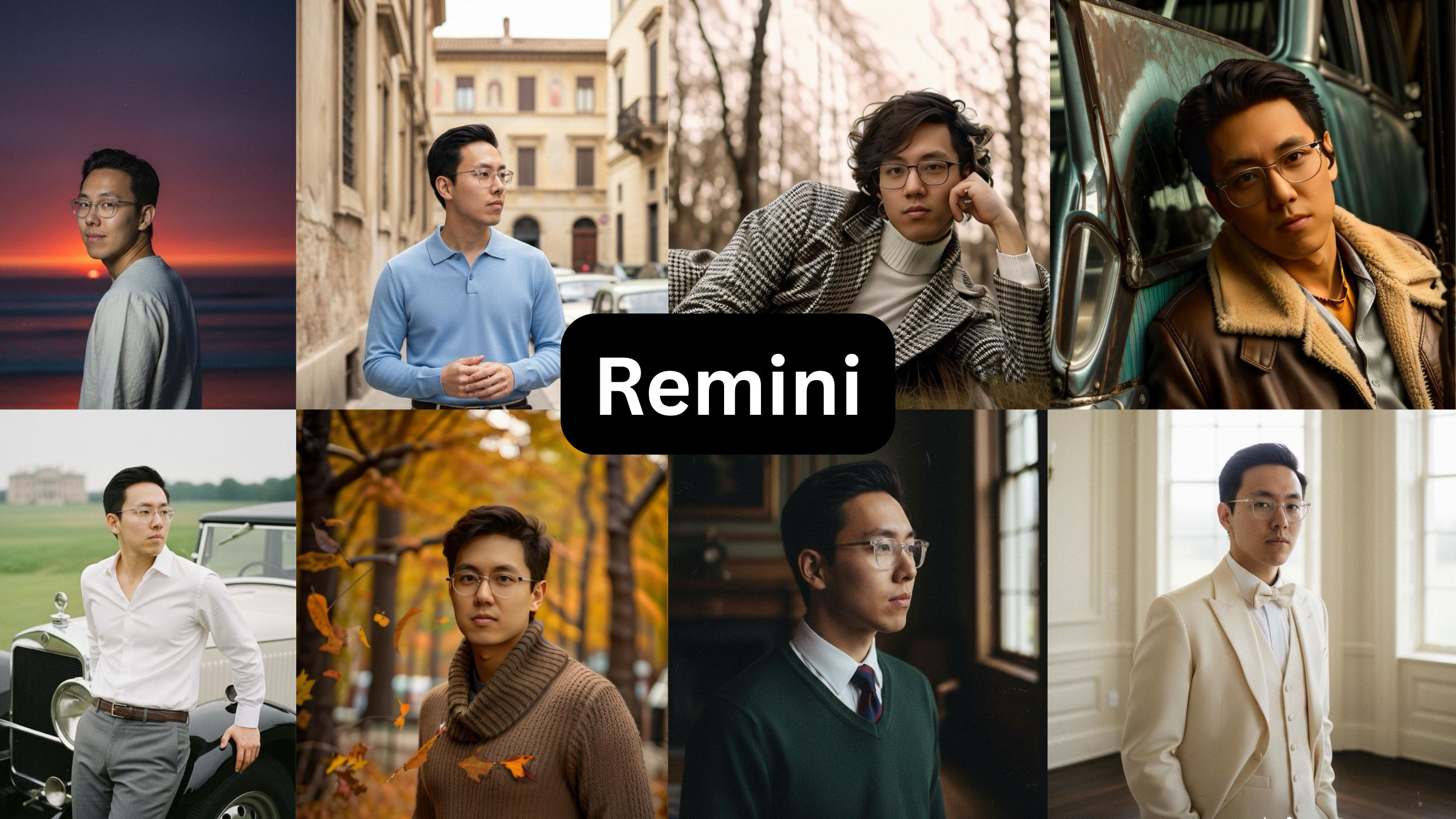
Price: $9.99 / week after a free trial · Free preview: One-week trial; card required
| Strengths | Limitations |
|---|---|
| – A wide range of use cases | – Not a dating-photo generator |
| – An excellent photo-editing and enhancement tool | – Older styles and presets look plasticky |
| – On-trend styles included | – Heavily appearance-altering — it changes how you look |
| – A one-week free trial | – Altering your appearance is precisely what fails live-selfie verification |
Verdict — It’s a photo editor, not a dating-photo maker. It changes how you actually look, which is exactly what gets you flagged by the apps’ verification now. Good app, wrong job.
Requirement two, failed by definition. Remini is a photo editor with a range of uses and a one-week trial (card required). It isn’t a dating photo generator: the older presets read as over-processed, and it changes your appearance noticeably, which is what the apps’ live-selfie checks are designed to catch. It’s useful for improving an existing photo, not for building a profile.
How to get a usable result, whichever tool you use
Two things determined the result more than the tool: the input photos, and how strictly you filter the output. Use 8–15 source photos with variety in angle, lighting and expression, and avoid sunglasses, group shots, blur and heavy filters. Then check every output against the same criteria before using it:
- Real skin texture, not an airbrushed surface
- Sharp, real backgrounds, not fake blur
- Facial features that match yours — jaw, nose, eyes
- Lighting and setting consistent with a real location
- Recognizability: someone who knows you would identify you without hesitation
The common mistake is keeping a photo that looks good on its own but no longer resembles you. It doesn’t hold up in person, and one clearly-AI photo lowers the credibility of the real ones next to it. What matters is the number of usable photos, not the number generated.
What the community reports
I checked the main community threads on this before publishing — the r/SwipeHelper guide on photorealistic AI photos, and the recurring r/hingeapp discussions on whether the tools are worth it — against the results here. The consensus matches: the tool you choose is the main variable. People who reported good results used tools that kept their real appearance; people who reported bad results used free or generic tools that made them unrecognizable in person.
Three points come up consistently, and the test supports all three: avoid generic tools, keep at least one real photo in the set, and don’t use any photo that doesn’t look like you. The most-repeated summary is that if the people who know you would recognize you from the photo, matches will too — which is the same two requirements this test measured, arrived at from the other direction.
See The Difference
Your photos do the talking before you do. Make sure they're saying the right thing.
Unflattering angle • Harsh lighting • Missed potential
Confident pose • Perfect lighting • Match-ready
1 free match-ready photo first • unlock 40 for $24.99 only if you love it • no card required
Frequently asked questions
What’s the best AI dating photo tool?
On this test, PhotoLike: it’s the only one that improved the lighting, posing and angles rather than reproducing the input, and the only one that showed a result on the subject’s own face before payment. TruShot is a reasonable option if you already photograph well.
Do AI dating photos work?
They work when the tool keeps your real features — quality photos are associated with roughly 3x the matches in Hinge’s data. Output that reads as over-processed or unlike you tends to fail with both viewers and the apps’ verification.
Are AI dating photos allowed on Tinder, Hinge and Bumble?
Yes — none of the three bans AI photos of yourself; all three ban misrepresentation, enforced by live-selfie checks that match a real-time selfie against your profile. A recognizable photo passes; a noticeably different person doesn’t.
Is there a genuinely free option?
Not for unlimited output, since realistic generation has a real cost. PhotoLike provides one full-quality, downloadable photo with no card, which was the only genuine free result in the test. Most ‘free’ tools return watermarked or low-resolution samples.
Which tools pass face verification?
Any tool whose output still looks like you. The higher-risk results in this test were the over-smoothed (DatePhotos), the appearance-changing (Remini) and the heavily polished (Aragon), which are the types the live-selfie checks are built to flag.
Is TruShot worth it?
Only if you already photograph well — it reproduces your existing look and doesn’t improve your lighting, posing or angles. It’s 21 photos for $29 with no preview, and its promoted review figures didn’t match the 19 independent Trustpilot reviews (4.1) at test time.
AI photos or a photographer?
AI costs roughly $25–49 for dozens of photos in minutes; a photographer costs several hundred for a smaller number over one to two weeks. A photographer is still better for a specific location or in-person direction.
Bottom line
Across 7 tools tested on one subject, most produced output that was over-smoothed, repetitive, or better suited to a work profile than a dating one — the categories most likely to read as AI and to fail verification. Two performed. TruShot reproduces a strong camera roll accurately, which helps if you already have one. PhotoLike improved a weak one through lighting, posing and angles and let the result be checked on the subject’s own face before payment, which is why it’s the recommendation for most people. The general point: choose believable over polished, and don’t pay for photos you haven’t seen on your own face.
See The Difference
Your photos do the talking before you do. Make sure they're saying the right thing.
Unflattering angle • Harsh lighting • Missed potential
Confident pose • Perfect lighting • Match-ready
1 free match-ready photo first • unlock 40 for $24.99 only if you love it • no card required
TRY IT ON YOUR OWN FACE FIRST
PhotoLike generates one full-quality photo of your own face free, with no card — the only claim in this guide you can verify in five minutes. A full set is 40+ photos across purpose-built albums for $24.99.
See your free preview at photolike.ai
How we tested: every tool was purchased and run on the same set of source photos from one volunteer, who consented to publishing the AI versions and the quoted reactions. In each case I bought the lowest paid tier — most of these tools also sell higher-priced tiers with more photos or features, which I did not test. Findings on pricing, output quality and software bugs are from that hands-on test of the entry tier. Prices were correct at the time of testing; verify before purchasing. This guide is published by PhotoLike and is not sponsored by any tool reviewed.
Sources & references
On This Page
Frequently Asked Questions
Tools that merely mirror your existing photos are limited by the quality of your current camera roll. If your photos have poor lighting, awkward poses, or unflattering angles, these tools won't fix them. This type of output is only beneficial if you already have a strong collection of photos.
These are pre-designed scenarios like "Coffee Date" or "Gym." Each package is data-driven and targets specific attraction signals. The aim is to create diverse photos that appeal to different aspects of attraction, helping to fill gaps in a user's existing profile.
Some tools simply replicate your existing photos. They learn your face but don't enhance lighting, posing, or angles. Truly effective tools, however, actively improve these aspects. They create new images that showcase you in your best light, even if you don't have those types of photos already.
Profiles with good, believable photos get significantly more matches. Hinge data suggests profiles with quality photos can see a 3x increase in matches. The key is to look credible and likeable, not just polished. Photos that accurately represent you are crucial for success.
Max Mode uses sophisticated techniques that combine real camera lens physics with authentic skin textures. This approach avoids the artificial look often associated with AI. It ensures outputs maintain realism, detail, and avoid the "fake AI" appearance, resulting in more believable photos.
Many AI tools use older or generic models. This can result in overly smoothed skin, a lack of natural texture, and an unnatural background blur. These distortions make the photos appear artificial and can be easily spotted by dating apps.
Dating apps use live selfie checks to verify your identity. Photos that alter your appearance too much, like those with plastic-looking skin or significant changes to features, can fail these checks. The goal is to create a believable, recognizable version of yourself that passes verification and truly represents you in person.
By using natural language prompts, you can instruct the AI to modify specific elements of your photos. This allows you to easily correct problems like distracting backgrounds or insufficient lighting. You can guide the AI to generate images with improved aesthetics without complex editing software.
Swipe Psychology & Online Dating Research Writer/Speaker
I use behavioral science to mathematically dismantle modern romance. When I'm done optimizing human attraction, I drink black coffee and play chess.