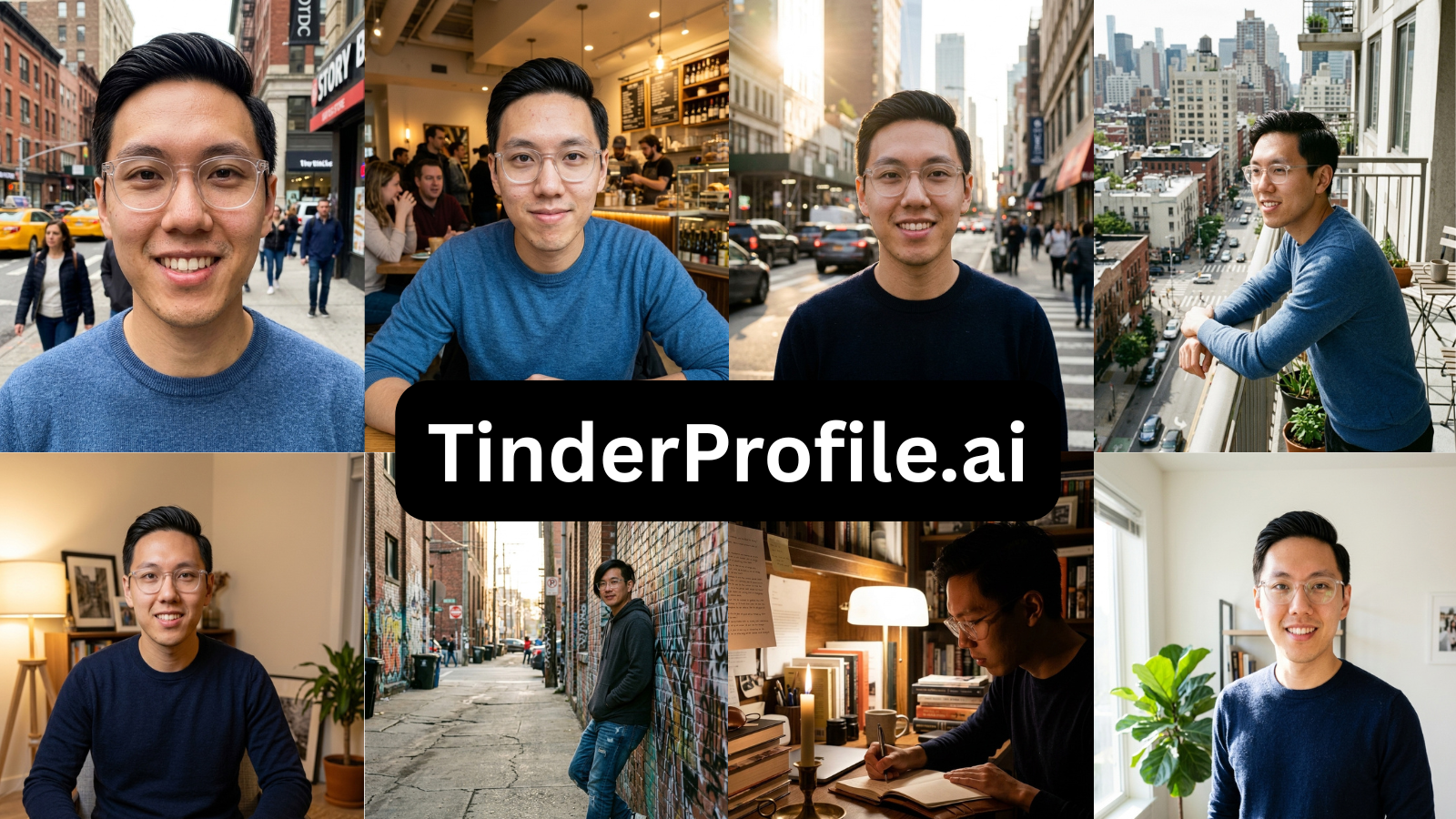
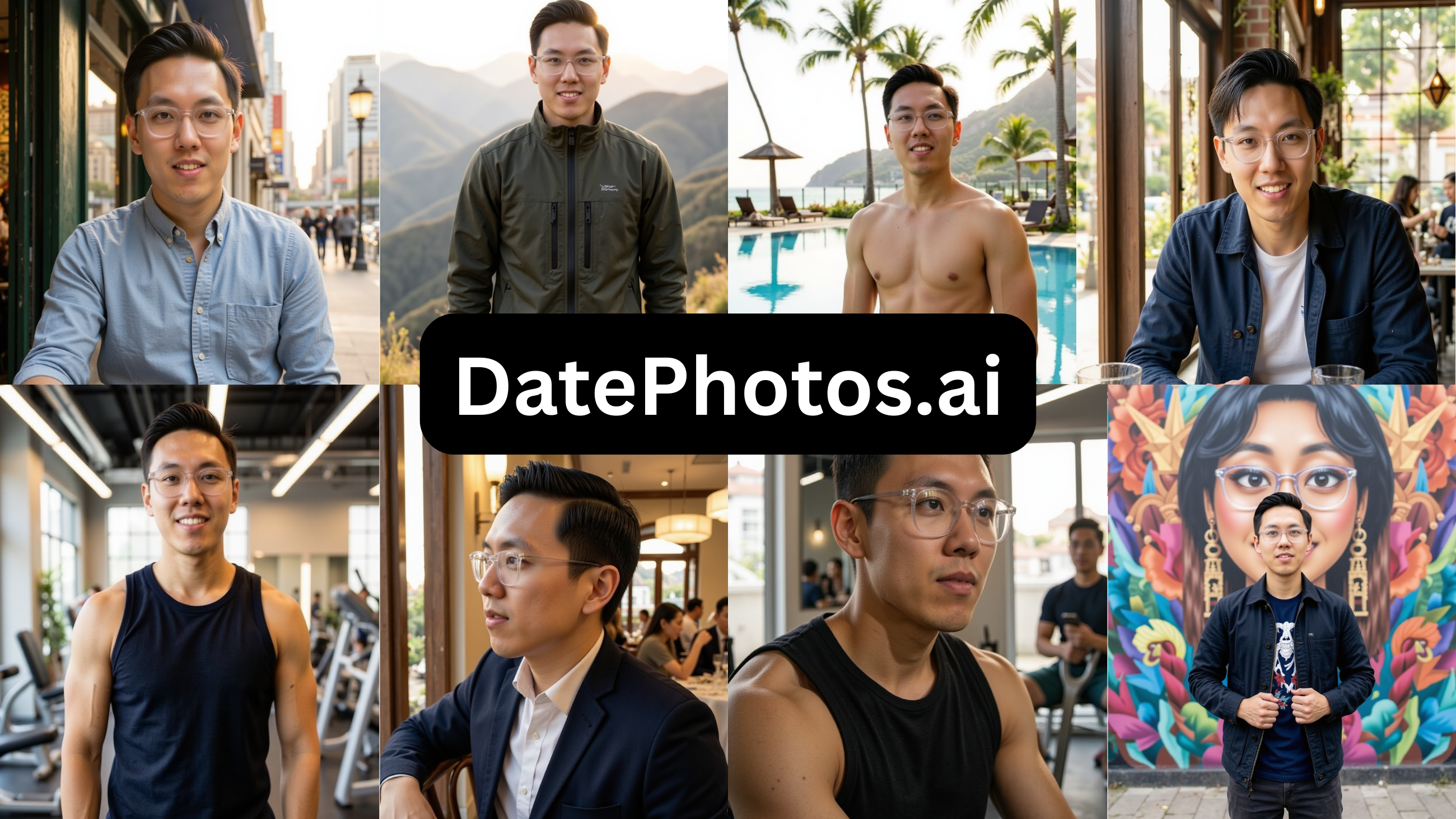
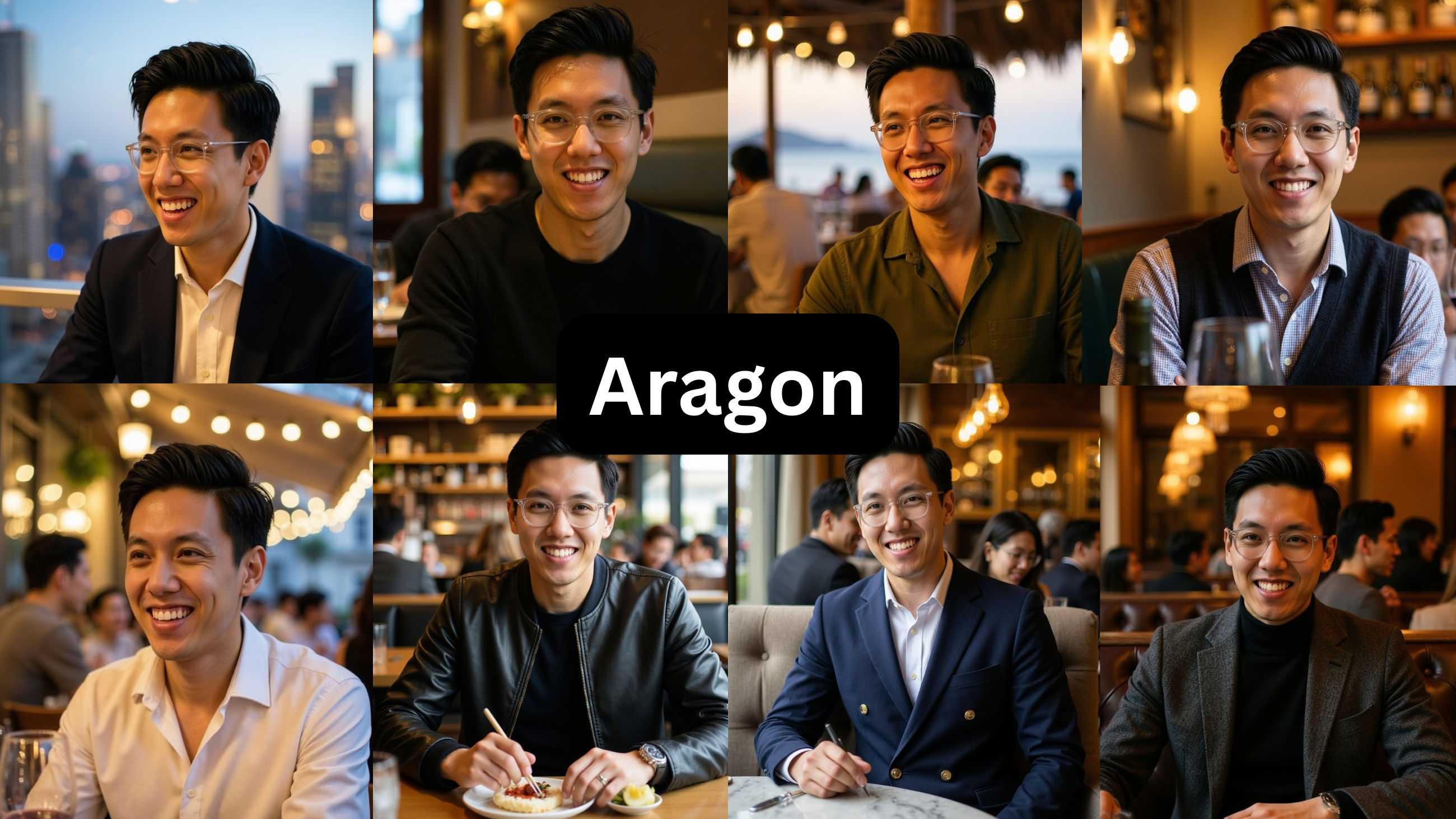
PhotoLike vs TruShot (2026): I Ran the Same Photos Through Both

TL;DR
Same face, same source photos, both tools, lowest paid tier each. The split: TruShot reproduces how you already look; Photolike.ai improves the lighting, posing and angles beyond your input.
Which matters more depends on your camera roll — and one of the two lets you check that on your own face for free before deciding.
Maybe your cursor is hovering over TruShot’s $29 button and the ‘pay before you see anything’ part is making you hesitate. Or you already paid, and the 21 photos came back as a tidier version of the roll you already had.
Either way, the question underneath is the same: does TruShot actually fix your photos, or just reproduce them — and can you find out before spending $29?
That is the whole comparison, because it is the one thing these two tools do differently. Both train an AI on your face. TruShot then mirrors how you already look. PhotoLike directs the shot — lighting, posing, best angles — beyond what your input had. A mirror and a builder, and everything below is a consequence of that split.
The test: one guy, the same photos
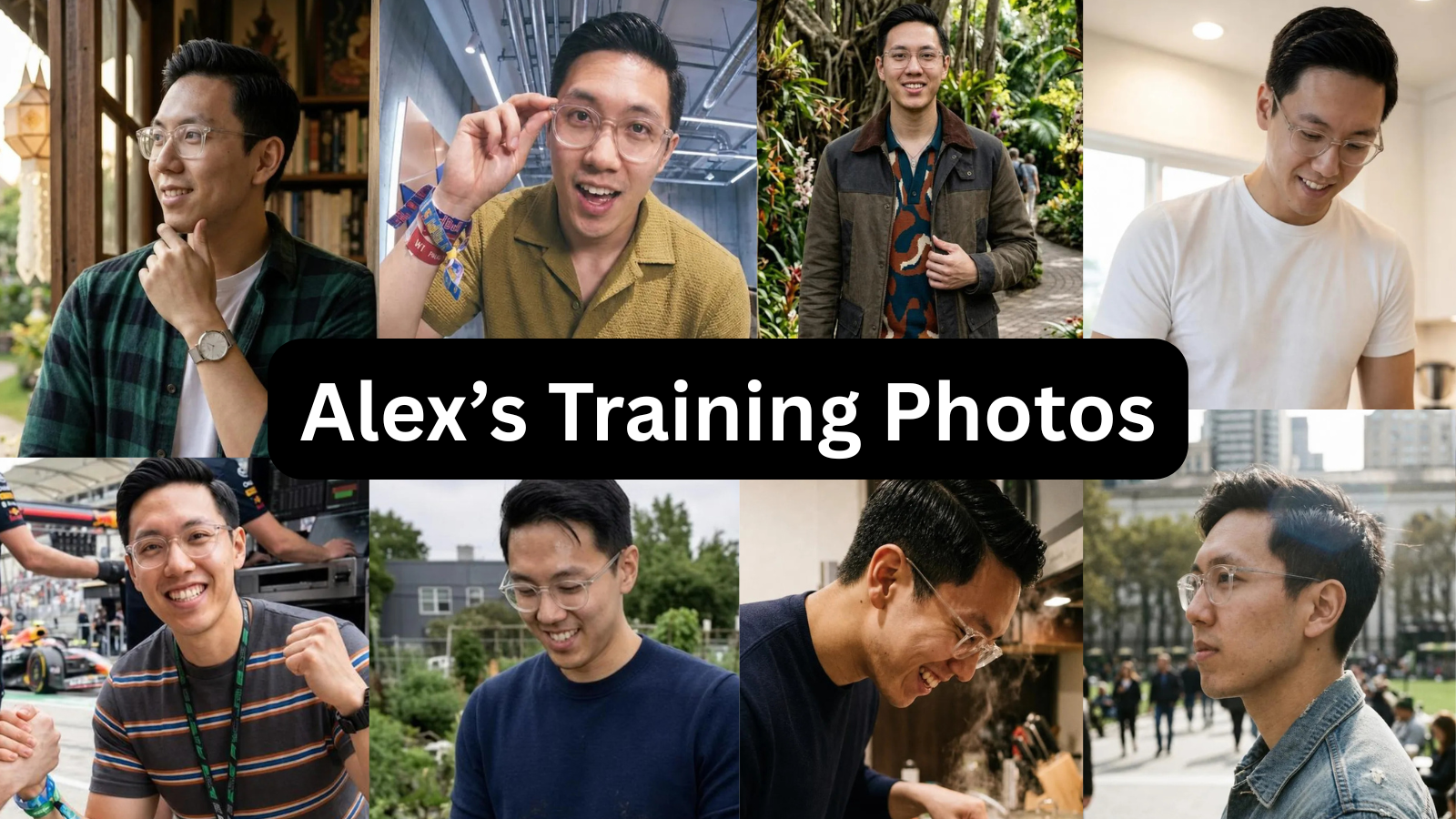
I used one person’s photos as the input — the same set through both tools. Alex is 29, 5'9" with a camera roll typical of the people these tools are aimed at: a few recent selfies, one usable photo someone else took, nothing amazing, and no clear sense of his best angle. His profile wasn’t bad, it was average. A study that scored 536 men’s profiles across Tinder, Hinge and Bumble put the average near 54 out of 100, which is about where his sat.
Check the numbers
You’ve clocked who publishes this page. Keep the suspicion; it’s the right instinct in this category. Here’s how to use it: everything below comes from one same-input test, and the top pick is the only one you can falsify for free — one full-quality photo on your own face, no card, before you believe a single row.
| Criterion | PhotoLike | TruShot |
|---|---|---|
| Realism | ★★★★★ | ★★★★★ |
| Looks like you | ★★★★★ | ★★★★☆ |
| Variety | ★★★★★ | ★★☆☆☆ |
| Usable photos | ★★★★★ | ★★★☆☆ |
| Preview before paying | ★★★★★ | ★☆☆☆☆ |
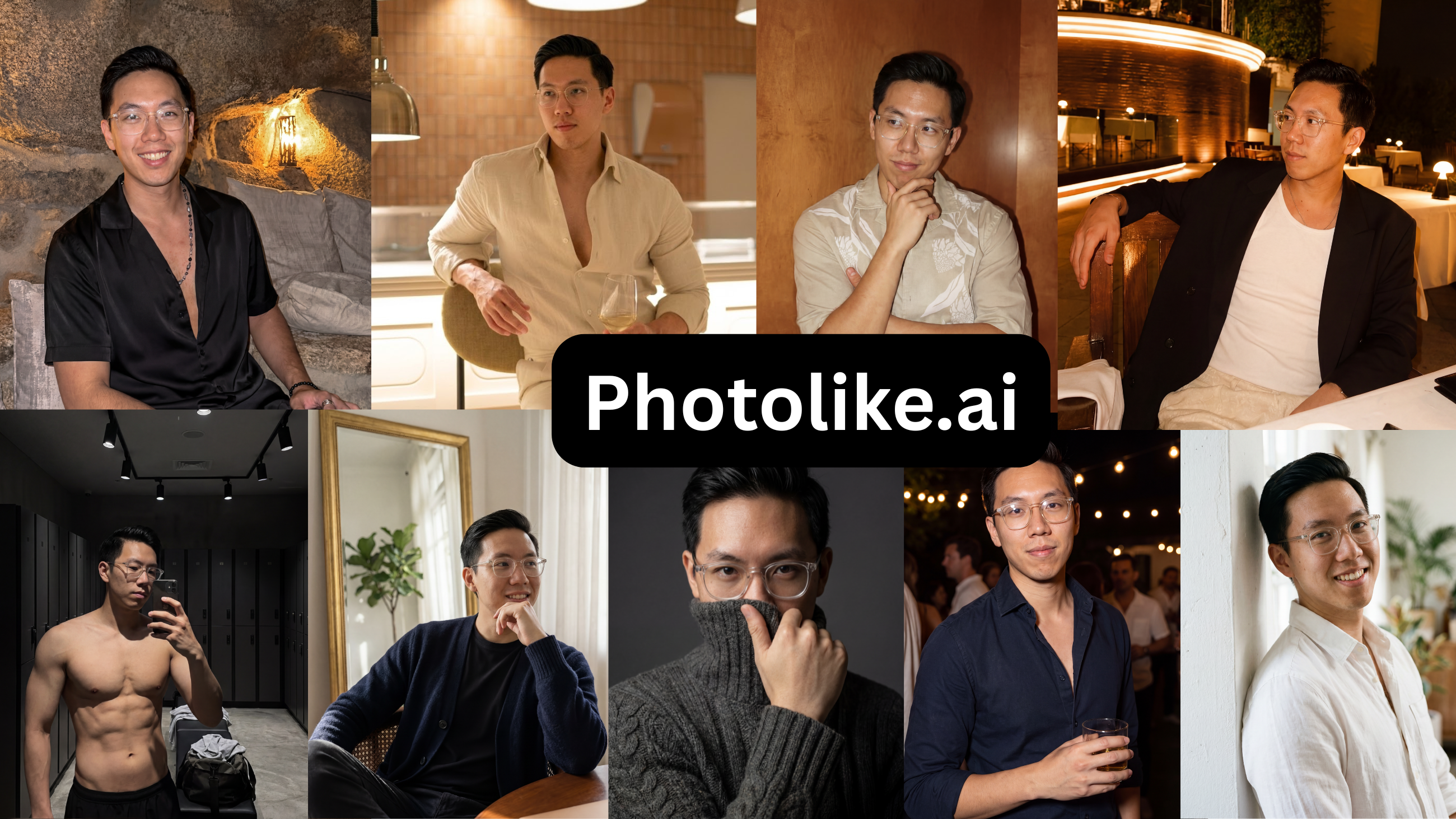 Level on realism and likeness — both keep your real face. They separate on variety, on what a weak camera roll produces, and on whether you see anything before paying.
| PhotoLike | TruShot | |
|---|---|---|
| Photos | 40+ | 21 (7 setups × 3 variations) |
| Price (entry tier tested) | $24.99 one-time | $29 |
| See a result before paying | Yes — free photo, no card | No |
| What a weak roll produces | An improved, varied set | A tidier weak set |
| Workflow | Albums, batch output | One photo at a time, locked to a preselected inspiration image |
| Independent Trustpilot at test | Newer product | 19 reviews, 4.1 |
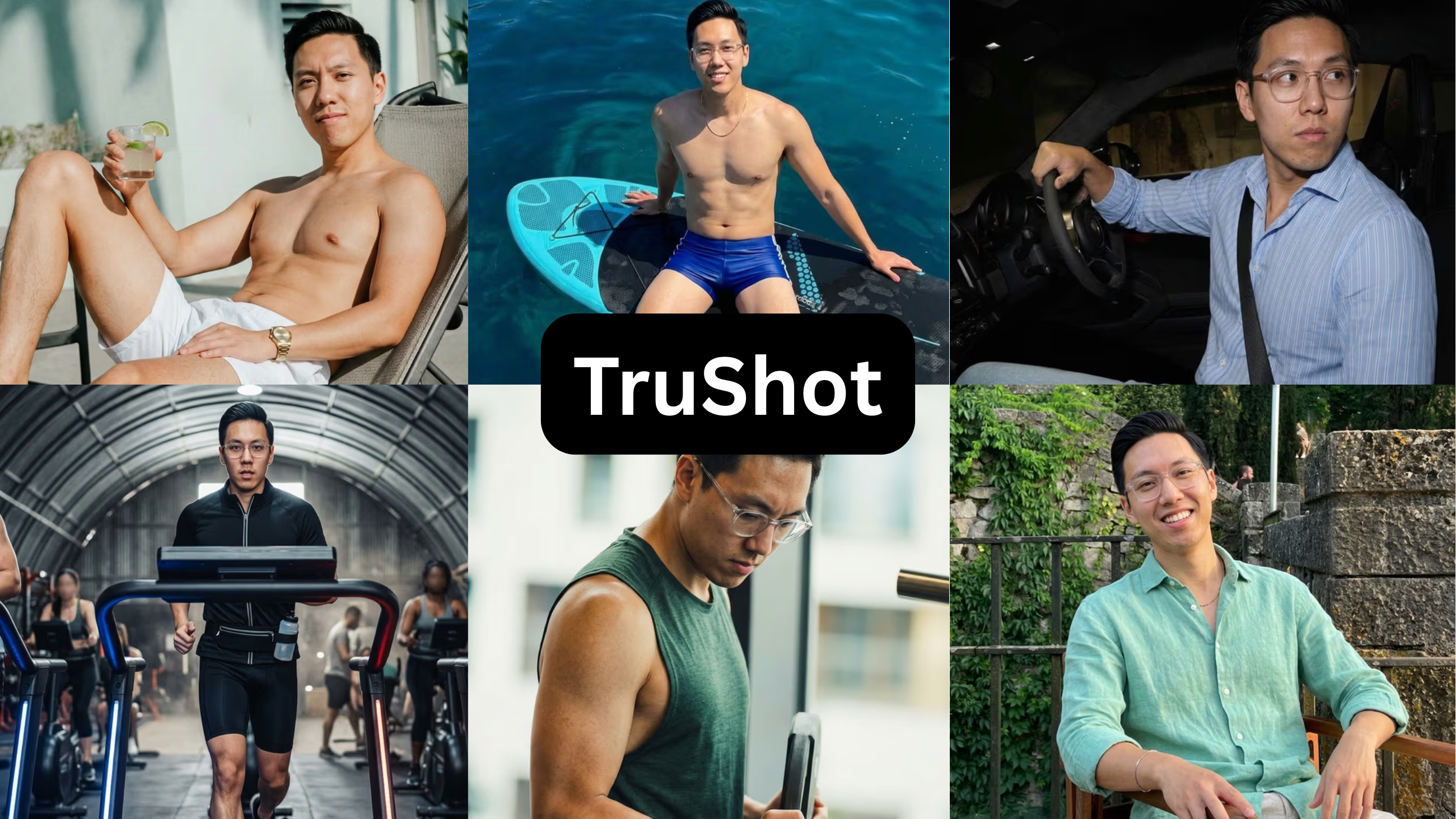
Entry tiers shown; both tools sell higher tiers I didn’t test.
See The Difference
Your photos do the talking before you do. Make sure they're saying the right thing.
Unflattering angle • Harsh lighting • Missed potential
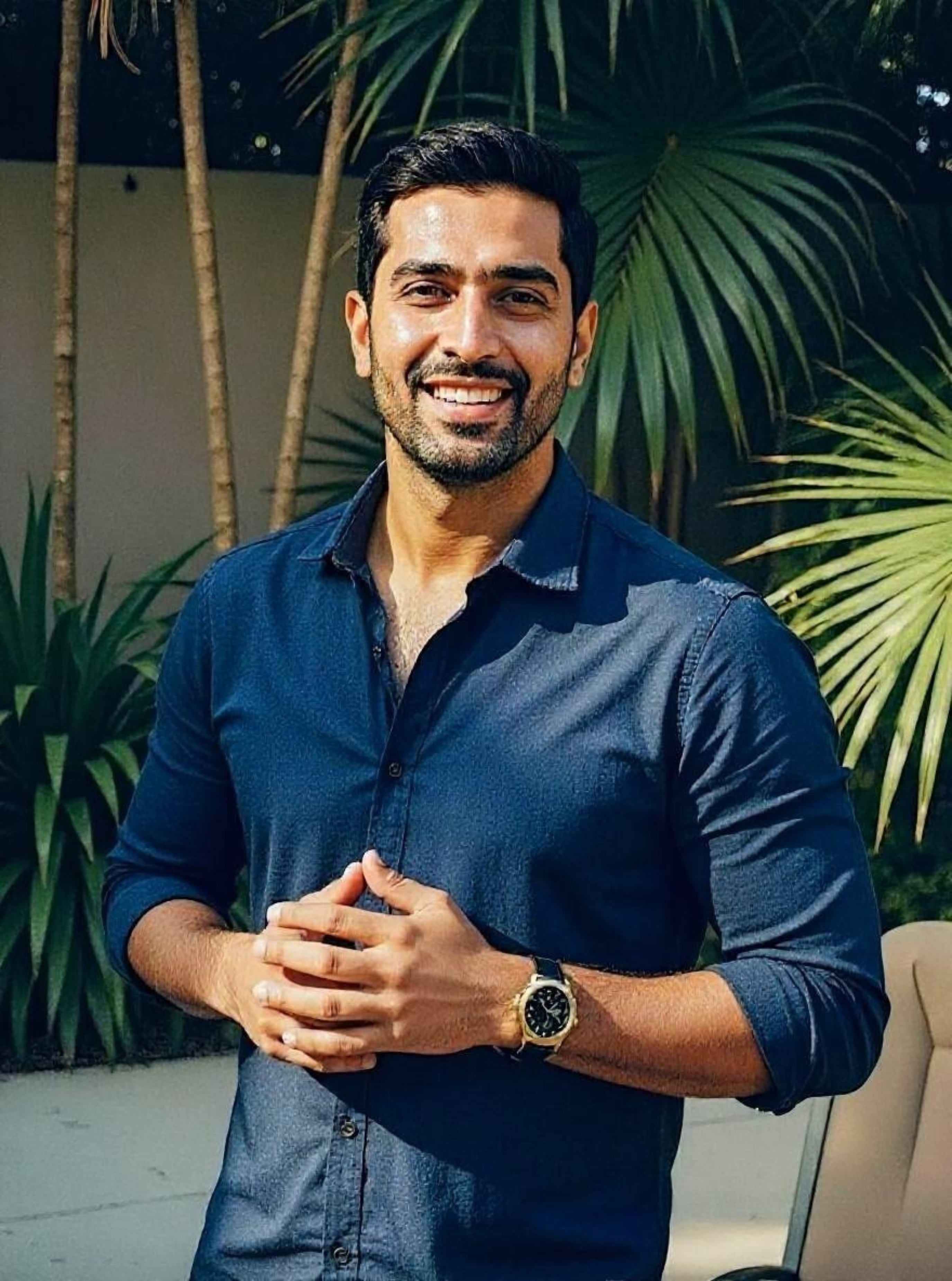
Confident pose • Perfect lighting • Match-ready
1 free match-ready photo first • unlock 40 for $24.99 only if you love it • no card required
Photolike's full-quality free preview of our volunteer, Alex— the only free output you could actually use on your dating profile.
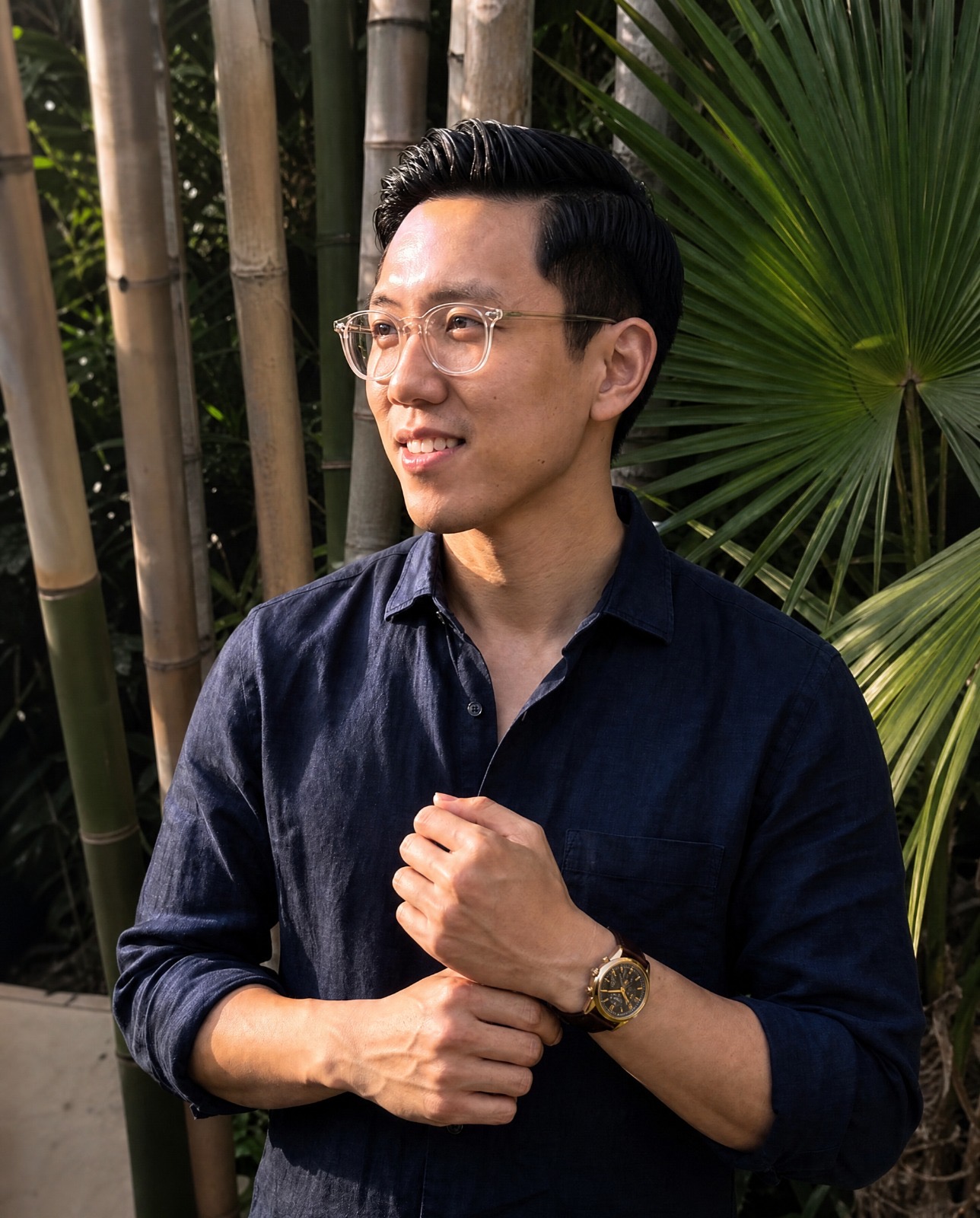
TruShot’s the most heavily marketed AI dating photo tool, so it’s the one people ask about most. I ran the same photos through it and PhotoLike. Here’s the honest comparison — what’s different and who each one’s actually for.
They’re built for two different jobs
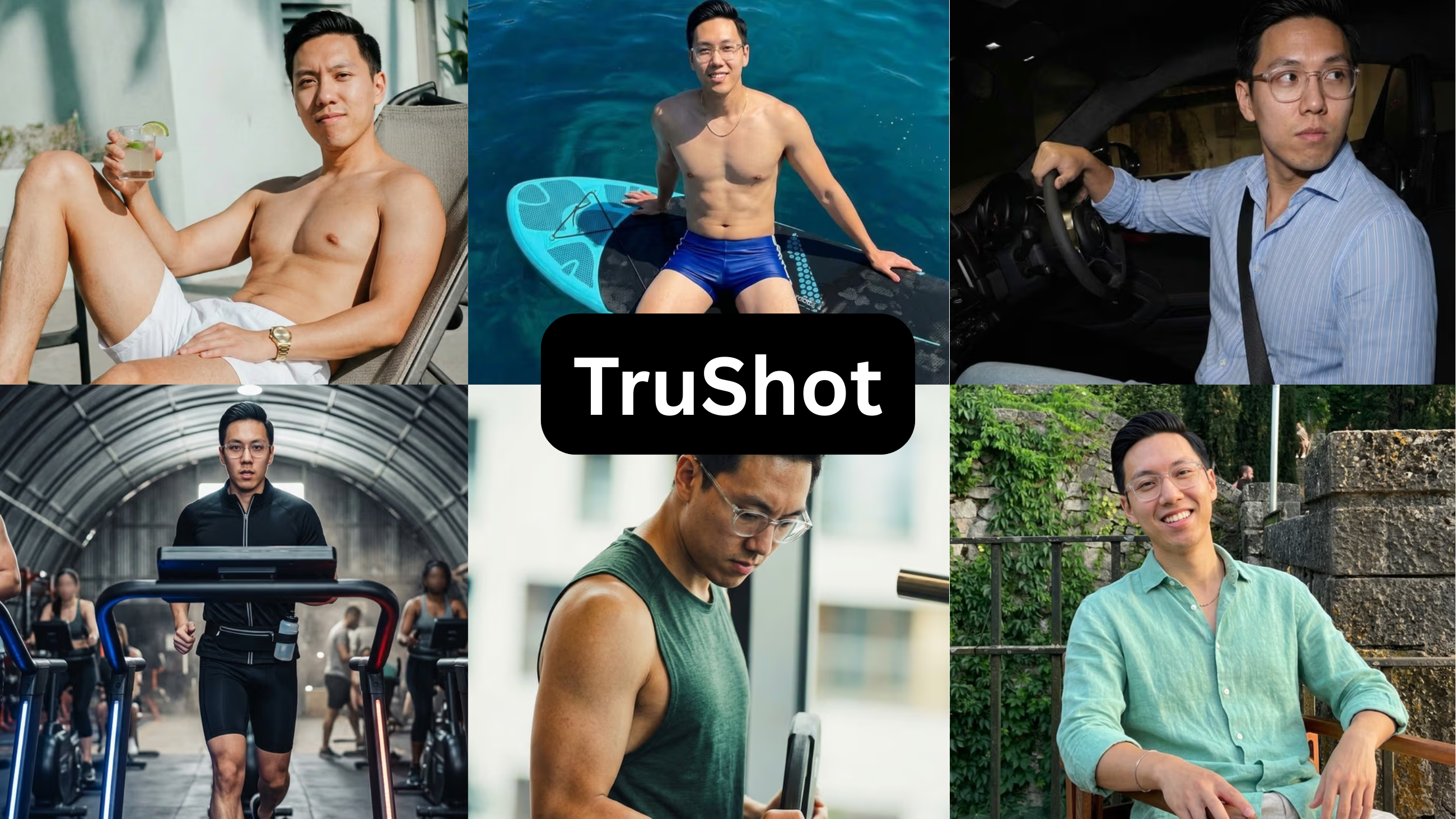
The easiest way to choose between these isn’t price or features, it’s the job each one does. TruShot is a true-to-life tool: it copies how you already look, and it does that better than anything else I tested. The output looks like a real phone camera. PhotoLike is an optimization tool: it keeps you recognizable but builds the photos you don’t have — fixing the angle, the light, the setting, and giving you a varied set.
That difference decides who each one suits. Because TruShot reflects your photos, the result is capped by them — good roll in, good photos out; thin roll in, thin photos out. PhotoLike starts from a thin set and builds around it. Neither’s better in a vacuum — they fit different starting points.
TruShot copies how you already look. PhotoLike builds the photos you don’t have. Which you need depends on your camera roll.
The numbers
| PhotoLike | TruShot | |
|---|---|---|
| Photos you get | 40+ | 21 (7 sets of 3 poses) |
| Price | $24.99 | $29 |
| Preview before paying | Yes — one photo, no card | No |
| Output ceiling | Elevates lighting, posing & angles | Captured at your input’s level |
| Variety | 25+ packs | One approach |
| Outfit variety | Yes | Limited |
| Trustpilot (independent, at test) | Newer product | 19 reviews at 4.1 |
Prices above are the entry tier I tested for each; TruShot also sells higher-priced plans with more photos that I didn’t test.
TruShot, the honest read
TruShot only mirrors how you already look. The output is technically real, but that’s the ceiling — and the catches are real. The $29 entry plan got me 21 photos, made one at a time, with no free preview, so you pay before you see a single result on your own face. And the review numbers it advertises on its own site didn’t match the actual Trustpilot page, which had 19 reviews at 4.1 when I checked. Because it only mirrors your input and won’t fix your lighting, posing or angles, it does little for the thin camera roll most people actually have.
TruShot
Price: $29 / 21 photos · Free preview: No
| Strengths | Limitations |
|---|---|
| – Output that mirrors how you already look in your existing photos | – The $29 plan yields only 21 photos (7 sets of 3 poses) |
| – Includes one free dating-photo audit report | – Each photo is generated individually, with no bulk option |
| – A one-size-fits-all approach with limited selection | |
| – No free preview — payment comes before any result | |
| – Output is only as good as the input photos | |
| – Best suited to people who already photograph well | |
| – Self-promoted review counts did not match the 19 independent Trustpilot reviews (4.1) at test time |
Verdict — It just mirrors the photos you already have — it won’t fix your lighting, posing or angles, which is the actual problem most people have. $29 for 21 photos, no preview before paying, and a narrow case where it does anything for you. Underwhelming for the price.
Photolike.ai, the honest read
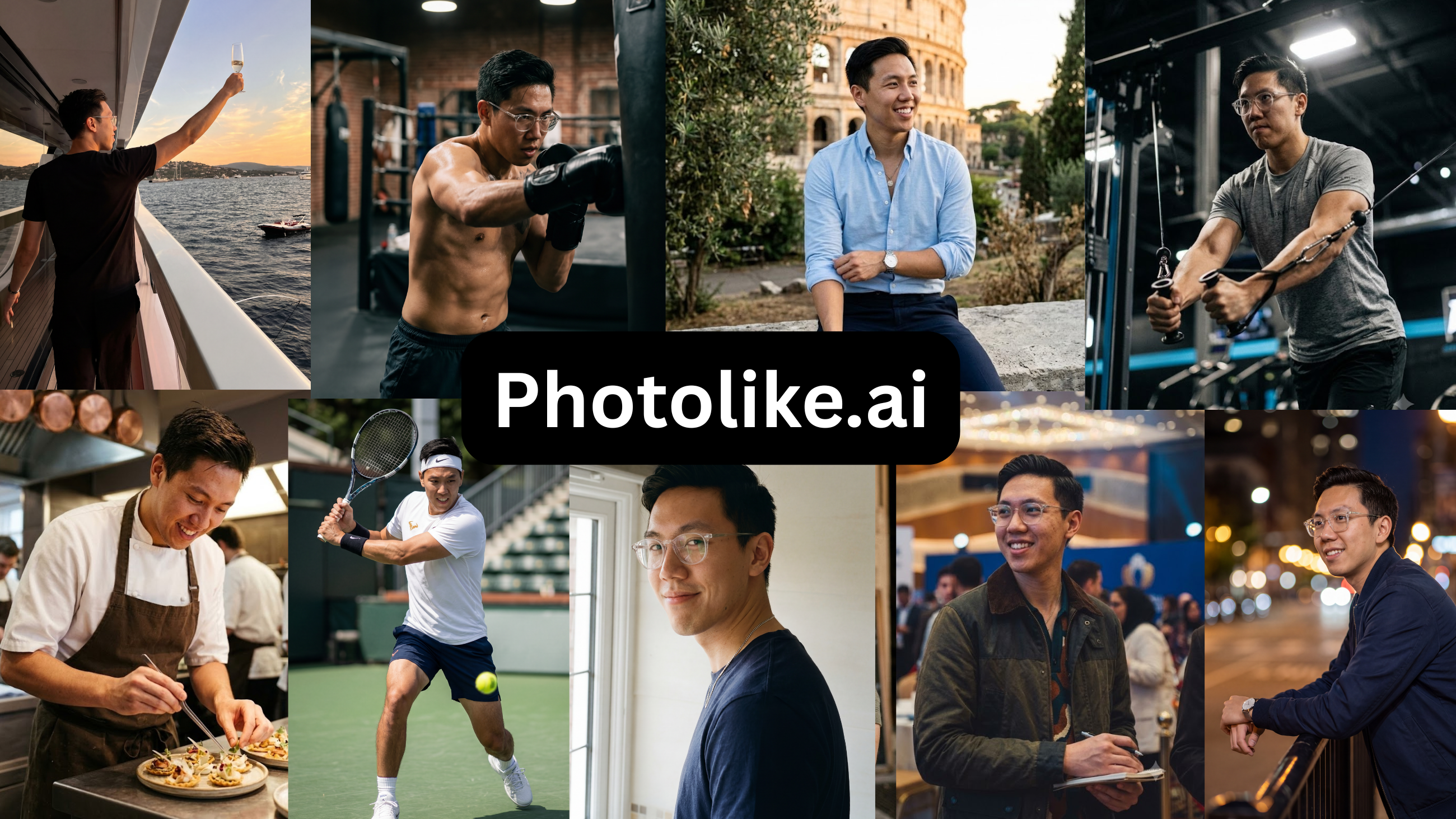
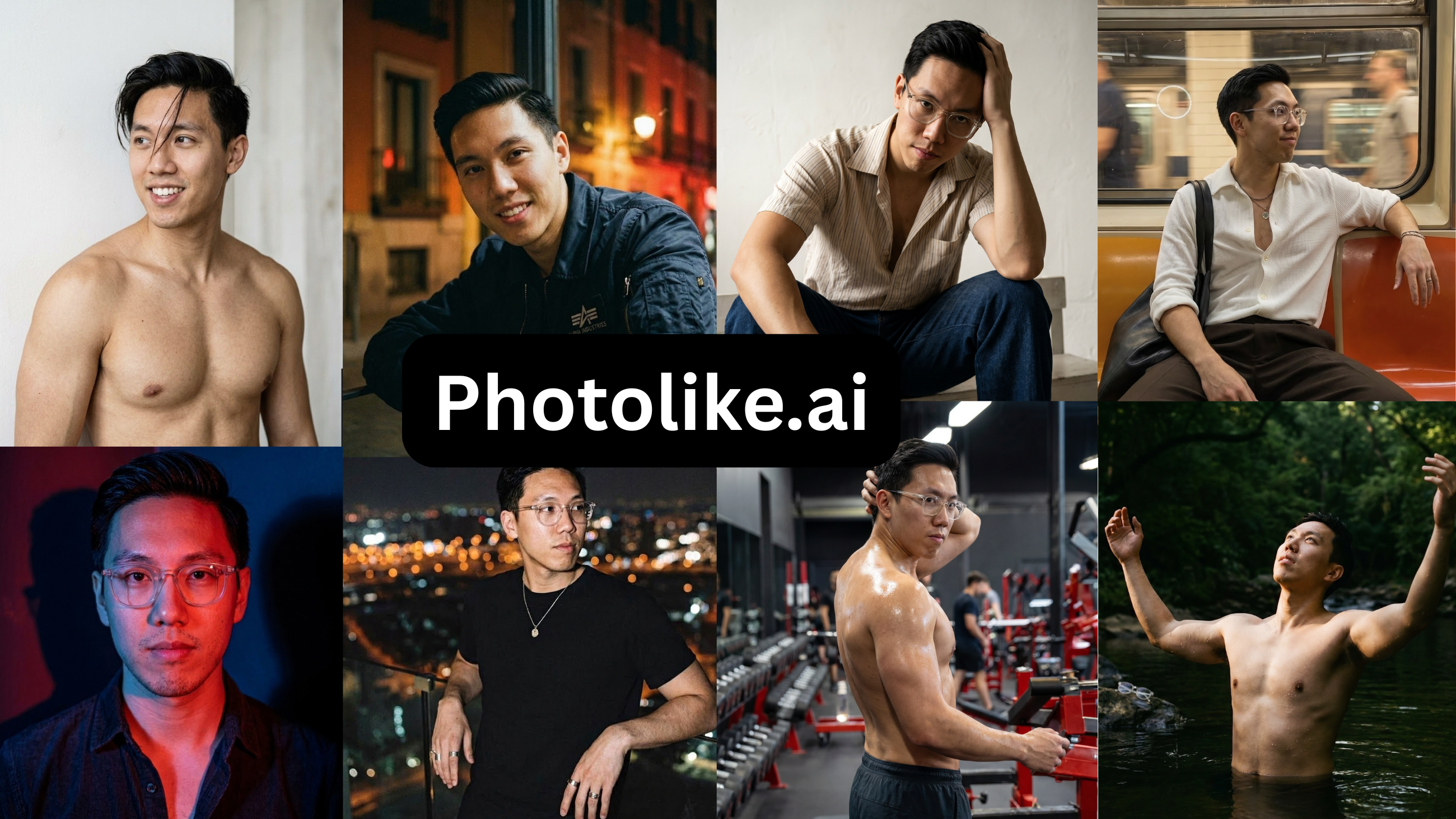
PhotoLike trains on your face like TruShot does, but then it directs the lighting, posing and angles instead of just capturing your current look — so it builds a varied set even from a thin starting point. It works through purpose-built albums, each engineered to signal a specific thing — for Alex I picked “The Boss” package (status and ambition) and it produced candid and more polished shots across the set, all still looking like him. You get 40+ photos for $24.99 and — unlike TruShot — one free photo on your own face before you pay anything. That last part is the most useful practical difference, because it kills the ‘pay and hope’ problem.
Photolike.ai
Price: Free preview, then $24.99 / 40+ photos · Free preview: Yes — one photo, no card
| Strengths | Limitations |
|---|---|
| – Elevates your lighting, posing and best angles, not just your existing look | – New to the market, with a shorter track record |
| – True-to-life images that read as you | – Not yet widely known |
| – Free preview with no credit card required | – A niche product for the male dating market |
| – Captures your full range and all angles | – Not all use cases covered yet |
| – Purpose-built albums (The Boss, The Chill Guy, Coffee Date, Gym, Travel and more), each engineered to signal a specific thing | |
| – Built specifically for male dating scenarios | |
| – Professional shots and friend-took-this candids both covered | |
| – Personalized styles and contexts | |
| – Max Mode for your strongest attraction output | |
| – Upload and recreate any reference look with your face | |
| – Designed to look like you on your best day | |
| – 40+ photos with the $24.99 package |
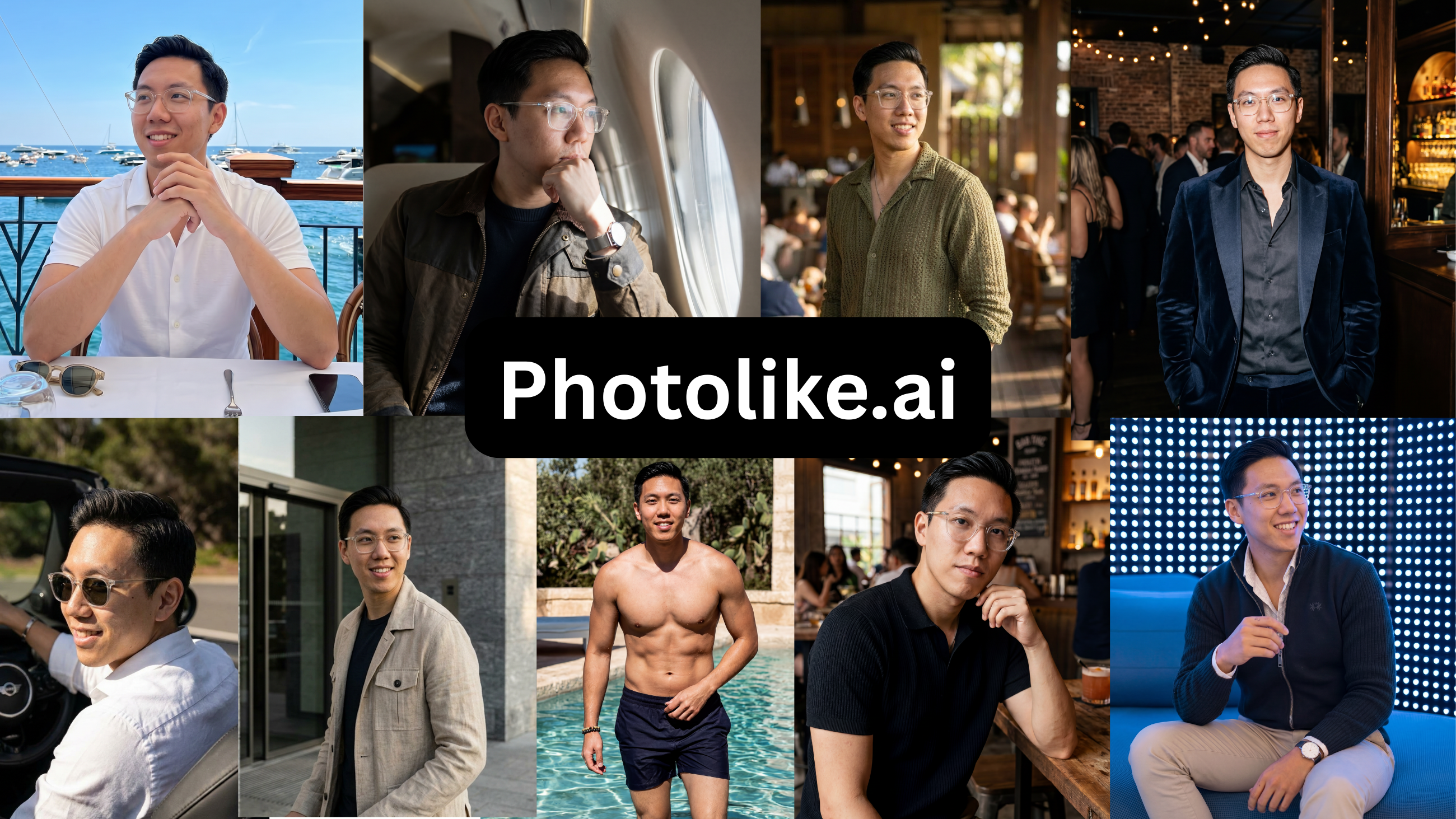
Verdict — PhotoLike is the best AI dating photo tool for most people: it is the only one that actually elevates your lighting, posing and angles instead of just capturing how you already look, and the only one that let me see a photo of my own face before paying.
So which one?
If you already photograph well and don’t mind paying $29 for 21 photos before you see anything — TruShot will mirror that look, but it won’t improve on it. If your camera roll’s thin, or you want variety, or you’d rather check the quality before paying — PhotoLike. And honestly, most people reading this are in the second group, because you’re looking precisely because your current photos aren’t cutting it.
Frequently asked questions
How many photos does TruShot give you?
21 on the $29 plan — 7 sets of 3 poses, made one at a time. PhotoLike gives 40+ for $24.99.
Does TruShot have a free preview?
No. PhotoLike gives one photo on your own face, no card, before you pay.
Is TruShot worth it?
For most people, not really — it only mirrors your existing look and won’t fix your lighting, posing or angles, which is the actual problem. 21 photos for $29, no preview. PhotoLike elevates the photos you have and lets you check one free first.
PhotoLike or TruShot?
TruShot for natural candids from a strong roll. PhotoLike for variety, more photos, a free preview, and output built from a thin starting point.
Bottom line
TruShot only mirrors a good camera roll if you already have one, and does little otherwise; PhotoLike elevates a thin one — fixing lighting, posing and angles — and lets you check it first. Different tools for different people — and for most people looking, that’s PhotoLike.
TRY IT ON YOUR OWN FACE FIRST
PhotoLike generates one full-quality photo of your own face free, with no card — the only claim in this guide you can verify in five minutes. A full set is 40+ photos across purpose-built albums for $24.99.
See your free preview at photolike.ai
See The Difference
Your photos do the talking before you do. Make sure they're saying the right thing.
Unflattering angle • Harsh lighting • Missed potential
Confident pose • Perfect lighting • Match-ready
1 free match-ready photo first • unlock 40 for $24.99 only if you love it • no card required
How we tested: every tool was purchased and run on the same set of source photos from one volunteer, who consented to publishing the AI versions and the quoted reactions. In each case I bought the lowest paid tier — most of these tools also sell higher-priced tiers with more photos or features, which I did not test. Findings on pricing, output quality and software bugs are from that hands-on test of the entry tier. Prices were correct at the time of testing; verify before purchasing. This guide is published by PhotoLike and is not sponsored by any tool reviewed.
Sources & references
On This Page
Frequently Asked Questions
A variety of poses and settings showcases different facets of your personality and lifestyle. This helps potential matches connect with you on multiple levels. It signals that you have diverse interests and can present yourself confidently in various social contexts.
Photos can look fake when they don't accurately represent real-world physics or authentic human features. Issues like unnatural skin textures, incorrect lighting, or unrealistic background blur can make the output appear artificial. High-quality AI tools use advanced techniques to mimic real camera effects.
A free preview is critical because it lets you see how an AI tool interprets your specific face. You can assess the realism and quality directly on yourself. This avoids the risk of paying for a service that doesn't produce results you're happy with or that don't look like you.
Tools that copy your look aim to replicate your existing features and style accurately. Optimization tools, however, go further. They improve aspects like lighting, posing, and angles, even from a limited set of initial photos. This creates a more varied and polished collection.
Some AI tools are designed to optimize photos for dating apps by incorporating elements that signal social proof and status. This can include settings, clothing choices, and poses that are associated with success, confidence, and an active lifestyle, aiming to increase attractiveness.
If your existing photos suffer from poor lighting, awkward posing, or unflattering angles, AI optimization tools can correct these issues. They aim to elevate your features and present you in the best possible light, creating a stronger set of images even from a limited starting point.
AI photo optimization tools can create professional-looking images. They adjust lighting, angles, and posing to enhance your appearance, often providing a range of styles. This allows you to achieve a polished look for your dating profile at a fraction of the cost of a professional photoshoot.
When an AI trains on your face, it learns your unique features. This allows it to generate images that are highly recognizable. The goal is to create your best possible self, looking like you but on your most attractive day, with improved lighting and presentation.
Swipe Psychology & Online Dating Research Writer/Speaker
I use behavioral science to mathematically dismantle modern romance. When I'm done optimizing human attraction, I drink black coffee and play chess.