Best AI Photo Generator for Hinge (2026): I Tested All So You Don’t Have To

TL;DR
‘Best AI photo generator for Hinge’ comes down to two requirements: the tool has to build the specific photo your prompt references (because Hinge runs on comments — prompt likes are 47% more likely to lead to dates, and a like with a comment is 2x as likely), and the output has to look real enough to survive both the altered-photo scan and the first date.
I tested 7 tools against those two requirements — one guy, same photos, lowest tier each. Photolike.ai was the only one that met both, and the only one you can verify free on your own face first.
The like landed. You liked back. The match formed. Then nothing happened.
If you’re reading this, you’ve likely done the next part too: decided the photos are the problem, searched for AI dating photos, and closed the tab five minutes later because half the examples looked like video game characters. You want better photos. You do not want to show up to a date looking thirty percent different from your profile.
So ‘best AI photo generator for Hinge’ is really two questions in one: can the tool make photos that start conversations on Hinge specifically — and will those photos look real? That’s the whole page. First, what Hinge actually rewards, because it defines requirement one. Then the realism bar, which is requirement two. Then the test: seven tools, the same face, judged against both.
What Hinge rewards: comments, not likes
Getting likes but no conversations means the profile has enough surface appeal to pass the first check, but not enough specificity to start a thread. That is not a personality failure. It is a design failure — and Hinge’s own numbers explain it. Likes on text prompts are 47% more likely to lead to a date than likes on photos, and a like sent with a comment is twice as likely to become a date as a like alone.
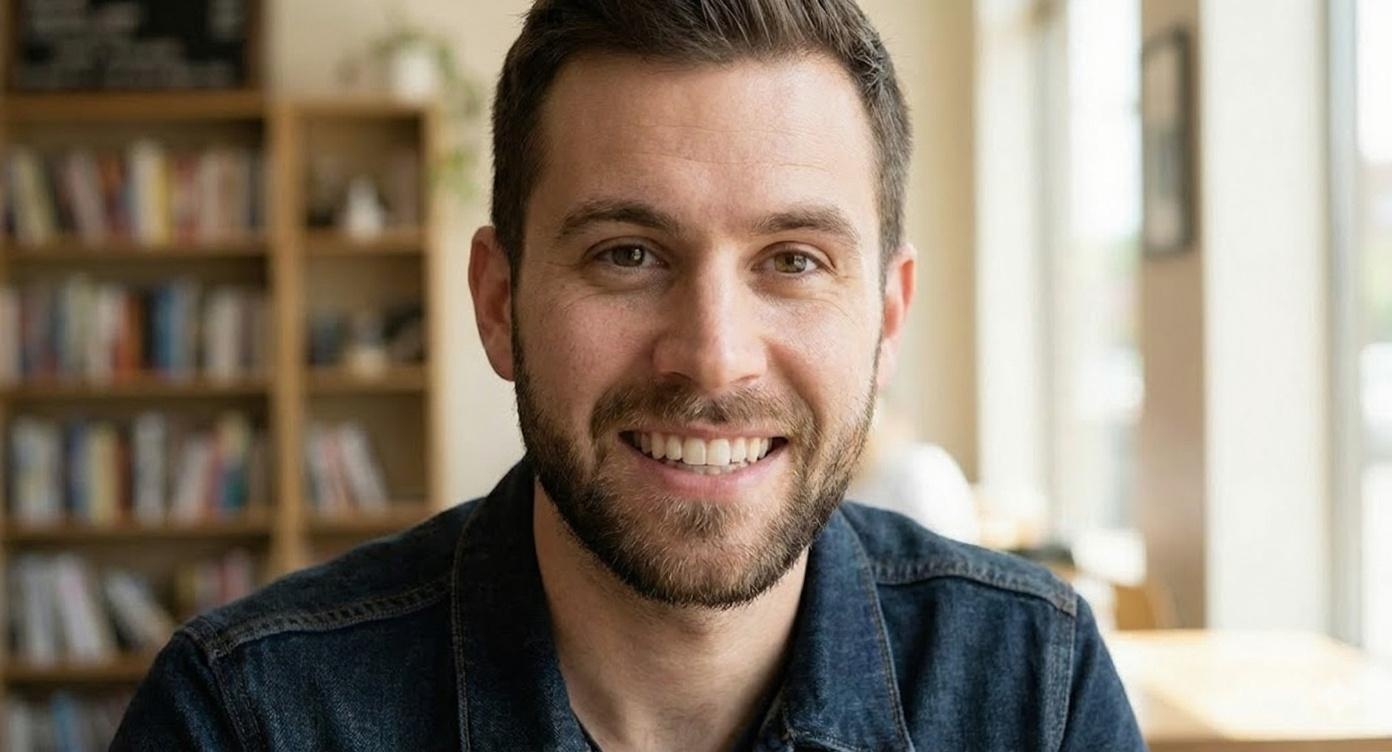
Hinge is not Tinder with longer captions. People respond to specific pieces of the profile, which means a good Hinge photo does not just show your face. It gives a match a handle: the coffee ritual, the trip, the hobby, the black-and-white frame — the thing she can comment on without trying too hard.
That changes what you’re shopping for. The best AI photo generator for Hinge is not the one that makes the most impressive portrait. It is the one that helps your photos and prompts point at the same story.
Requirement one: the photo your prompt needs — which your camera roll doesn’t have
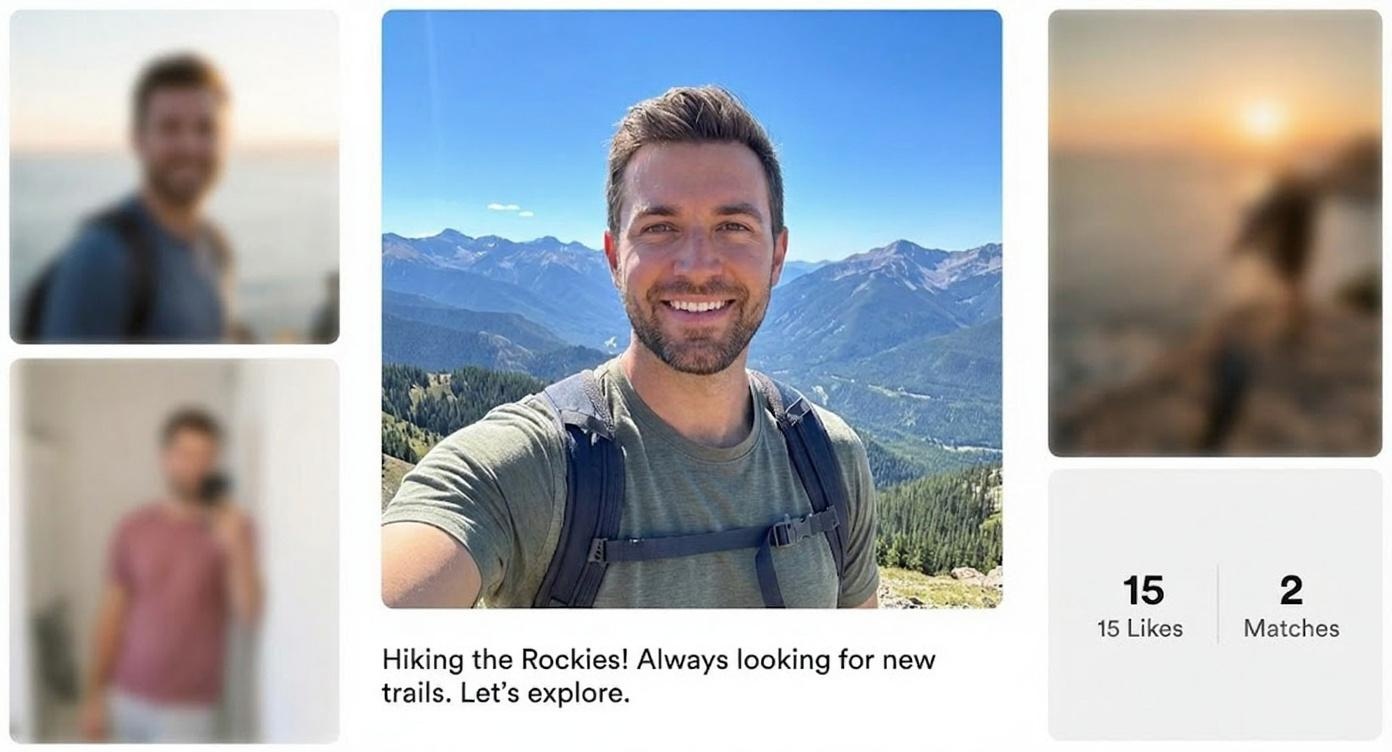
Most guys generate photos first, then try to write prompts around whatever came out. That is backwards for Hinge. Start with the comment you want to make easy. If your prompt says you plan Sundays around coffee, the photo should show the version of you that makes that believable. If your prompt mentions travel, the photo should give her the visual doorway to ask where you went.
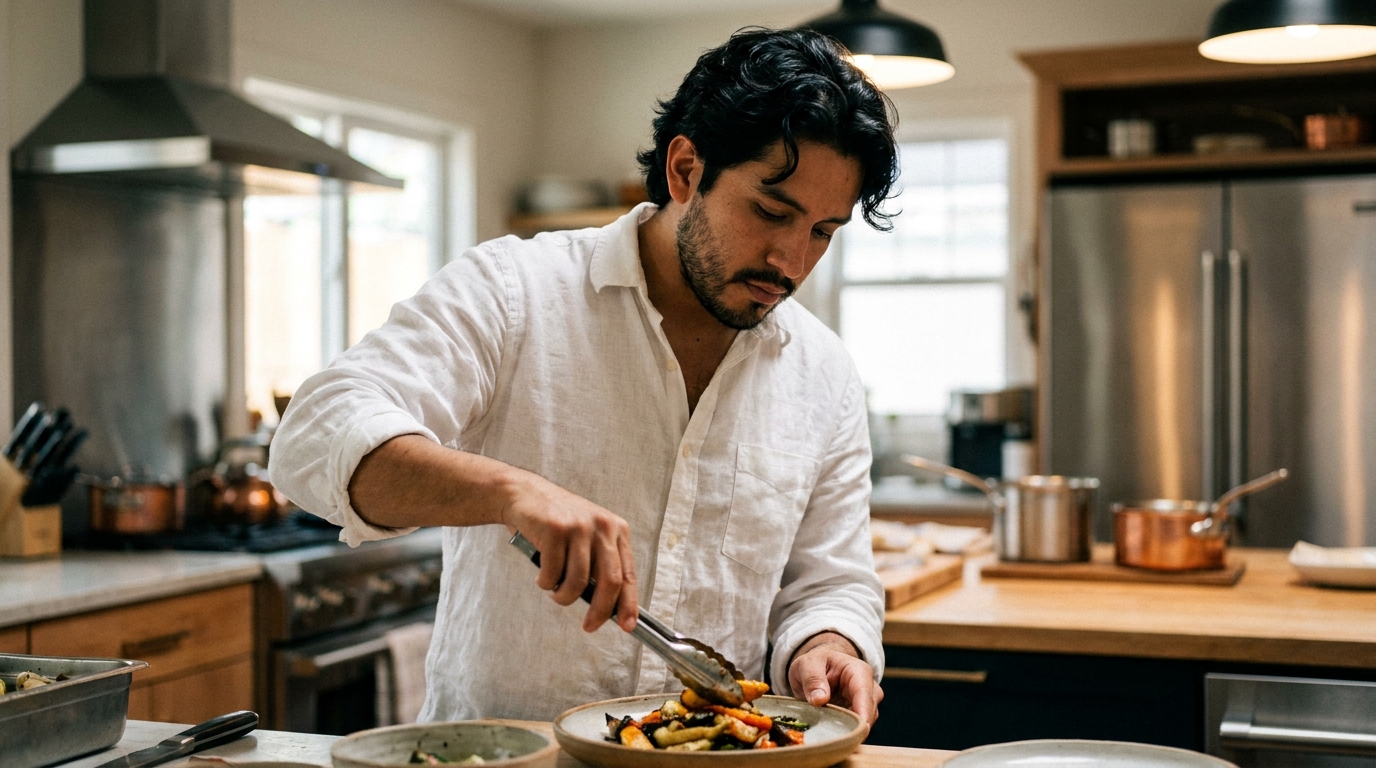
Here is where the plan breaks for almost everyone: the best prompt describes a real part of your life, but your camera roll does not have the photo that proves it. You were living the moment, not photographing yourself inside it. And the photos the roll does have undersell you — a front camera at arm’s length genuinely warps proportions, nose wider, forehead longer, shot in bad indoor light with nobody around to take a decent candid. A study that scored 536 men’s profiles put the average at 54 out of 100. Mediocre photos. Not mediocre men.
That gap is what you are actually shopping for. Not ‘nice photos.’ Not random lifestyle scenes. Requirement one for any tool on this list: it has to create the photo your best prompt was missing.
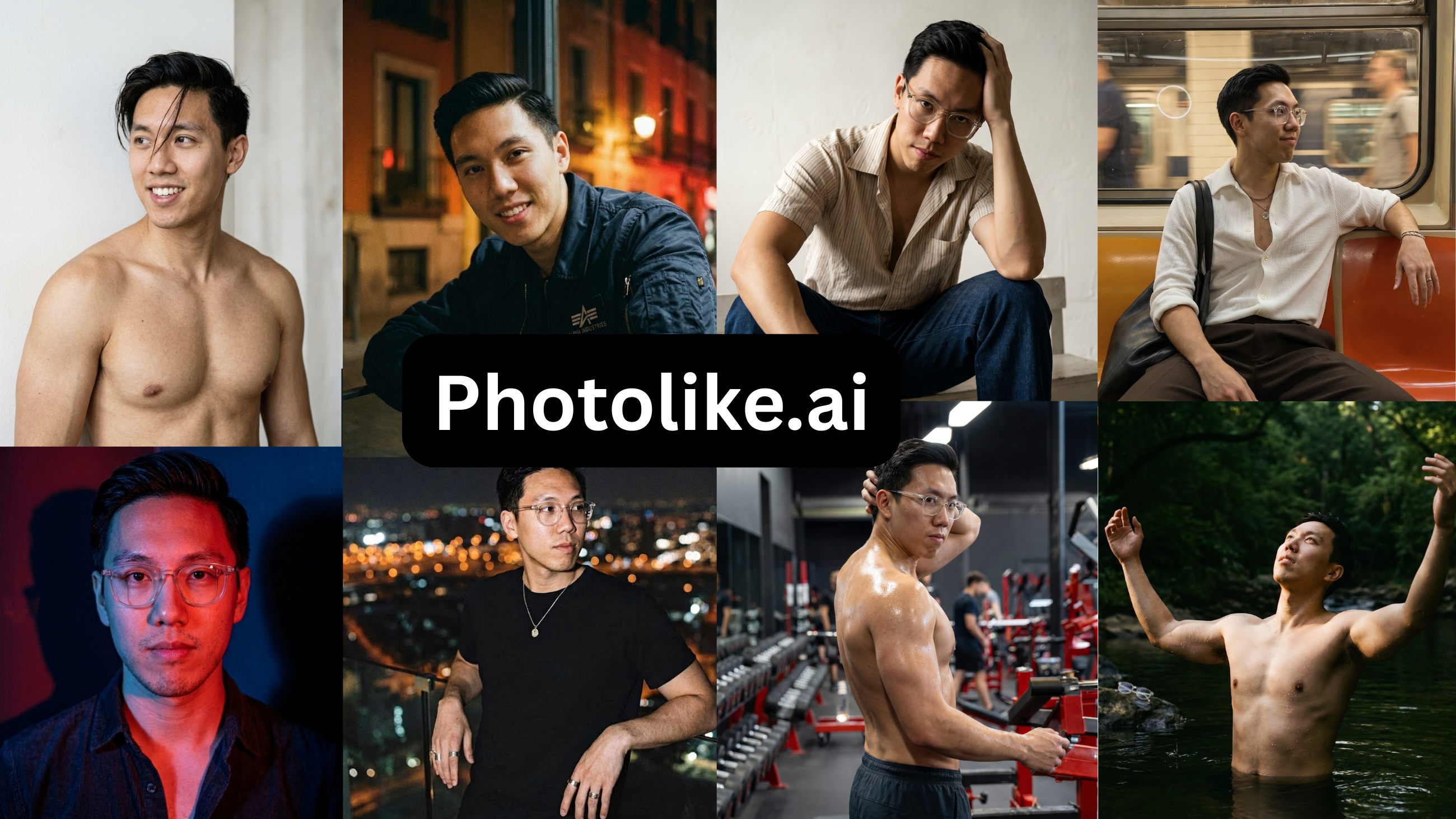
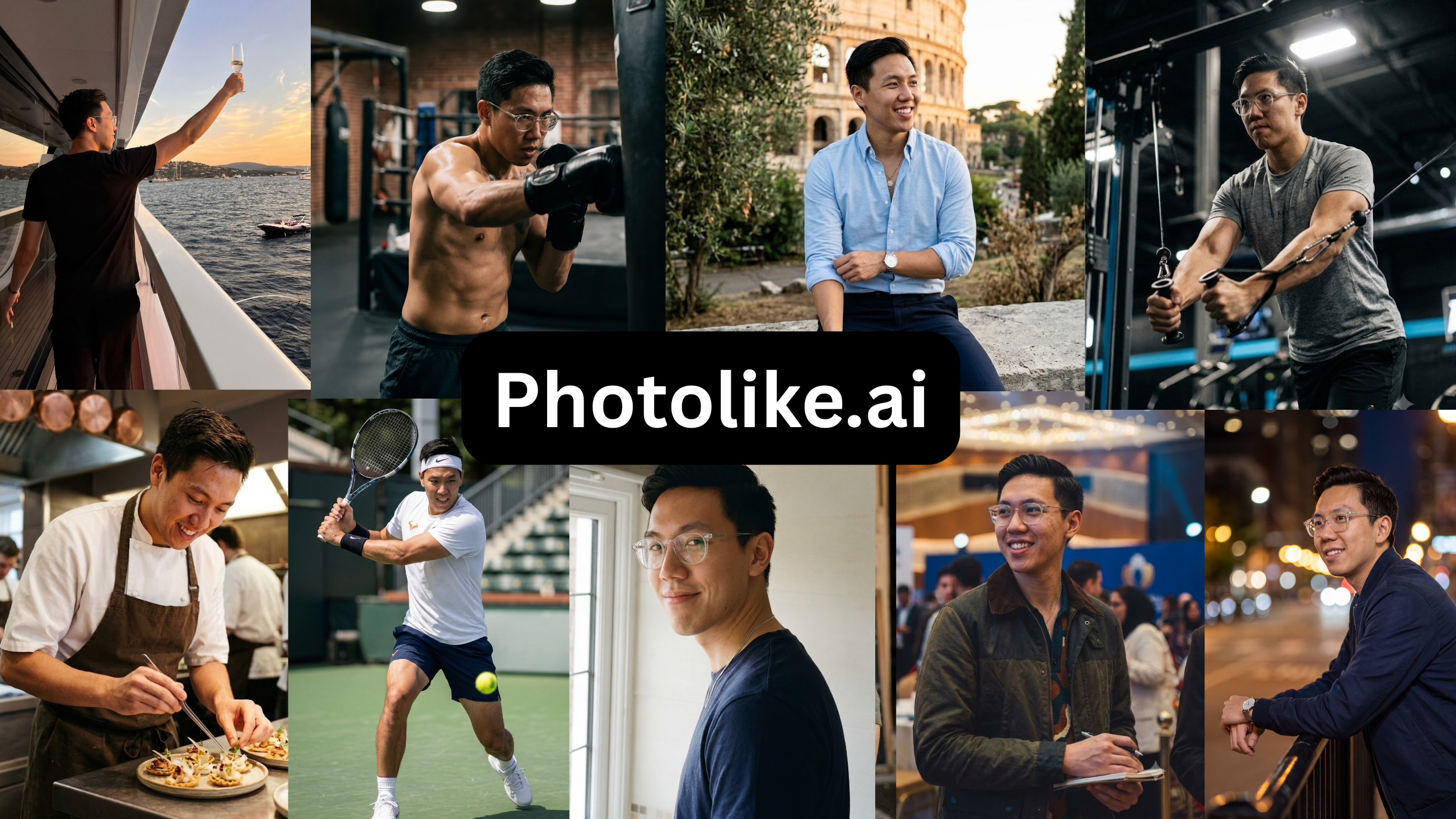
You are not buying Hinge photos. You are buying comment triggers that still look like you.
Requirement two: will it look real — to her, to the scan, and at the table
This is the fear that keeps most guys from pulling the trigger, so it deserves a straight answer instead of a disclaimer.
AI photos get clocked for specific, checkable reasons: skin with no pores, eyes that don’t quite hold an expression, backgrounds with fake blur, hands doing impossible things. A photo with none of those problems that still clearly looks like you is not getting forensically analyzed by a woman deciding whether to comment on your coffee prompt. The test worth running is the one your friends run for free — do they say ‘good photo,’ or do they say ‘who is that?’
The same test settles the meetup fear. A photo of you with better lighting, a real setting and your actual face is you on a good day, and she has met people who look like their good day before. A photo with a new jawline is a different person — that gap is what people actually mean by catfishing. And Hinge polices the same line: AI photos of yourself are not banned, misrepresentation is. Selfie Verification and the altered-photo screening catch faces that don’t match, so the over-smoothed and heavily retouched fail while the natural and recognizable pass. The photos that would get you in trouble with Hinge are the same ones that would get you in trouble at the bar.
So requirement two: the output has to stay natural and unmistakably you. Those two requirements are the entire test below.
The test: one guy, the same photos, seven tools
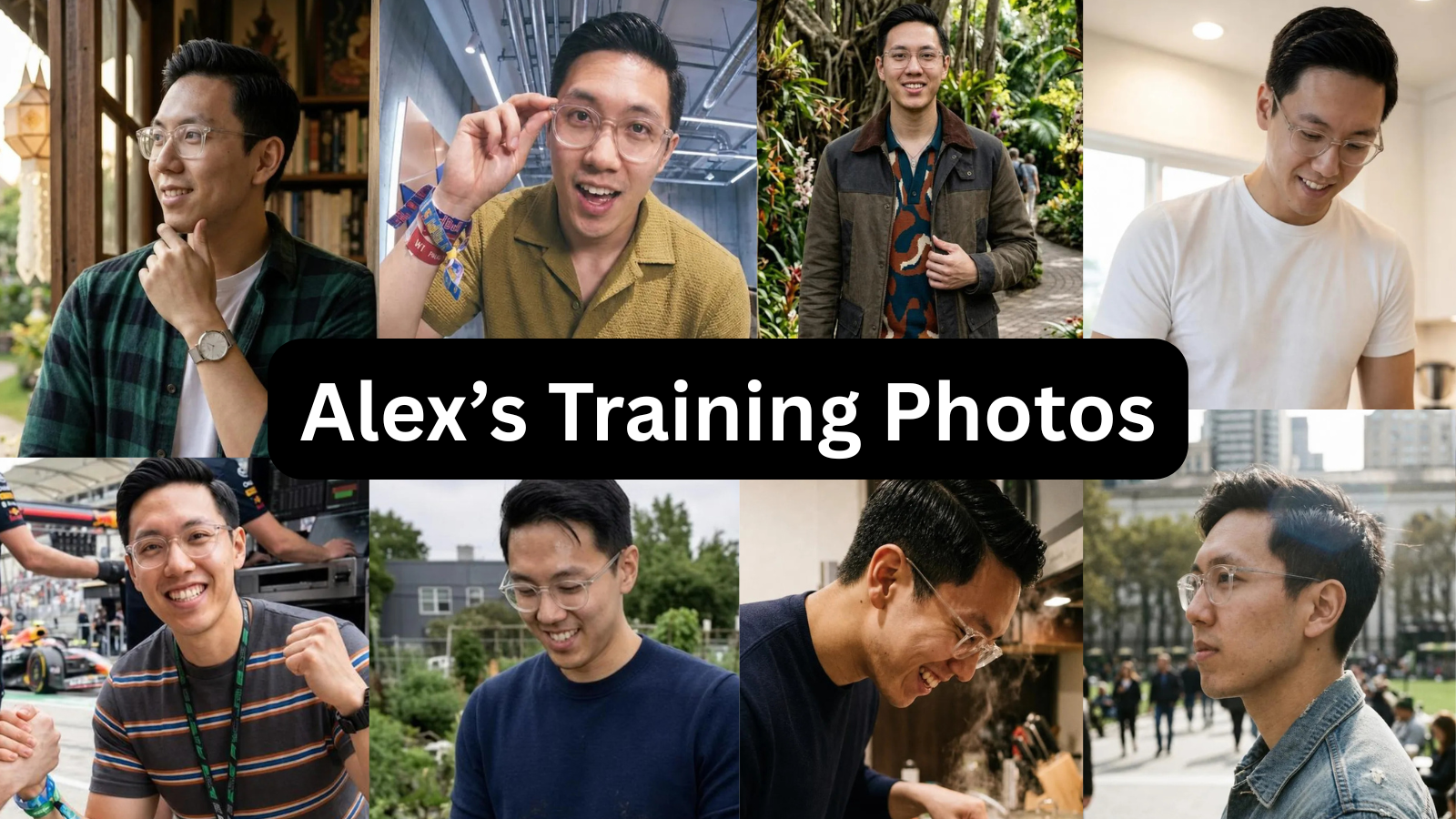
I used one person’s photos as the input — the same set through all 7 tools. Alex is 29, 5'9" with a camera roll typical of the people these tools are aimed at: a few recent selfies, one usable photo someone else took, nothing amazing, and no clear sense of his best angle. His profile wasn’t bad, it was average. A study that scored 536 men’s profiles across Tinder, Hinge and Bumble put the average near 54 out of 100, which is about where his sat.
Alex uploaded the same 8–15 photos to each tool. I bought the lowest paid tier for every one — most also sell higher tiers with more photos, which I didn’t test — generated a full batch, and reviewed each result against the same checklist. I also went through training time, re-upload requirements and billing, since those aren’t clear until after you’ve paid.
For each tool I recorded five things: how realistic the output looked, whether it still resembled the subject, how much genuine variety the set had, how many photos were usable on a profile, and whether I could check quality before paying. The last one separated the tools most clearly.
The results
Here’s how each tool scored on those five, from 1 to 5 stars — Ratings are from this test on one subject: realism (does it look like a real photo, not AI), looks like you (still clearly the same person), variety (different settings, outfits and shot types), usable photos (share of the batch you’d put on a profile), and preview before paying (can you see a result on your own face first).
| Tool | Realism | Looks like you | Variety | Usable photos | Preview before paying |
|---|---|---|---|---|---|
| Photolike | ★★★★★ | ★★★★★ | ★★★★☆ | ★★★★☆ | ★★★★★ |
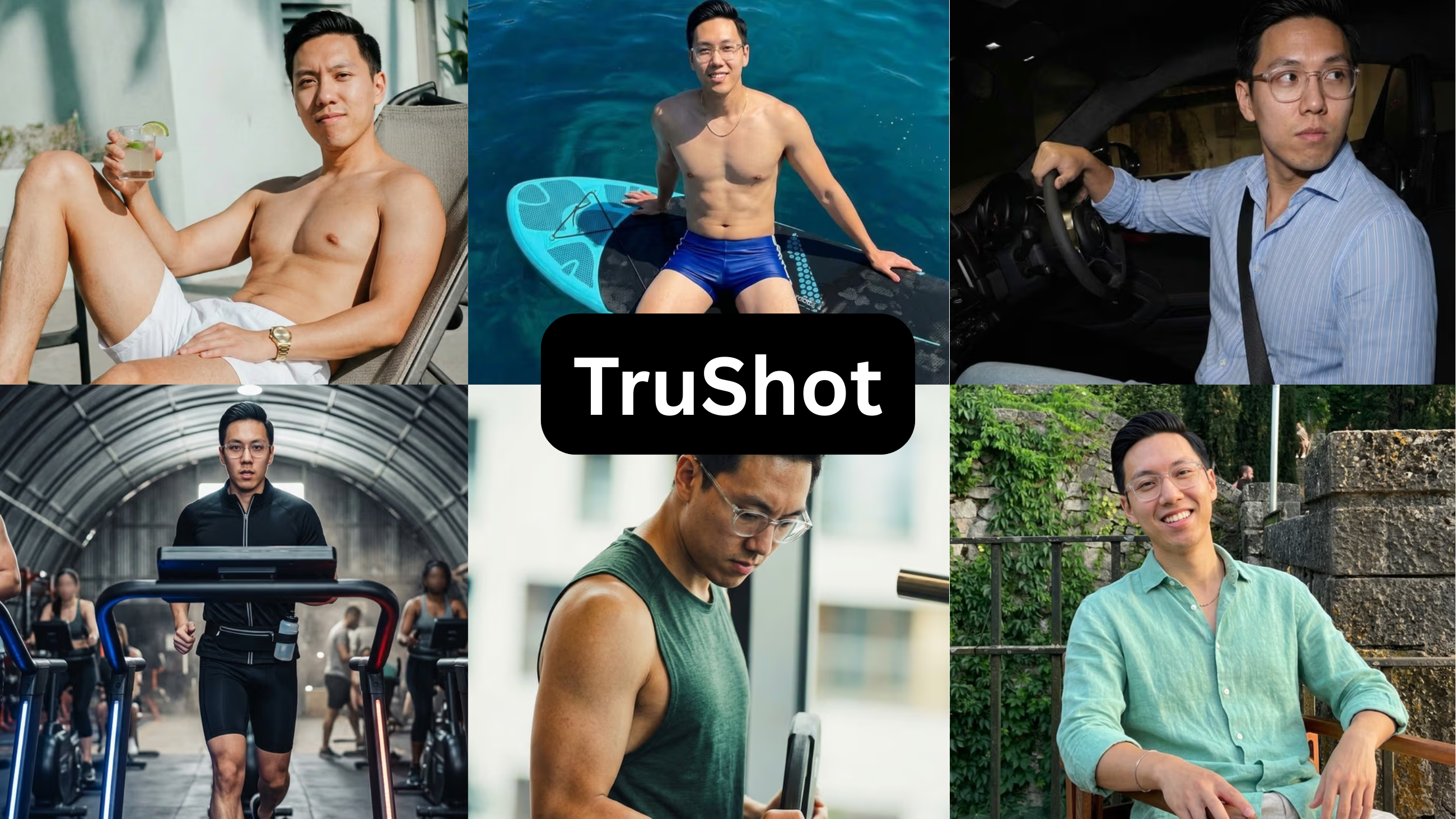
| TruShot | ★★★★★ | ★★★★☆ | ★★☆☆☆ | ★★★☆☆ | ★☆☆☆☆ |
| roast.dating | ★★☆☆☆ | ★★★☆☆ | ★★★☆☆ | ★★☆☆☆ | ★☆☆☆☆ |
| DatePhotos.ai | ★★☆☆☆ | ★★★☆☆ | ★★★★☆ | ★★☆☆☆ | ★☆☆☆☆ |
| TinderProfile.ai | ★★☆☆☆ | ★★☆☆☆ | ★☆☆☆☆ | ★★☆☆☆ | ★☆☆☆☆ |
| Aragon AI | ★★★☆☆ | ★★☆☆☆ | ★★☆☆☆ | ★☆☆☆☆ | ★☆☆☆☆ |
| Remini | ★★☆☆☆ | ★☆☆☆☆ | ★★★☆☆ | ★☆☆☆☆ | ★★☆☆☆ |
Prices shown are each tool’s lowest paid tier (most also sell higher tiers I didn’t test). ‘Usable rate’ is my estimate of how many of each tool’s photos I’d put on a real profile, based on reviewing the full batch on one face.
| # | Tool | Price | Free preview | Usable | Summary |
|---|---|---|---|---|---|
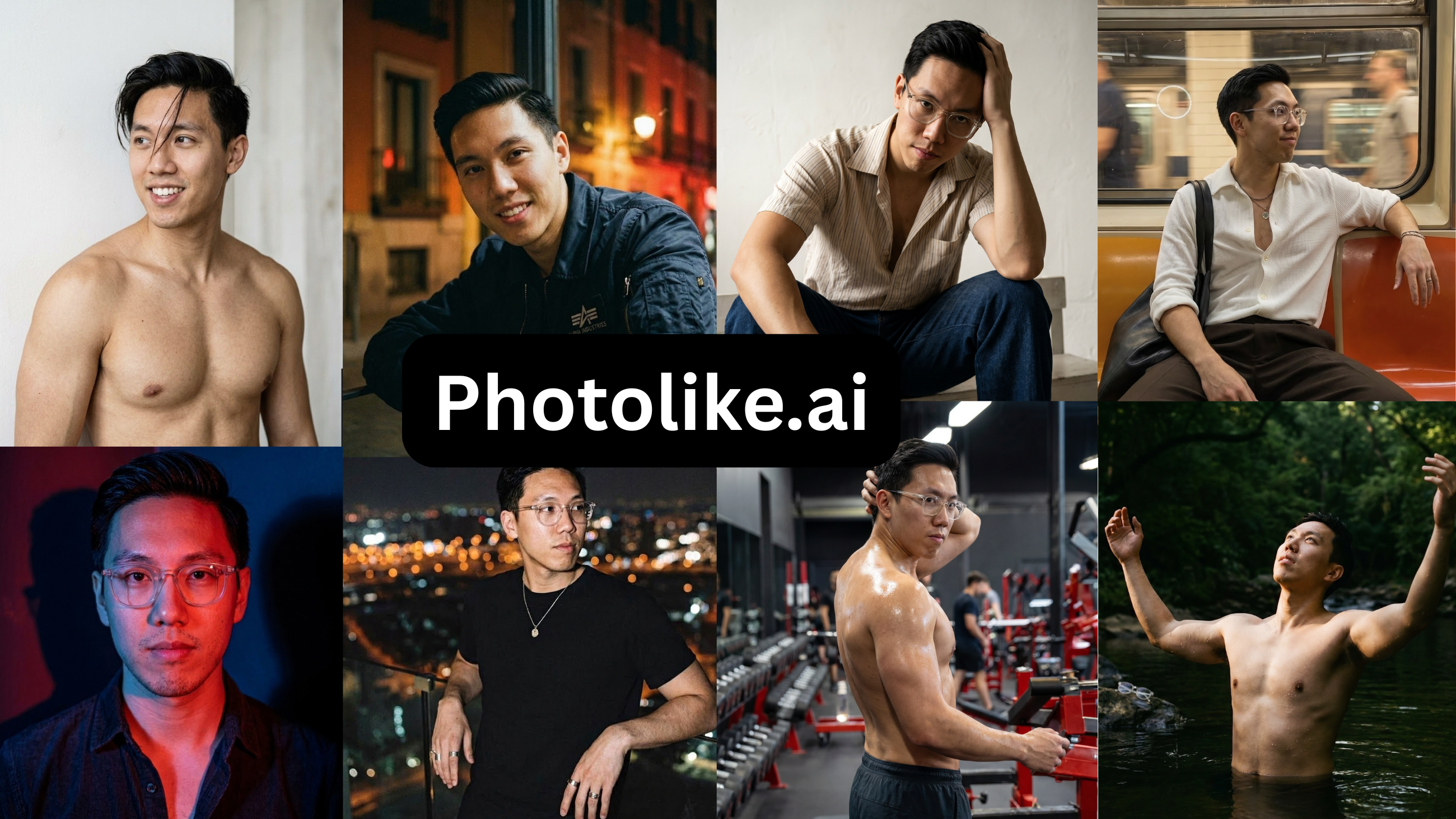
| 1 | Photolike.ai | $24.99 / 40+ | Yes — no card | ~88% | Improves lighting, posing & angles; only one you can try free |
| 2 | TruShot | $29 / 21 | No | ~45%* | Only reproduces what you already have; no preview; pricey for 21 |
| 3 | roast.dating | $3.99 + $29/mo | No | ~28% | Useful profile audit, weak photos |
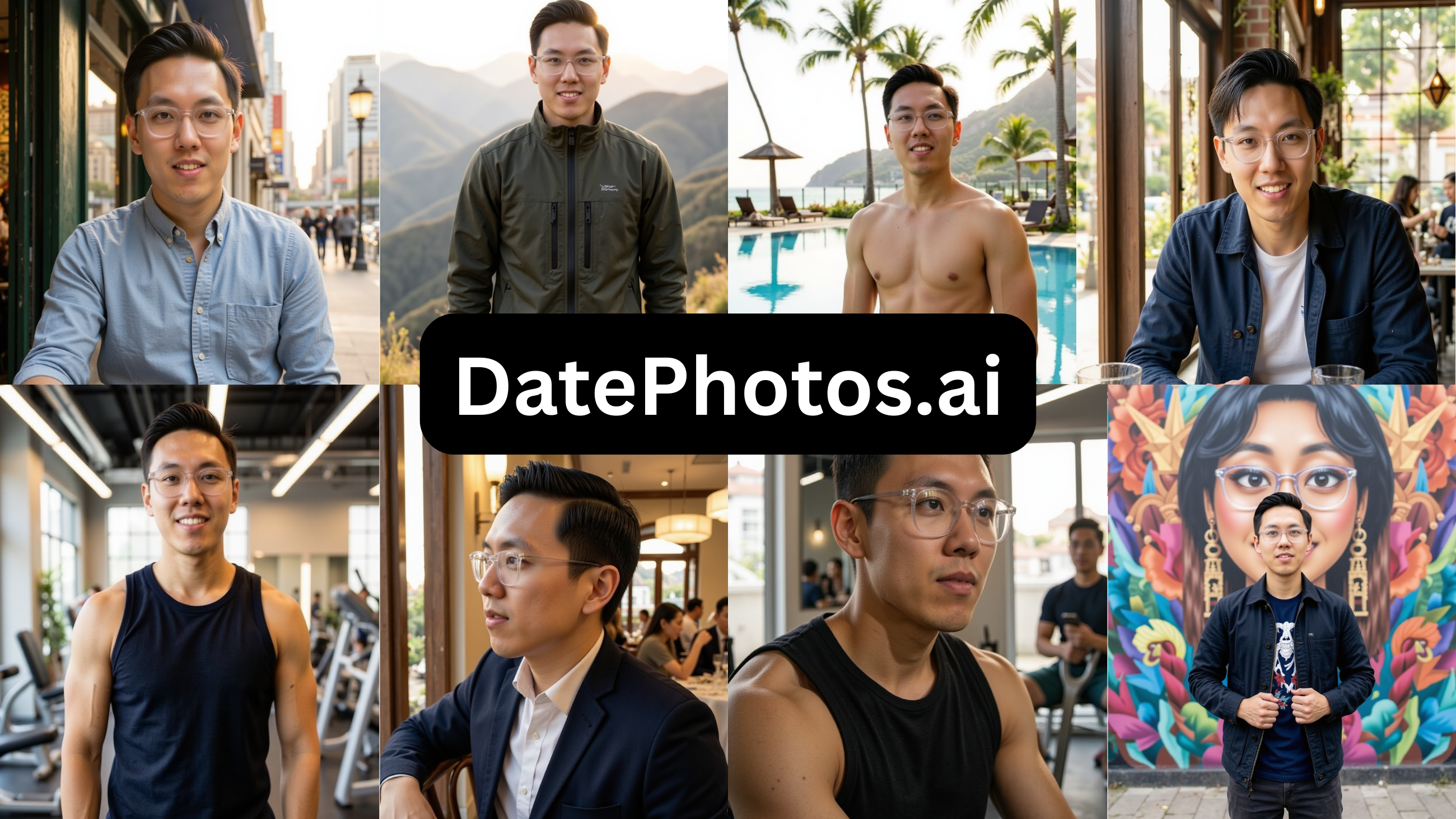
| 4 | DatePhotos.ai | $29 | No | ~22% | Over-smoothed; most of the batch wasn’t usable |
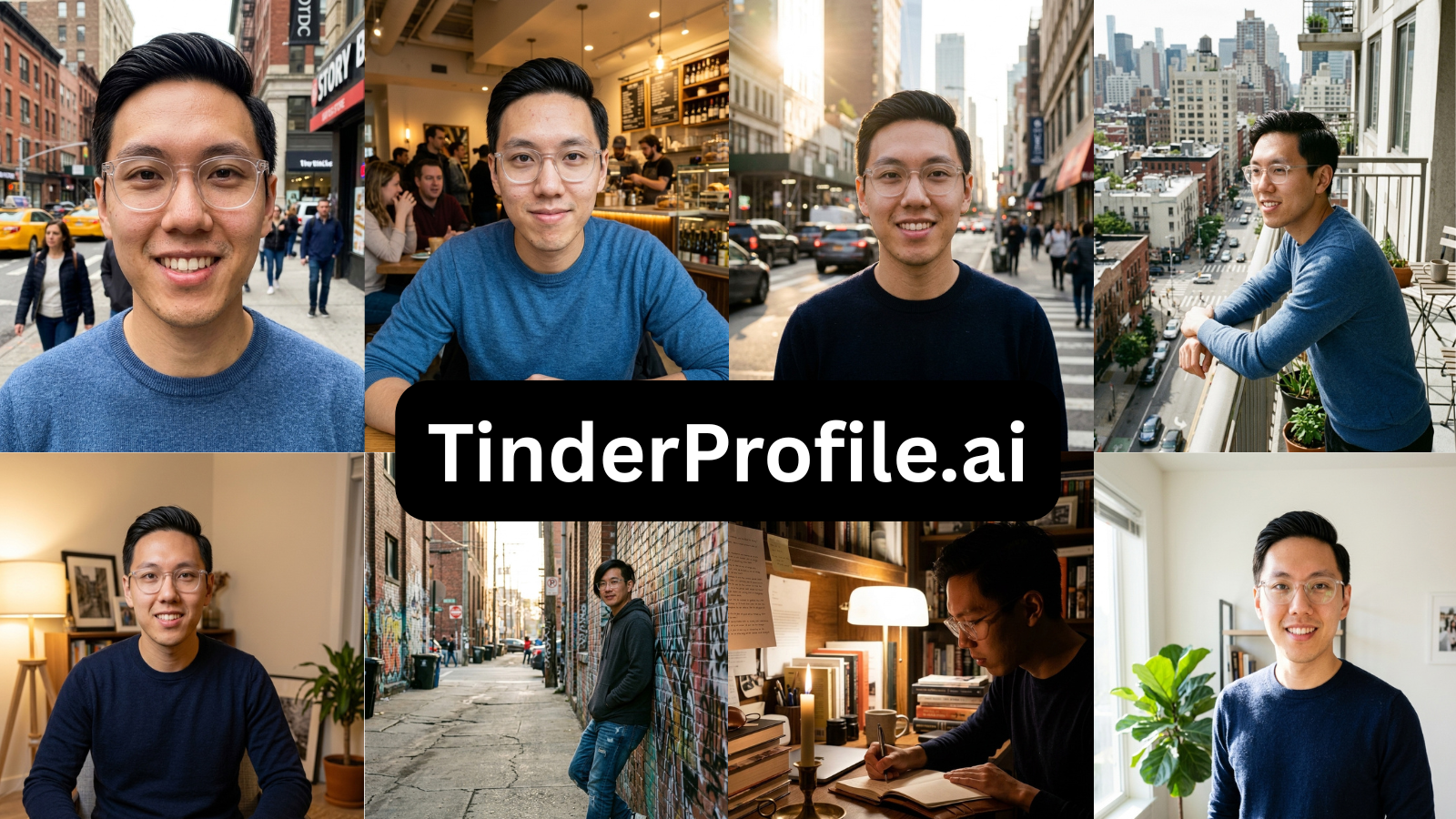
| 5 | TinderProfile.ai | $14 | No | ~20% | Same outfit every shot; a bug blocked me mid-test |
| 6 | Aragon AI | $15+ | No | ~10% | Professional headshots, not dating photos |
| 7 | Remini | $9.99/wk | Trial (card) | ~5% | A photo editor, not a dating photo generator |
Share of output usable on a real dating profile
| Rate | ||
|---|---|---|
| Photolike.ai | ██████████████████░░ |
~88% |
| TruShot (only if your photos are already good) | █████████░░░░░░░░░░░ |
~45% |
| roast.dating | ██████░░░░░░░░░░░░░░ |
~28% |
| DatePhotos.ai | ████░░░░░░░░░░░░░░░░ |
~22% |
| TinderProfile.ai | ████░░░░░░░░░░░░░░░░ |
~20% |
| Aragon AI | ██░░░░░░░░░░░░░░░░░░ |
~10% |
| Remini | █░░░░░░░░░░░░░░░░░░░ |
~5% |
1. Photolike.ai
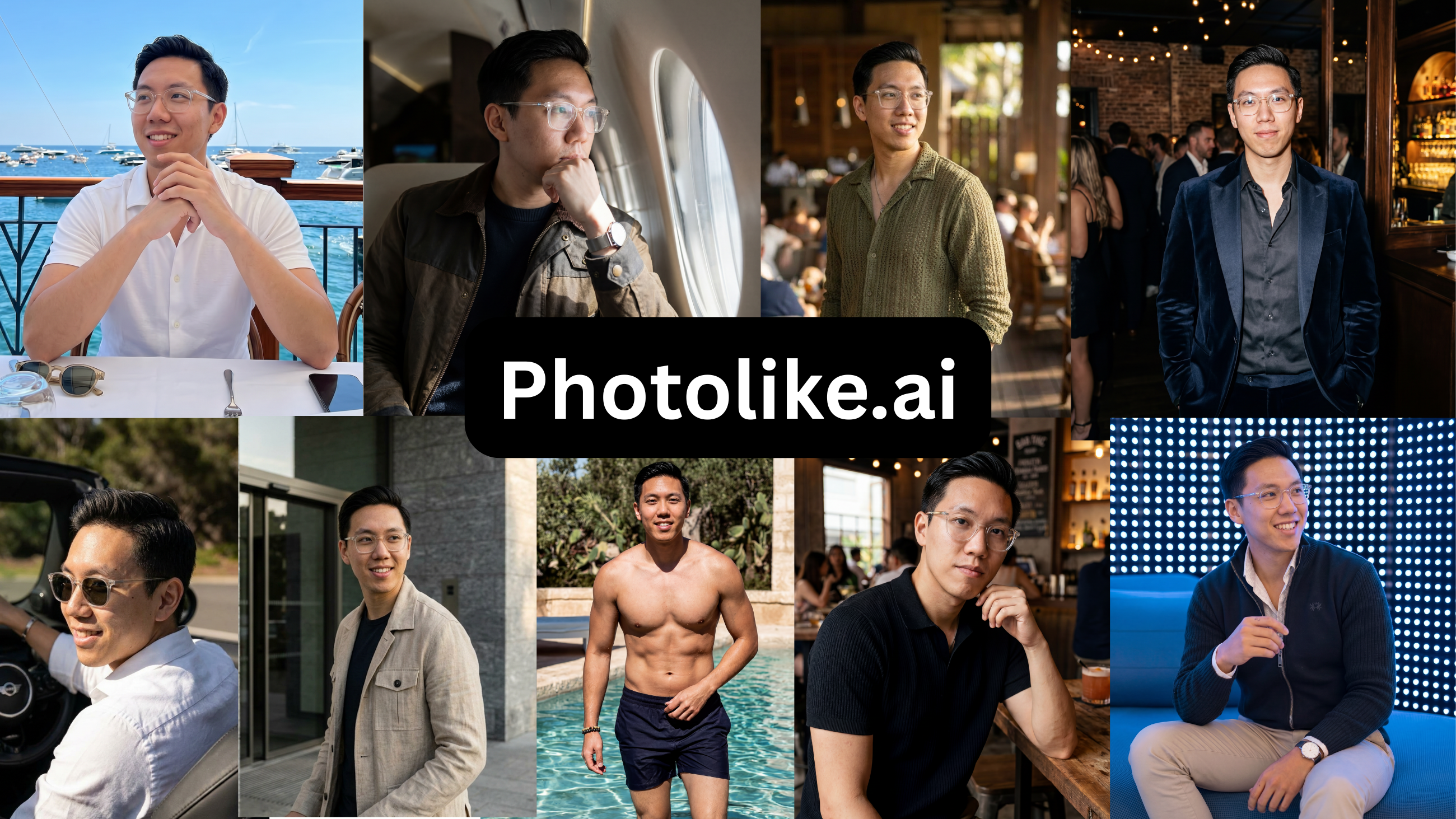
Price: Free preview, then $24.99 / 40+ photos · Free preview: Yes — one photo, no card
| Strengths | Limitations |
|---|---|
| – Elevates your lighting, posing and best angles, not just your existing look | – New to the market, with a shorter track record |
| – True-to-life images that read as you | – Not yet widely known |
| – Free preview with no credit card required | – A niche product for the male dating market |
| – Captures your full range and all angles | – Not all use cases covered yet |
| – Purpose-built albums (The Boss, The Chill Guy, Coffee Date, Gym, Travel and more), each engineered to signal a specific thing | |
| – Built specifically for male dating scenarios | |
| – Professional shots and friend-took-this candids both covered | |
| – Personalized styles and contexts | |
| – Max Mode for your strongest attraction output | |
| – Upload and recreate any reference look with your face | |
| – Designed to look like you on your best day | |
| – 40+ photos with the $24.99 package |
Verdict — PhotoLike is the best AI dating photo tool for most people: it is the only one that actually elevates your lighting, posing and angles instead of just capturing how you already look, and the only one that let me see a photo of my own face before paying.
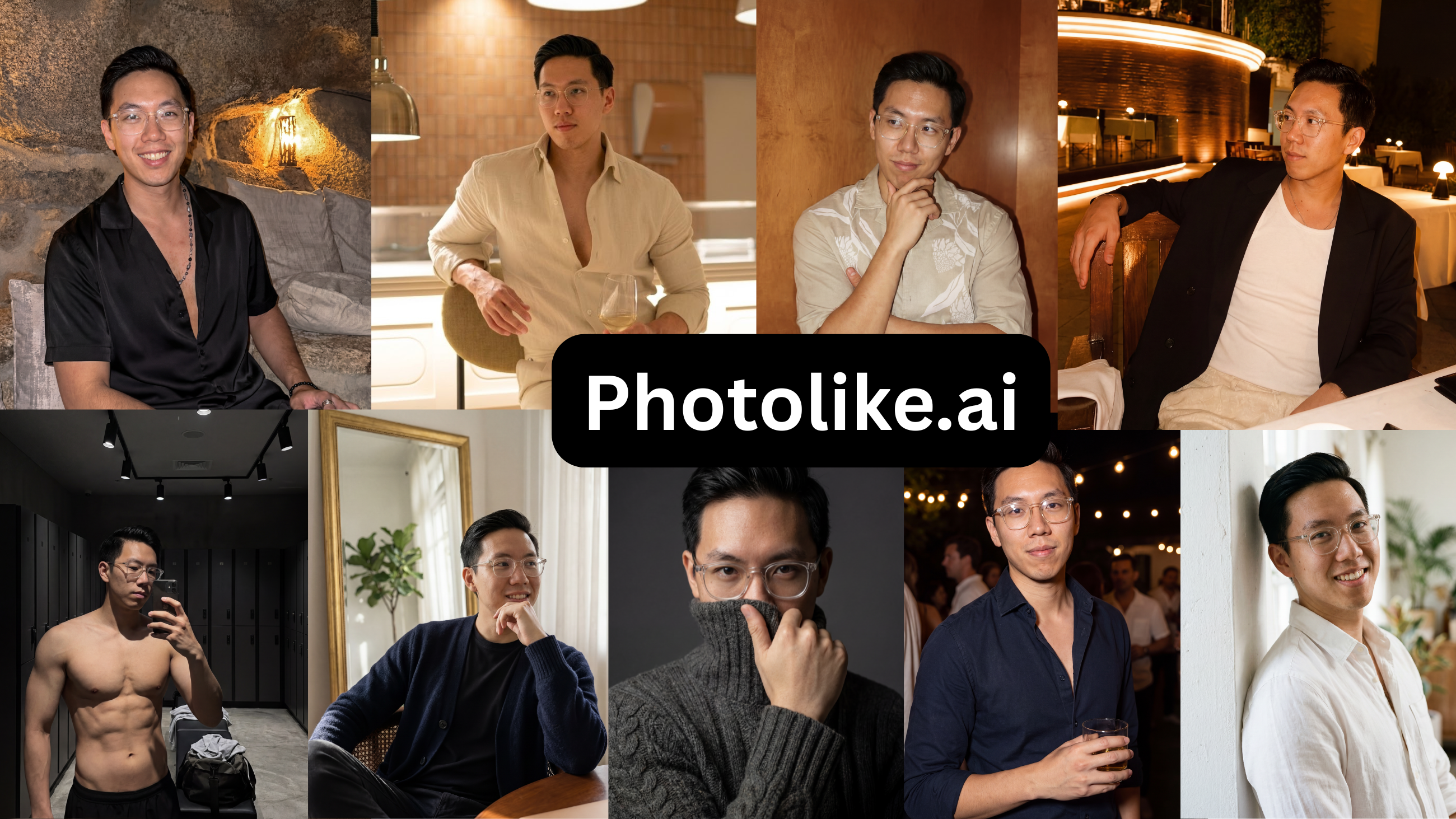
The only tool that met both requirements. Requirement one: it directs lighting, posing and angles instead of mirroring your uploads, so the thin roll stops being the ceiling — “The Boss” album took the 70% lead slot, high-status and confident, with full-body, activity and travel albums filling the slots behind it. Requirement two: everything stayed unmistakably Alex, and the free first photo meant the whole plan was verified before a dollar moved.
“Going from a 5 to a solid 8 while still looking like me. Photolike is the tool guys use in secret.”
— Alex
See The Difference
Your photos do the talking before you do. Make sure they're saying the right thing.
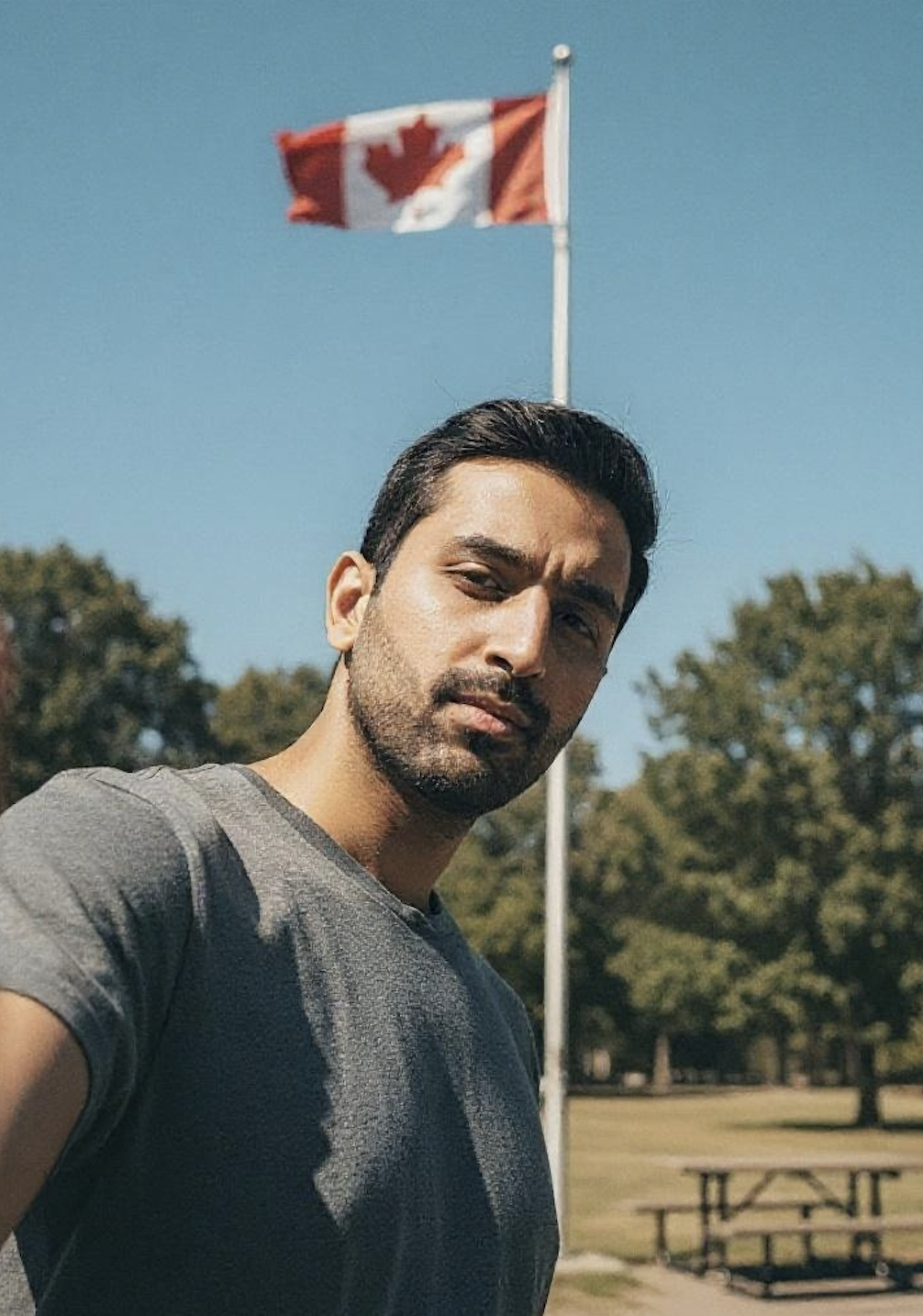
Unflattering angle • Harsh lighting • Missed potential
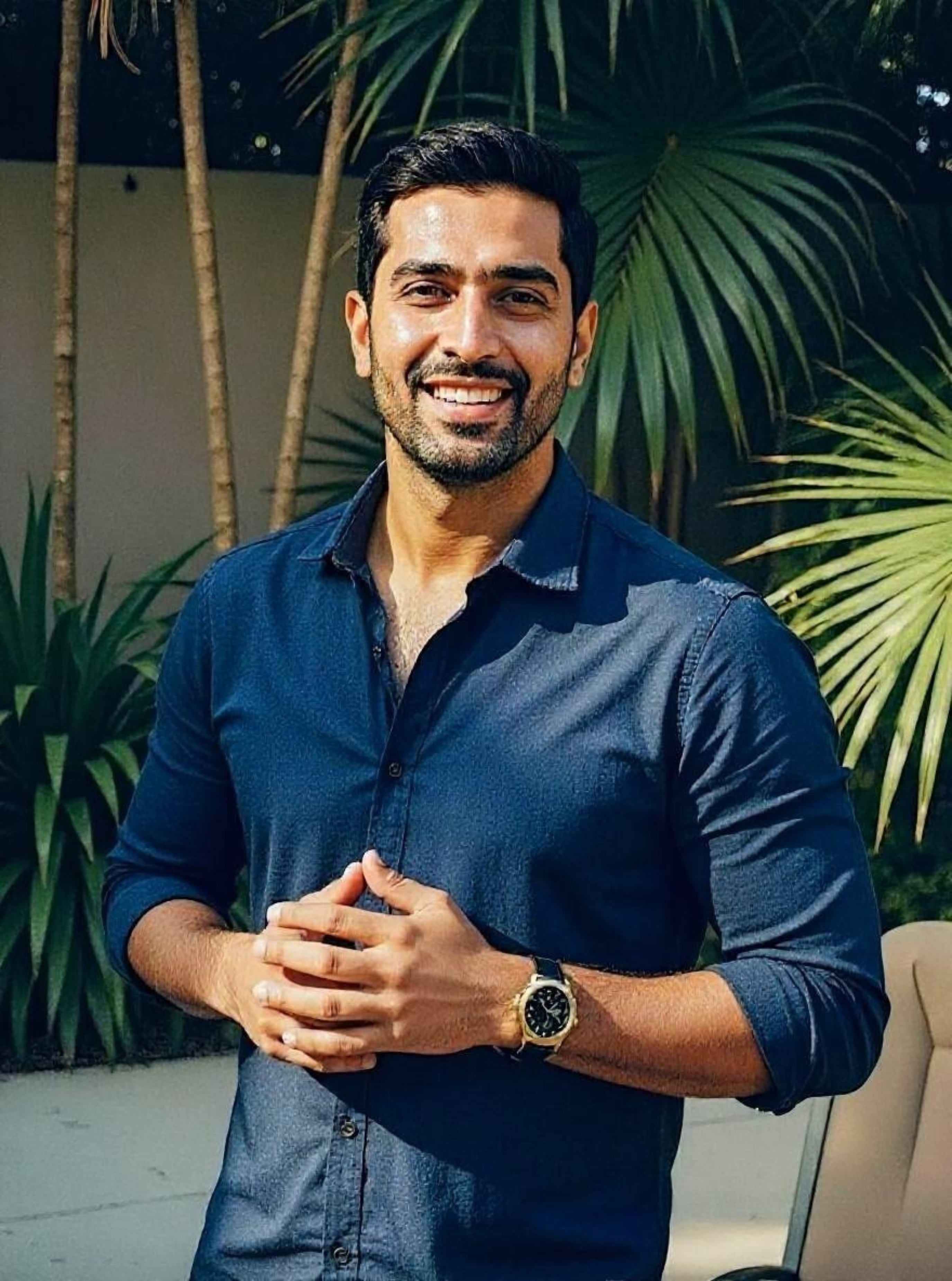
Confident pose • Perfect lighting • Match-ready
1 free match-ready photo first • unlock 40 for $24.99 only if you love it • no card required
2. TruShot
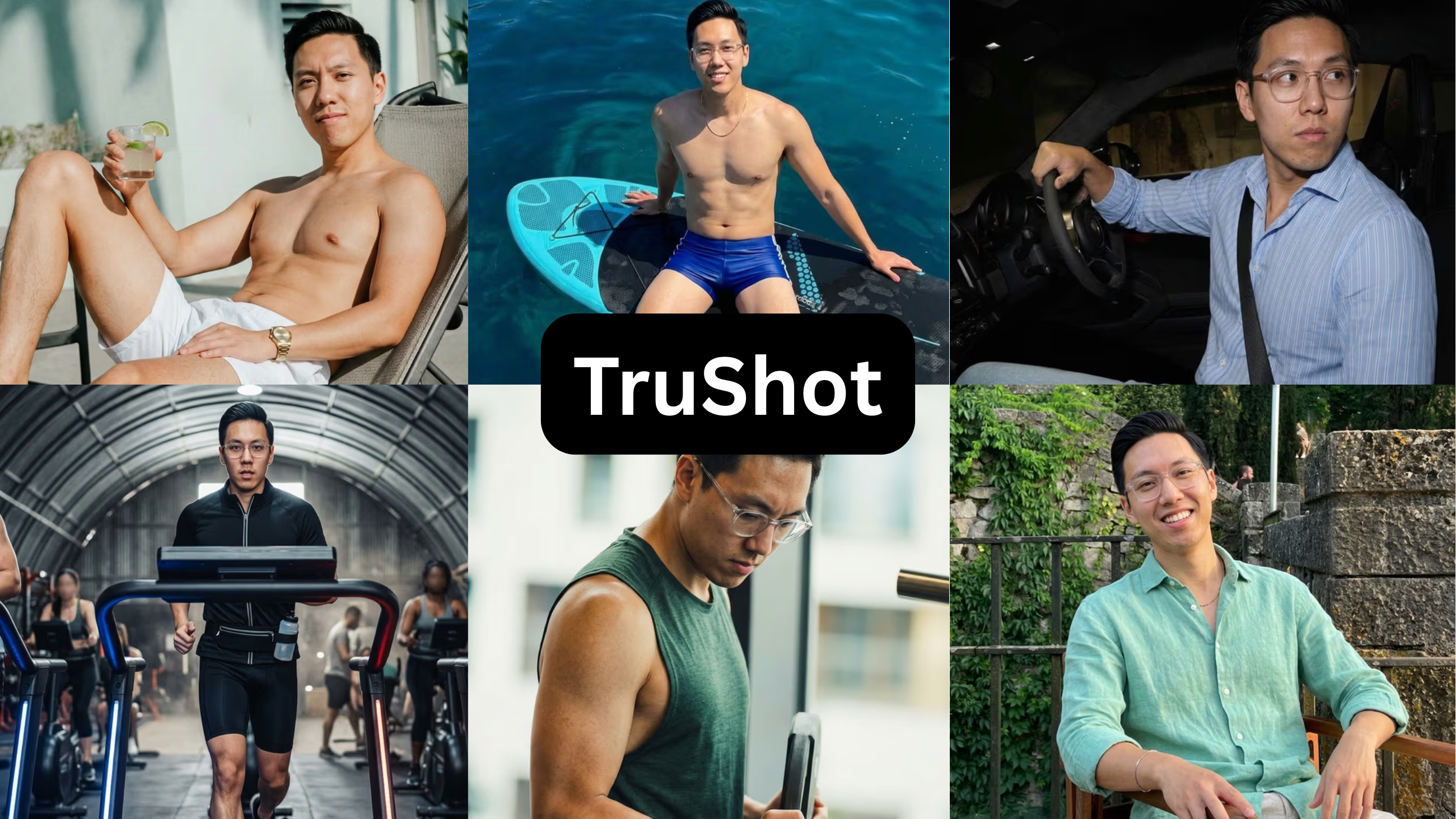
Price: $29 / 21 photos · Free preview: No
| Strengths | Limitations |
|---|---|
| – Output that mirrors how you already look in your existing photos | – The $29 plan yields only 21 photos (7 sets of 3 poses) |
| – Includes one free dating-photo audit report | – Each photo is generated individually, with no bulk option |
| – A one-size-fits-all approach with limited selection | |
| – No free preview — payment comes before any result | |
| – Output is only as good as the input photos | |
| – Best suited to people who already photograph well | |
| – Self-promoted review counts did not match the 19 independent Trustpilot reviews (4.1) at test time |
Verdict — $29 for 21 photos, no preview before paying, and a narrow case where it does anything for you. Underwhelming for the price.
While it is naturally "scan-safe" because it mirrors your actual photos, it severely lacks versatility. If you need a travel background, a classic B&W look, or a specific composition that isn't already in your camera roll, you're out of luck—the photo options here are just too limited to make it happen. $29 for 21, nothing shown before you pay, and promoted review counts that didn’t match the 19 independent Trustpilot reviews (4.1) when I checked.
“These are fine, but the photos lack variety. It's not really worth the price for me.”
— Alex, on the TruShot set
3. DatePhotos.ai
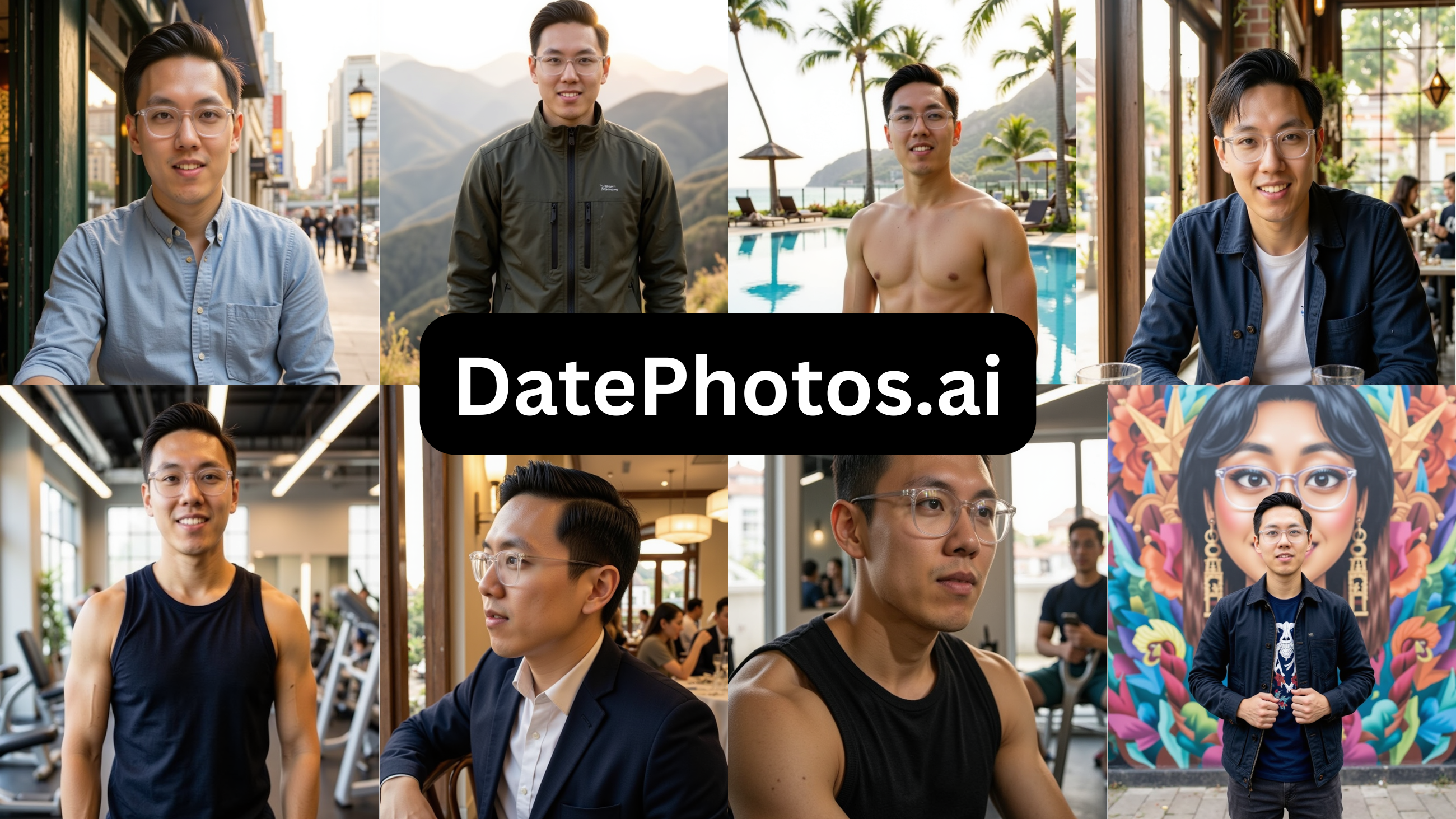
Price: $29 · Free preview: No
| Strengths | Limitations |
|---|---|
| – A large volume of photos per batch | – The output is consistently plasticky |
| – A wide range of style selections | – An hour-long training wait — the longest tested |
| – Most images look too AI-generated for a real profile | |
| – Output too AI-looking for most profiles |
Verdict — Decent idea — real settings instead of fake studios — but everything came out plasticky and the training wait was an hour. Most of the batch wasn’t usable. Hard pass.
The inverse of TruShot: it tries requirement one — everyday settings your prompts could lean on — and fails requirement two. The over-smoothed skin is exactly what the scan exists to catch, and what a real person notices in about two seconds. Most of the batch failed on that alone, after the longest training wait in the test.
4. Aragon AI
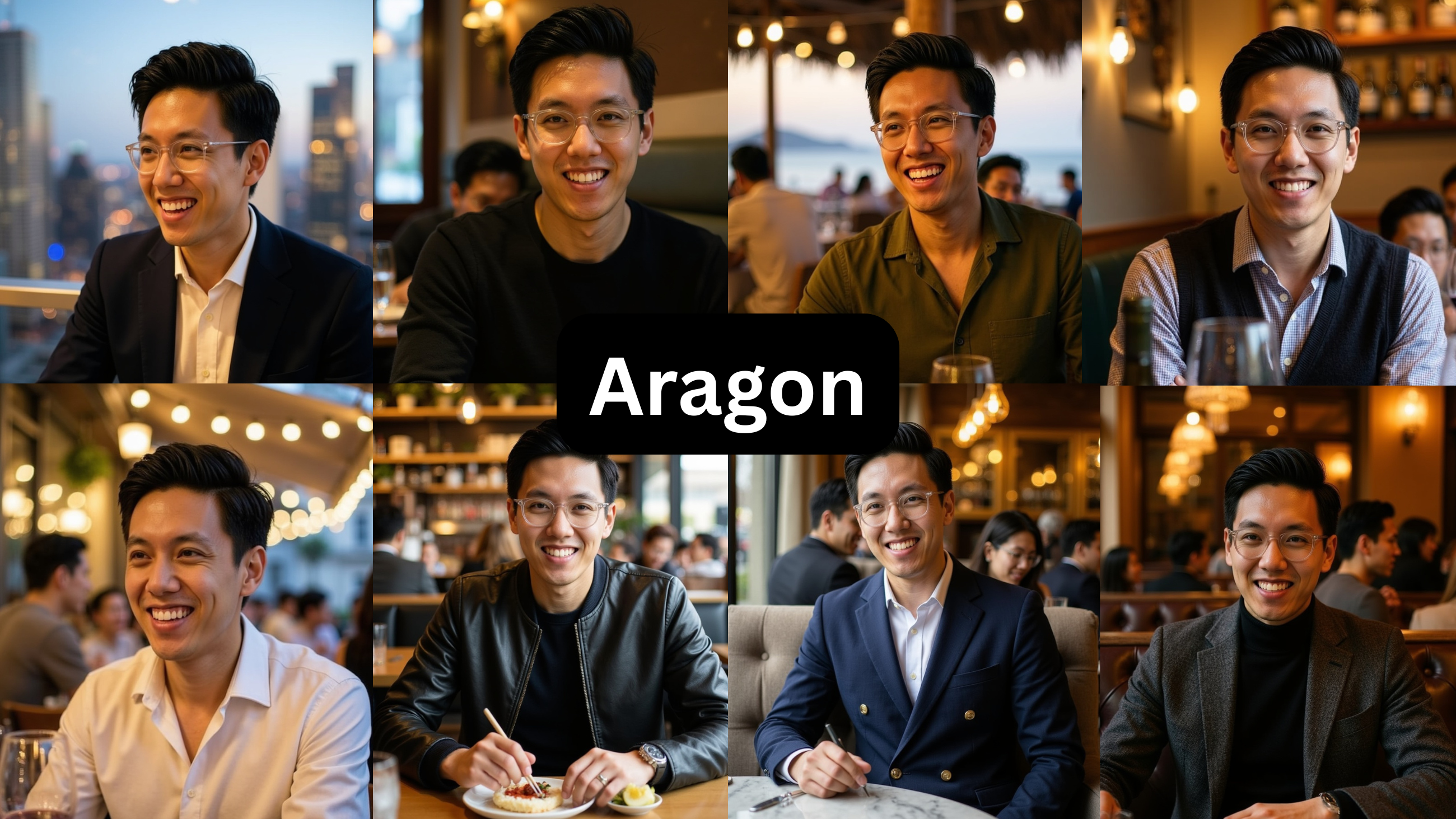
Price: $15 and up · Free preview: No dating-specific free test
| Strengths | Limitations |
|---|---|
| – Clean, professional output that is genuinely strong for LinkedIn | – The output reads as very AI-generated |
| – Too headshot-focused a use case | |
| – Not realistic enough for dating | |
| – About 3 of 40 outputs were usable for dating in a published comparison |
Verdict — Great if you need a LinkedIn headshot. For dating it looks AI and corporate — a published test got about 3 usable shots out of 40, which lines up with what I saw. Wrong tool for this.
Fails both requirements for this job: headshots can’t support a coffee or travel prompt, and the studio-lit, visibly produced finish is the most scan-exposed output in the test. Keep it for LinkedIn; the published ~3-of-40 dating-usable figure matched what I saw.
5. TinderProfile.ai
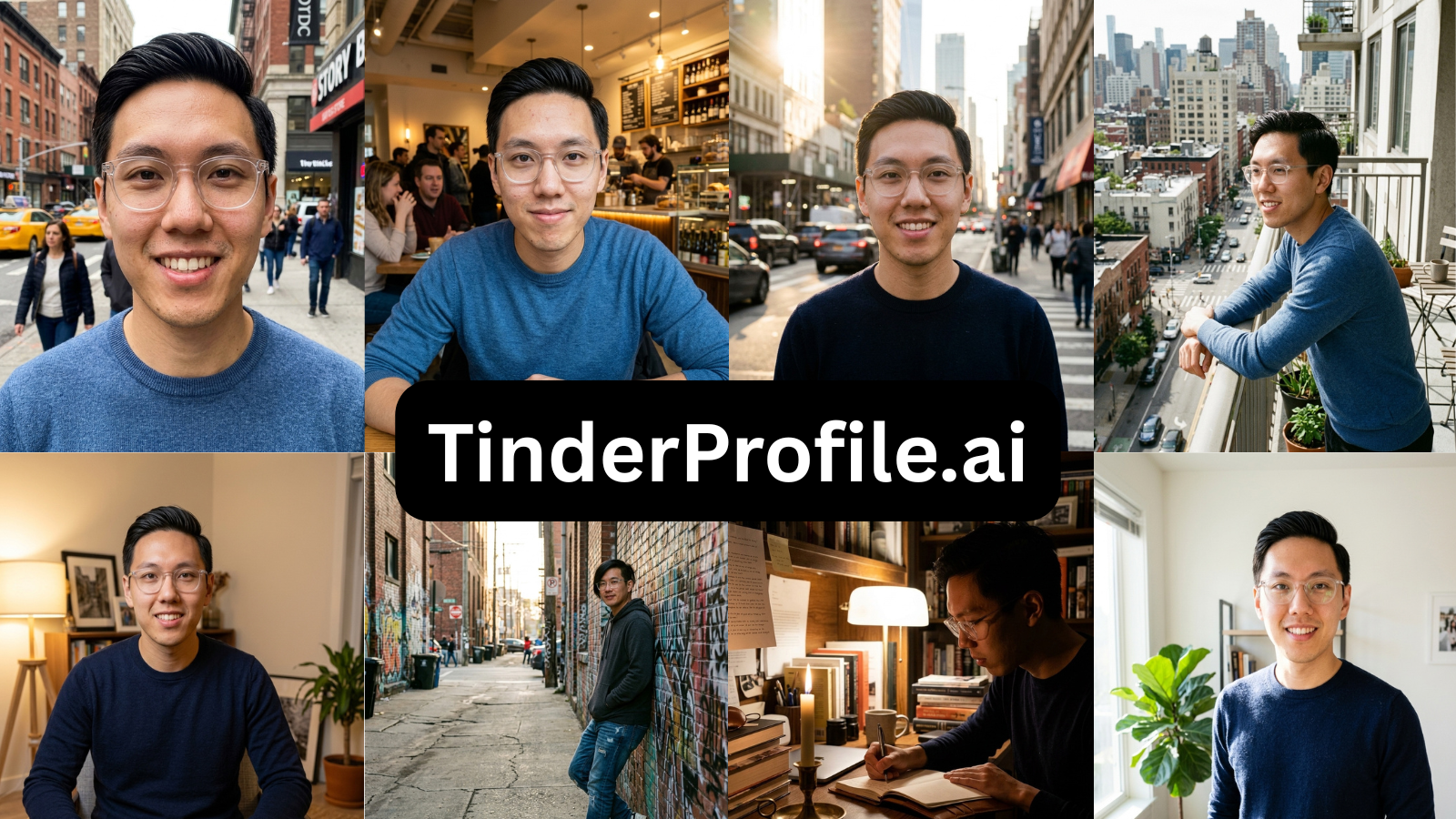
Price: $14 · Free preview: No
| Strengths | Limitations |
|---|---|
| – Captures a front-facing profile reasonably well | – Tends to distort side profiles |
| – Allows some customization of preferences | – A 30-minute training wait |
| – Requires re-uploading source photos every generation | |
| – A major bug blocked the upload-and-continue step during testing | |
| – No fashion element — the same outfit across every photo | |
| – A flat, generic range of photo styles | |
| – Not genuinely built for dating |
Verdict — Broke mid-test, and put me in the same outfit in every single shot with flat, generic styling. I wouldn’t bother.
Hinge asks for six distinct photos your prompts can point at; a same-outfit batch is one photo six times, so requirement one is off the table. The mid-test upload bug and the re-upload-every-generation workflow settle whatever was left of the case.
6. Remini
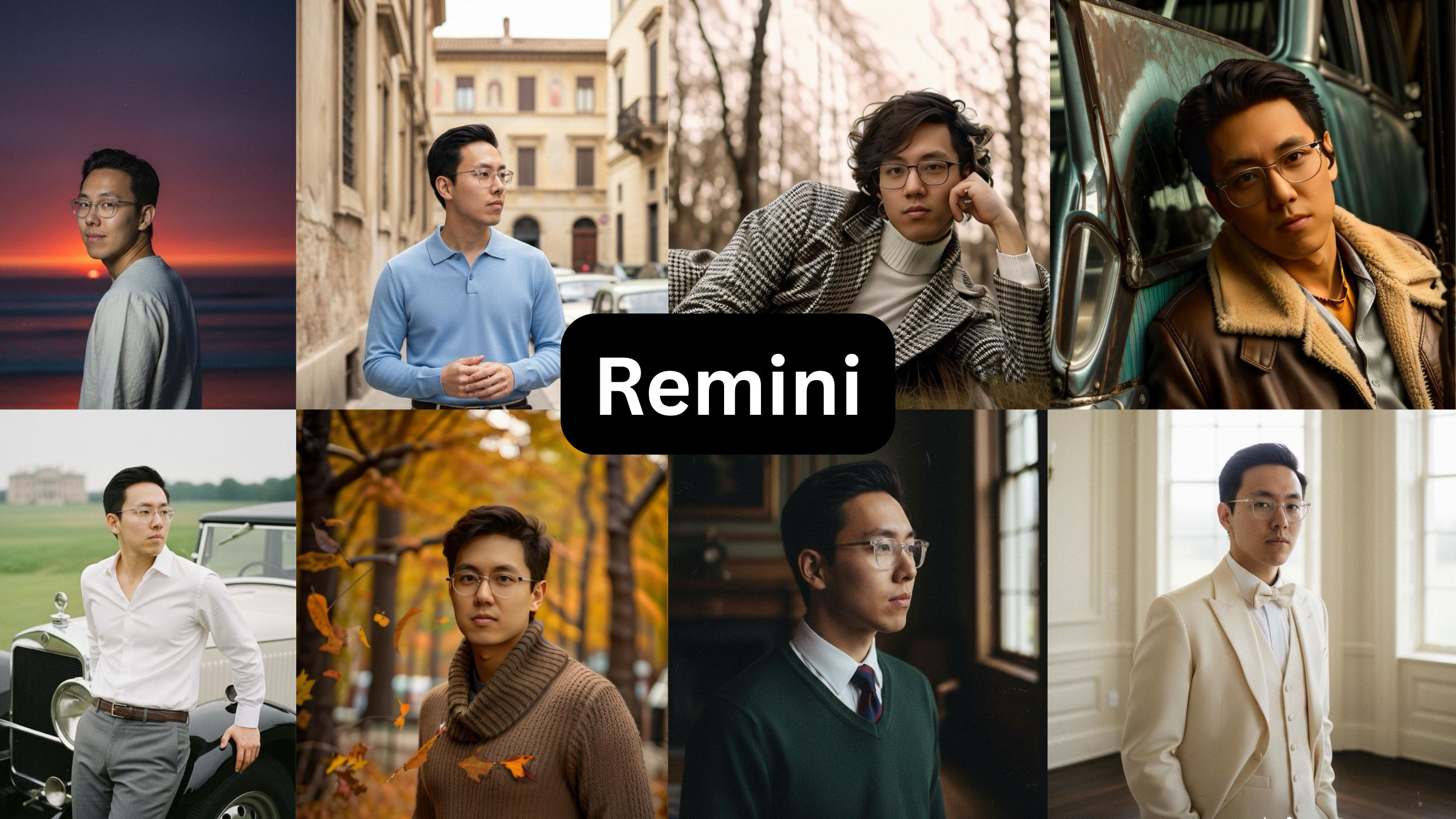
Price: $9.99 / week after a free trial · Free preview: One-week trial; card required
| Strengths | Limitations |
|---|---|
| – A wide range of use cases | – Not a dating-photo generator |
| – An excellent photo-editing and enhancement tool | – Older styles and presets look plasticky |
| – On-trend styles included | – Heavily appearance-altering — it changes how you look |
| – A one-week free trial | – Altering your appearance is precisely what fails live-selfie verification |
Verdict — It’s a photo editor, not a dating-photo maker. It changes how you actually look, which is exactly what gets you flagged by the apps’ verification now. Good app, wrong job.
It changes how you look, on the app that scans for changed looks — requirement two, failed by definition. Good editor, wrong job.
7. roast.dating
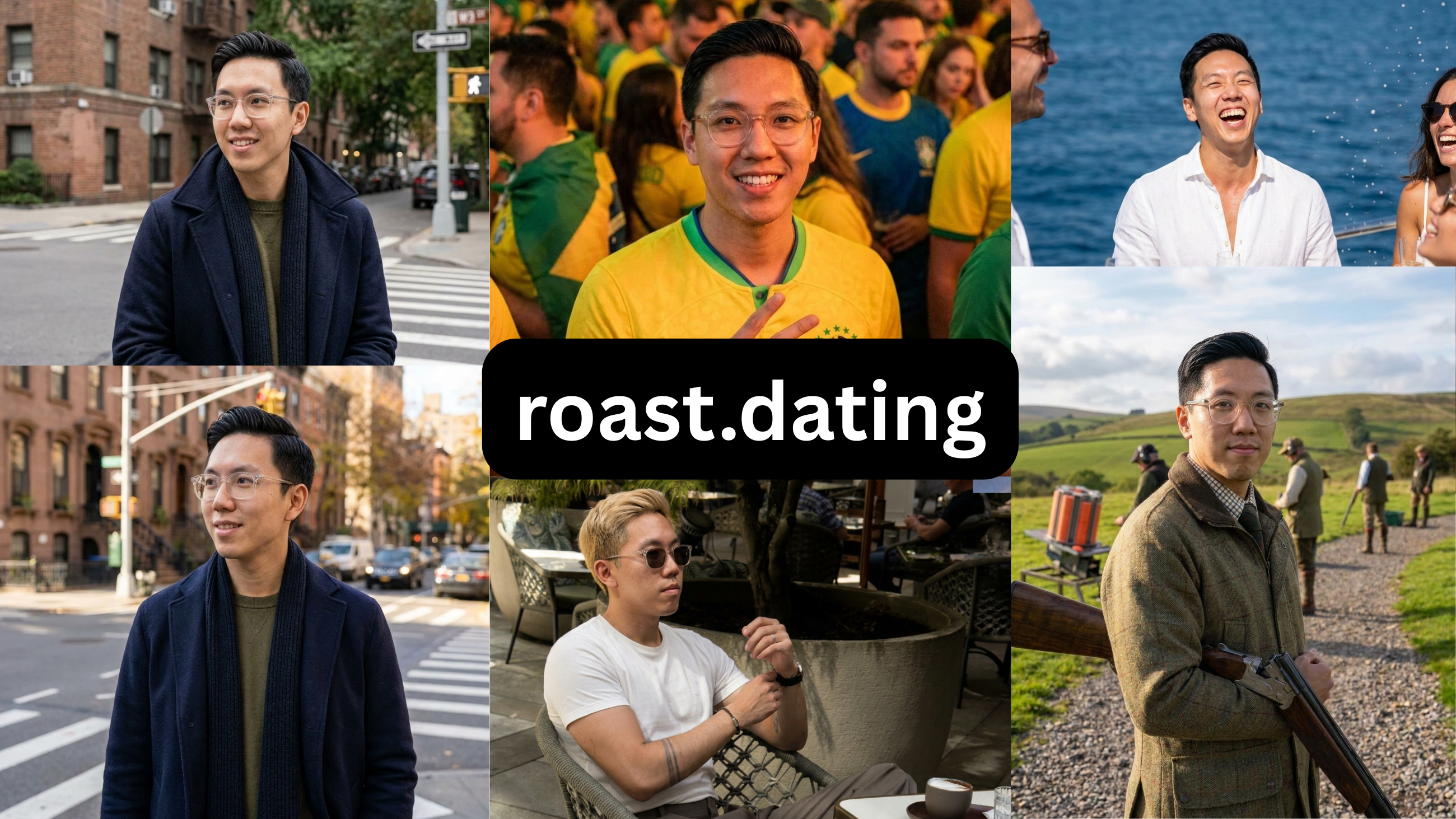
Price: $3.99 audit, then $29 / month · Free preview: No free photo preview
| Strengths | Limitations |
|---|---|
| – Genuinely useful for dating-profile audit and strategy | – Photo styles are inconsistent |
| – An all-in-one platform for profile work | – Slightly distorts the face model |
| – A wide range of photo styles on paper | – Most images are too stiff and AI-looking to use |
| – Photo-only buyers must pay for the whole platform | |
| – Only 8 photos for $3.99 |
Verdict — The $3.99 profile roast is actually useful. The photos it makes are stiff and AI-looking, and you have to pay for the whole platform to get them. Use it for the audit, not the pics.
Buy the $3.99 audit — it reads prompts and photo order sharply, and it is the best cheap second opinion in the category. The photos it generates are too stiff for Hinge’s warmth bar, so use it for the diagnosis, not the pictures.
See The Difference
Your photos do the talking before you do. Make sure they're saying the right thing.
Unflattering angle • Harsh lighting • Missed potential
Confident pose • Perfect lighting • Match-ready
1 free match-ready photo first • unlock 40 for $24.99 only if you love it • no card required
Building the grid with the photos you get
Once the tool hands you the photos, the grid comes together by pairing, not decorating. Each prompt should point at a photo, and each photo should make one kind of comment easier.
| Prompt idea | Matching photo | Why it works |
|---|---|---|
| “I plan Sundays around coffee” | A relaxed café frame | Gives her an obvious, low-effort opener |
| “Best trip I still talk about” | Travel or street-market shot | Turns the prompt into a story instead of a claim |
| “My simple pleasure” | Cooking, bookstore, walk, pet, music | Makes the profile feel lived-in, not written by AI |
| “Dating me is like…” | Warm candid or laugh | Keeps the answer from feeling too performative |
| Voice prompt | Natural close-up | Makes the face and voice feel like one real person |
Then order and cut:
- Lead: clear, warm, face-forward — the +102% type, and the scan’s anchor. Not the polished studio shot; 72% of users find bathroom-mirror energy undesirable and only 13% of successful profiles use one.
- Slot the pairs: each hook photo adjacent to the prompt that references it.
- Play the arbitrage: the B&W (+106%, ~3% adoption) and the travel frame (over half of users more likely to comment; ~3.4% of men have one).
- Cut the ambiguous two-person photo — 73% of users shy away from anything that could contain an ex.
- Keep one genuinely candid frame so six photos read as a person, not a portfolio.
Two practical notes before you go live. Feed the tool honestly — 8 to 15 varied, unfiltered source photos, because the model learns whatever you show it. And on the AI-to-real ratio, there is no magic number: hold every photo, generated or not, to the same recognizability bar, since one plastic frame doesn’t just fail on its own — it makes the honest photos next to it look suspicious too.
Frequently asked questions
What’s the best AI photo generator for Hinge?
On this test, PhotoLike — the only tool that can generate the specific photo a prompt references, plus the rare high-performers (travel, natural B&W), natural enough for the scan, verifiable free first.
Why do I get likes but no conversations on Hinge?
Nothing on the profile is easy to comment on — and a like with a comment is 2x more likely to become a date. Build every unit to hand someone an obvious opener.
Do AI photos pass Hinge’s Selfie Verification?
Natural, recognizable ones do. The scan targets altered-looking images — over-smoothed, appearance-changed or studio-polished output is what fails.
Should photos and prompts connect?
It’s the single highest-leverage move on the app — a photo showing the thing a prompt describes gives a ready-made comment instead of a data dump.
Is a black-and-white photo really worth a slot?
+106% likes at ~3% adoption — the best performance-to-competition ratio of any Hinge photo type.
Which prompts should I avoid?
The overused traps (‘two truths and a lie,’ ‘dating me is like’) and anything negative — both reply below average.
Bottom line
Best AI photo generator for Hinge, answered the way the app actually works: the tool has to build the photo your prompt references, and the result has to stay unmistakably you. On this test only one tool did both — and it is the only one that lets you check that claim on your own face, free, before a dollar moves.
TRY IT ON YOUR OWN FACE FIRST
PhotoLike generates one full-quality photo of your own face free, with no card — the only claim in this guide you can verify in five minutes. A full set is 40+ photos across purpose-built albums for $24.99.
See your free preview at photolike.ai
How we tested: every tool was purchased and run on the same set of source photos from one volunteer, who consented to publishing the AI versions and the quoted reactions. In each case I bought the lowest paid tier — most of these tools also sell higher-priced tiers with more photos or features, which I did not test. Findings on pricing, output quality and software bugs are from that hands-on test of the entry tier. Prices were correct at the time of testing; verify before purchasing. This guide is published by PhotoLike and is not sponsored by any tool reviewed.
Sources & references
On This Page
Frequently Asked Questions
Hinge's Selfie Verification scans photos to ensure they aren't digitally altered. The system flags images that appear overly edited or manipulated. Therefore, maintaining a natural and recognizable appearance in your photos is crucial to passing this verification.
Using rare photo types can significantly boost engagement on Hinge. These distinctive images stand out in a user's profile, capturing attention and encouraging comments or likes. Black and white photos, for example, see a substantial increase in likes, and travel photos also perform well.
These styles often appear digitally altered, which Hinge's verification system is designed to detect. Furthermore, Hinge users generally prefer authentic, warm visuals over a highly stylized or artificial look. This combination of technical risk and aesthetic mismatch makes them a poor choice for the platform.
High-quality, varied dating photos often require professional shoots, which are expensive and time-consuming. However, advancements in AI now allow for the generation of diverse, professional-looking photos in minutes at a fraction of the cost of traditional photography sessions.
Hinge favors warm, natural photos that showcase personality and unique qualities. Specific types like black and white shots, clear face-forward portraits, travel photos, and candid moments tend to get more engagement. Overly polished or studio-like images are generally less effective.
AI tools that heavily change how you look can cause your photos to fail verification scans. These platforms look for verification that the person in the photo matches your live selfies. Substantial appearance alteration directly contradicts this goal, leading to rejection.
Generating unique photo styles that you may not have in your camera roll requires specialized tools. These tools can create specific scenarios and aesthetics, like travel backgrounds or distinct black and white conversions, while ensuring they look natural and true to your likeness.
Warmth and naturalness create approachability and authenticity, which resonate well with users seeking genuine connections. A polished, overly edited look can appear artificial and may not align with Hinge's focus on realness, potentially even triggering verification scans for alteration.
Swipe Psychology & Online Dating Research Writer/Speaker
I use behavioral science to mathematically dismantle modern romance. When I'm done optimizing human attraction, I drink black coffee and play chess.